38
4.3 Charging the battery
Charging steps
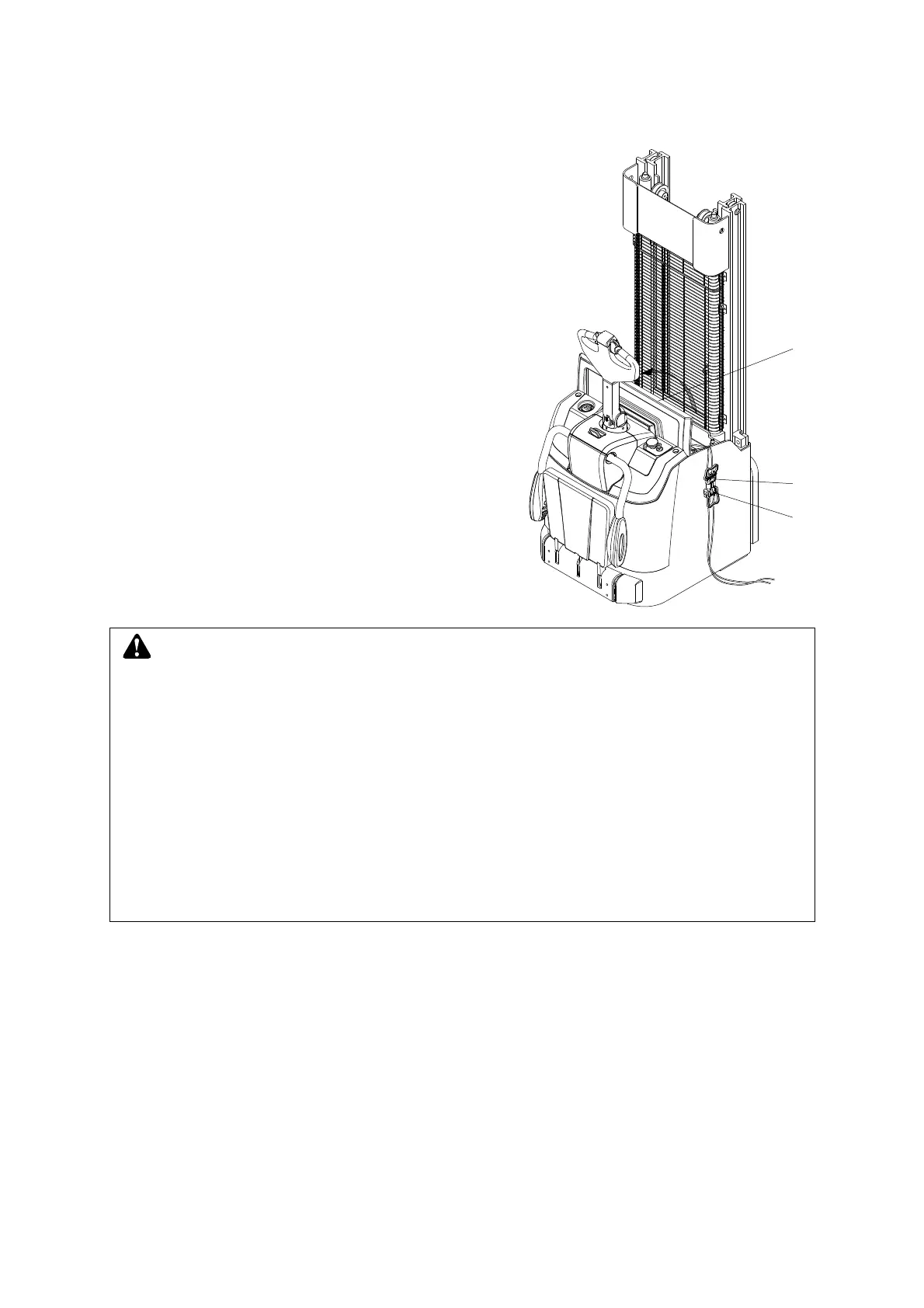
– Drive the truck to appointed charging place, park
the truck and render if safe.
– Open the battery cover (10).
– Remove the battery plug from the truck socket
(31).
– Connect the charging plug (32) to battery plug (31).
– Plug the charger plug into proper power socket.
– Start the charging procedure according to the
charger operation instructions.
– End charging according to the charger operation
instructions after the battery fully charged.
– Remove the battery plug (31) from the charger.
– Connect the battery plug(31)with truck socket and
cover the battery hood(10).
After charging, the truck can be used.
14
37
38
WARNING
Please charge in the well-ventilated and appointed site.
Mark ‘No smoking’ when charging and prepare extinguisher.
Before charging, please examine wire and electrical outlet for damage, otherwise do
not charge.
Open the hood and storage battery lid to release the explosive gas when charging.
Never place metal object on the battery.
In the progress of charging, do not pull out power switch and battery plug, otherwise
it may damage plug and electrical units. Generally press down the stopping button
firstly, and then take out the plug.



 To Next Page