10
1.4.2 Control
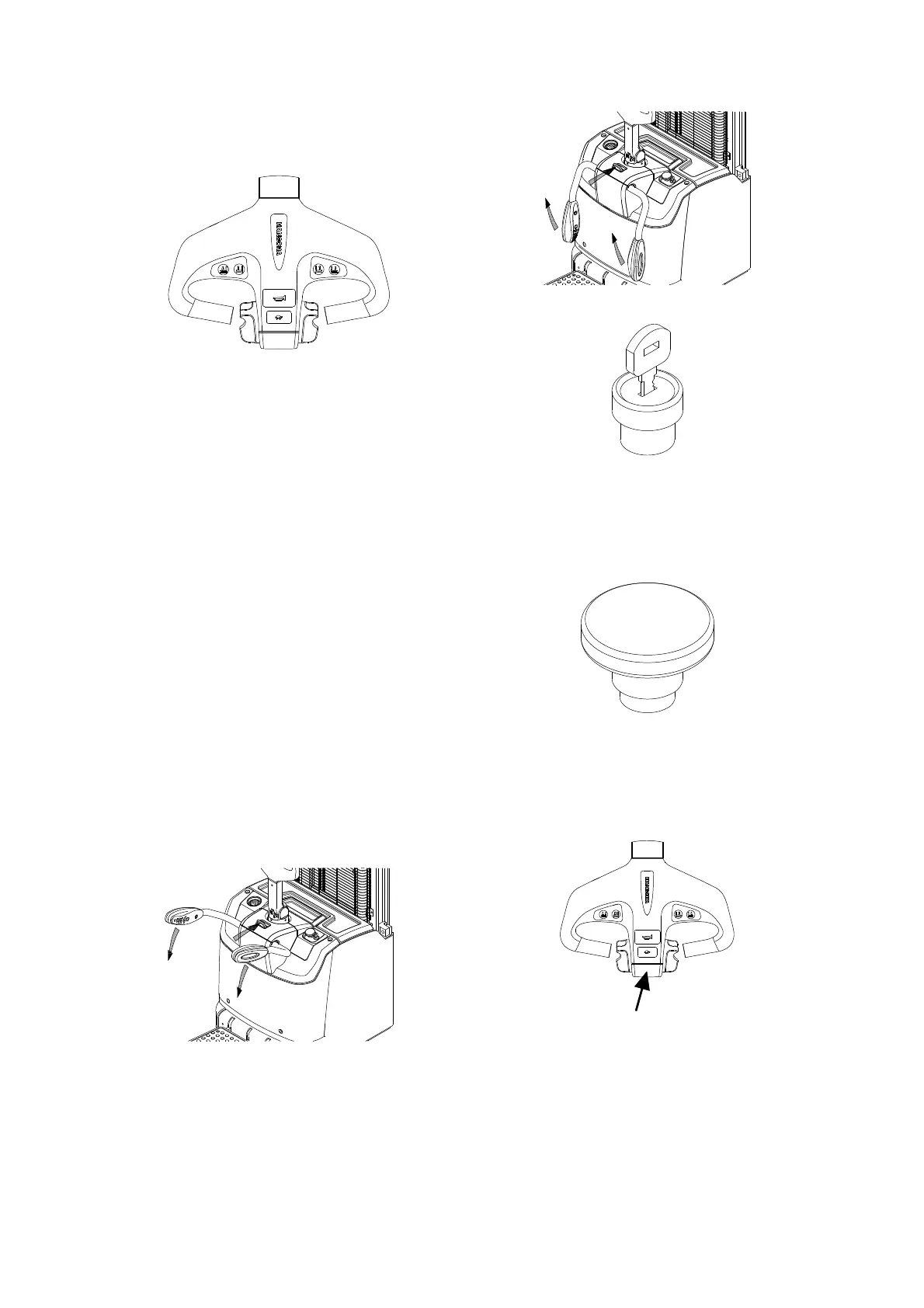
Control handle [1]
Control truck steering and braking.
When turn the control handle right and left, it
can realize the truck right and left turn. The
max turning angle of this handle is about 175°.
When press the handle to horizontal position
or push up to vertical position, it can realize
the truck brake. These two positions are set by
brake inching switch. Normal is open circuit,
working status is closed, brake inching switch
is normally at horizontal or vertical position is.
Arm guard lock switch [3]
Open or fold the arm guard, then release the
lock condition.
When fold the arm guard, push the arm guard
lock switch with one hand and the other hand
press the arm guard until it rotates to certain
angle, release arm guard lock switch and press
the arm guard to lock position.
When open the arm guard, push the arm guard
lock switch with one hand and the other hand lift
up the arm guard until it rotates to certain angle,
release arm guard lock switch and lift the arm
guard to lock position.
Key switch [12]
Turn on the key switch, and the power is on. Turn
off the switch, and the power is off. Turn off the
key switch before charging.
Emergency stop switch [13]
Press this switch, power is off. Press it when
emergency or no use. If re-start needed, pull
upward.
Emergency reverse button [16]
This switch is at the head of control lever, once
touch this button, the truck moves forward. It is
used to protect people from being clamped by
the control handle.
This switch is also called belly switch.
Low speed switch button [17]



 To Next Page