The oven
Page EN-17
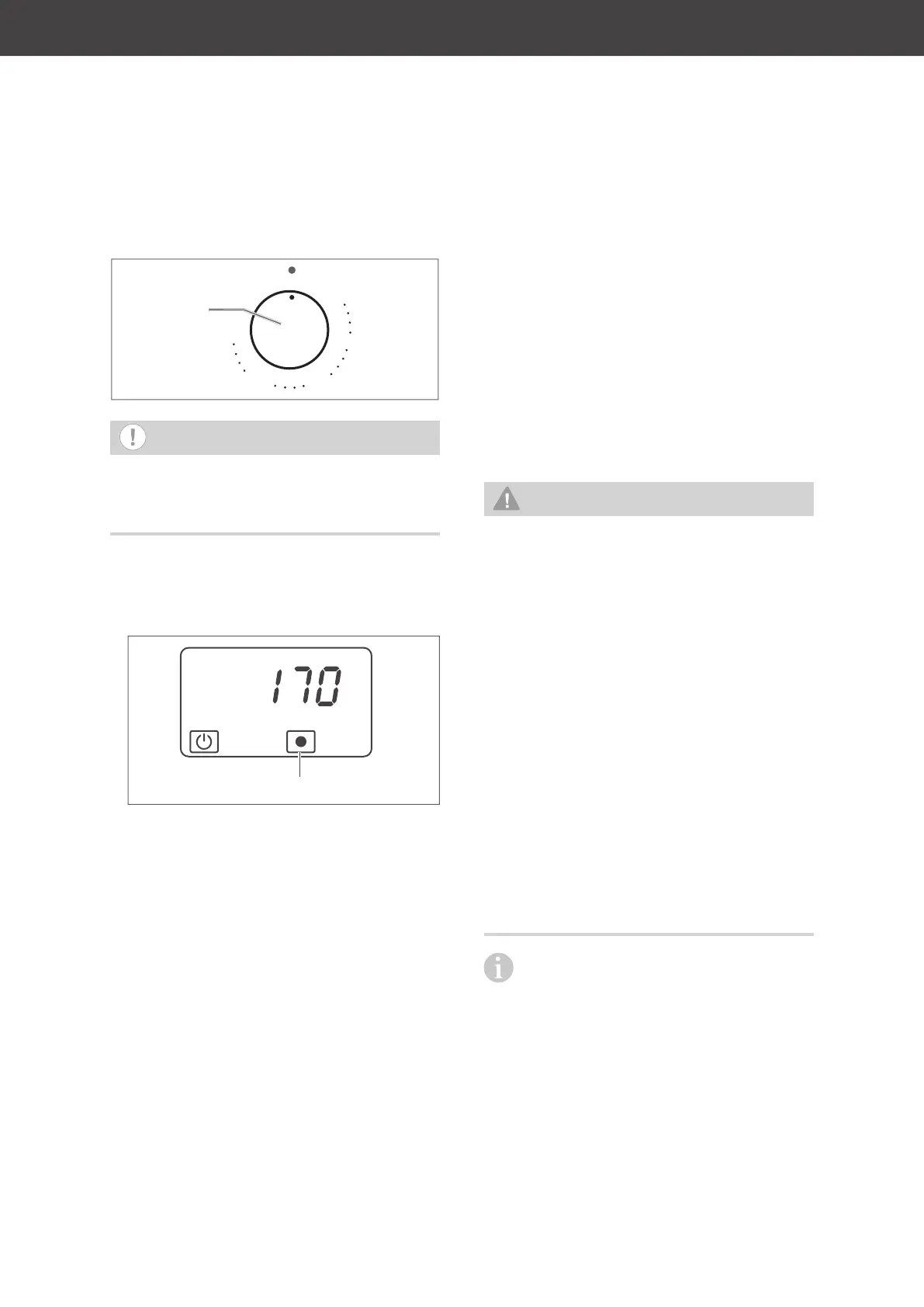
Temperature controller
50
100
250
200
150
8.8.8.8.
:
OK
0
1
3
4
5
6
7
8
9
2
0
1
3
4
5
6
7
8
9
2
0
1
3
4
5
6
7
8
9
2
(14)
NOTICE
Risk of damage!
■ Do not force the temperature control-
ler (14) past the final position.
• Once you’ve selected the heating meth-
od, turn the temperature controller to the
desired oven temperature.
The heat symbol will be displayed.
Heat symbol
The heat symbol remains displayed as long
as the oven is on or reheating. When the
oven reaches the set temperature, the sym-
bol will disappear from the display.
This process is repeated several times during
baking.
External cooling fans
The outdoor cooling fan cools down the fumes
and vapour that exit the oven through the ex-
traction hood and prevents nearby furniture
from becoming too hot. The air exits through
the extraction hood (26) above the oven door.
Switching off the oven
1. Turn the temperature controller anti-clock-
wise to the ‘0’ position.
The heat symbol will disappear.
2. Turn the oven dial back to the ‘0’ position.
The cooking compartment light will switch
off.
Special defrosting information
WARNING
Health hazard!
Defrosting meat, poultry or fish in the
oven can cause dangerous microorgan
-
isms (such as salmonella) to multiply
rapidly, thereby increasing the risk of
food poisoning.
■ Do not defrost meat, poultry and fish
in the oven.
■ Only use the defrosting function to
defrost vegetables, pre-cooked food,
etc.
■ Take the frozen food out of the freez-
er ahead of time and let it defrost in
the refrigerator. The fluid from the
frozen food must be able to properly
drain, otherwise harmful microorgan
-
isms can form.
In order to make more room in the
cooking compartment, you can remove
the telescopic rails and defrost the frozen
food container directly on the bottom of the
oven.



 To Next Page