ProStream X panel diagrams
Key Component Description
4. Ethernet port 1 Gigabit Ethernet port for management.
NOTE: Can also be used for MPEG over IP
input/output.
5. Ethernet port 2 Gigabit Ethernet port for CAS management.
NOTE: Can also be used for MPEG over IP
input/output.
6. VGA port Video port connects the device to a monitor.
7. Serial over LAN Unused.
8. USB ports Port connects the device to a keyboard or mouse.
9. BMC Baseboard Management Controller
10. Ethernet port 1 Gigabit Ethernet port for MPEG over IP input/output.
11. Ethernet port 2 Gigabit Ethernet port for MPEG over IP input/output.
12. Ethernet port 3 Gigabit Ethernet port for MPEG over IP input/output.
13. Ethernet port 4 Gigabit Ethernet port for MPEG over IP input/output.
14. Optional slot Slot for optional Dual 10 GbE card (2 ports) or Octal ASI card (8
ports).
15. Optional slot Slot for optional Dual 10 GbE card (2 ports) or Octal ASI card (8
ports).
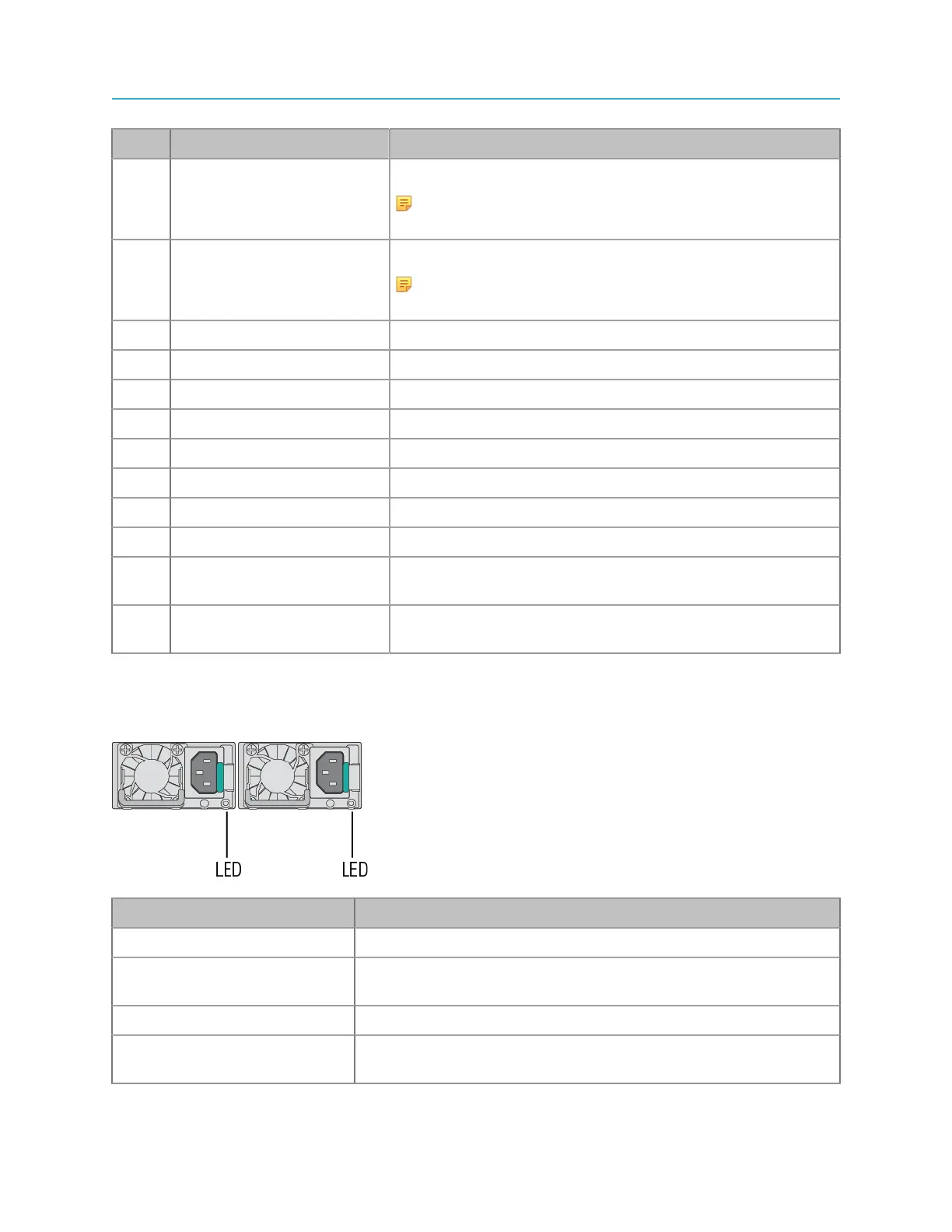
ProStream X power supply status LEDs
Note the possible states for the single power supply status LED.
LED Color Description
Green (on) Power supply is on and working.
Green (1 Hz blinking) AC is present, but the power switch on the front panel is off or in a
cold redundant state due to low system power load.
Green (2 Hz blinking) Power supply FW updating.
Amber (blinking) The power supply is operational, but experiencing a warning event
such as high temperature, high power, high current or slow fan.
11 ProStream X 2.4.x Installation Guide


 To Next Page