Chapter 1: ProStream X hardware specifications and reference topics
LED Color Description
Amber (on) AC power is lost or a power supply is shut down due to a critical
event such as PS failure, over current, over power or fan failure.
Off No AC power to any power supplies.
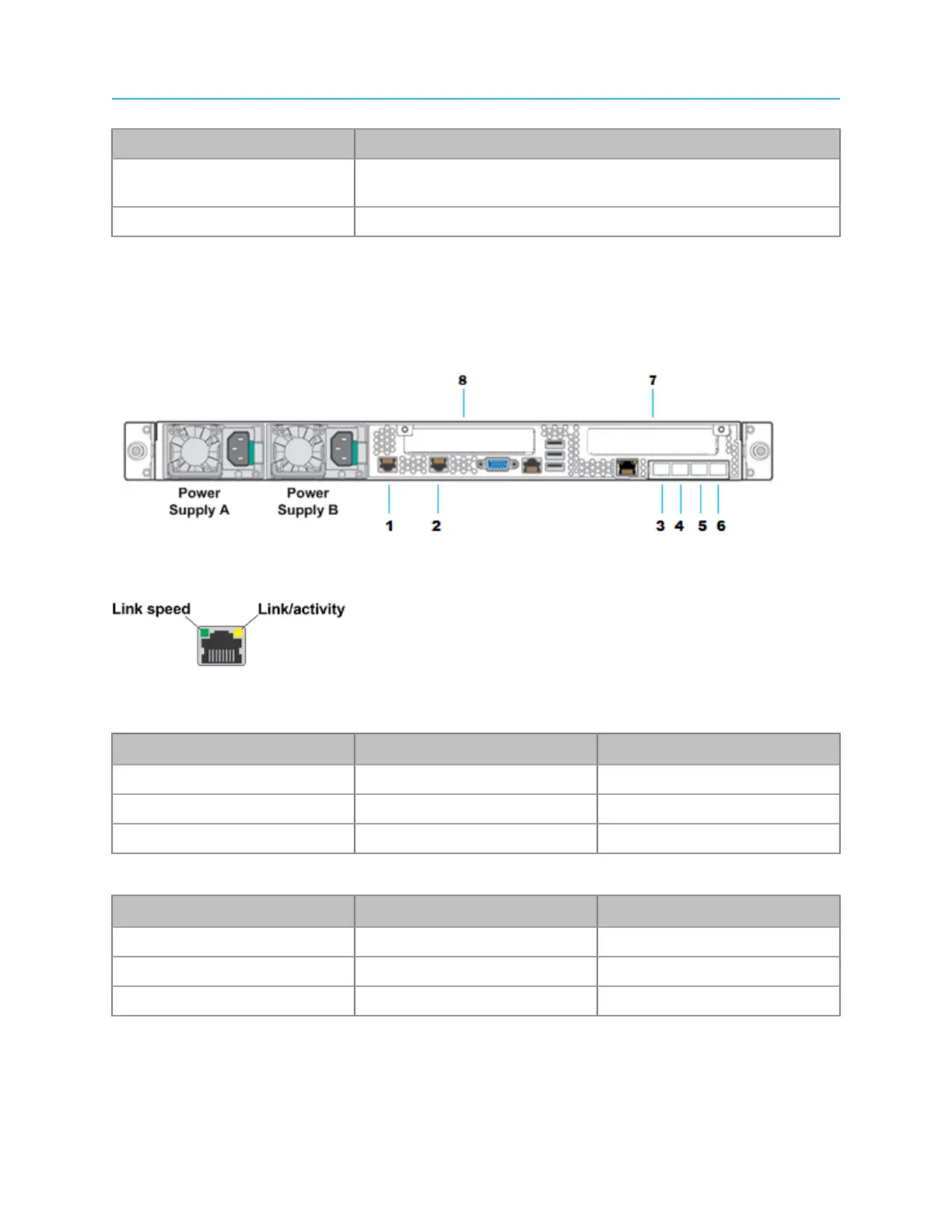
Ethernet port LEDs
A diagram of the LED states for the Gigabit Ethernet ports.
The LEDs of Gigabit Ethernet ports 1-6 show the following states:
Table 1-3: Left Ethernet Port LED
Indicates network connection when on and transmit activity when blinking.
Color LED State NIC State
Green Off LAN link not established
Green On LAN link is established
Green Blinking LAN activity is occurring
Table 1-4: Right Ethernet Port LED
Color LED State NIC State
Amber Off 10 Mb/sec data rate
Amber On 100 Mb/sec data rate
Green On 1000 Mb/sec data rate
The LEDs of the optional 10G card show the following states:
Table 1-5: Left Ethernet Port LED
Indicates network connection when on and transmit activity when blinking.
12


 To Next Page