Upgrading the ProStream firmware via NMX
Upgrading the ProStream firmware via NMX
ProStream firmware should be upgraded using NMX officially.
1. Download the ProStream upgrade patch (.tar file) from official GA/patch release links.
2. Copy the firmware file to the following directory of the NMX server:
C:\tftpboot\ProStreamX\{[targeted version]}
Example: If you want to upgrade the patch to 1.0.0.0.689, create the directory with the name
1.0.0.0.689 and put the firmware into it.
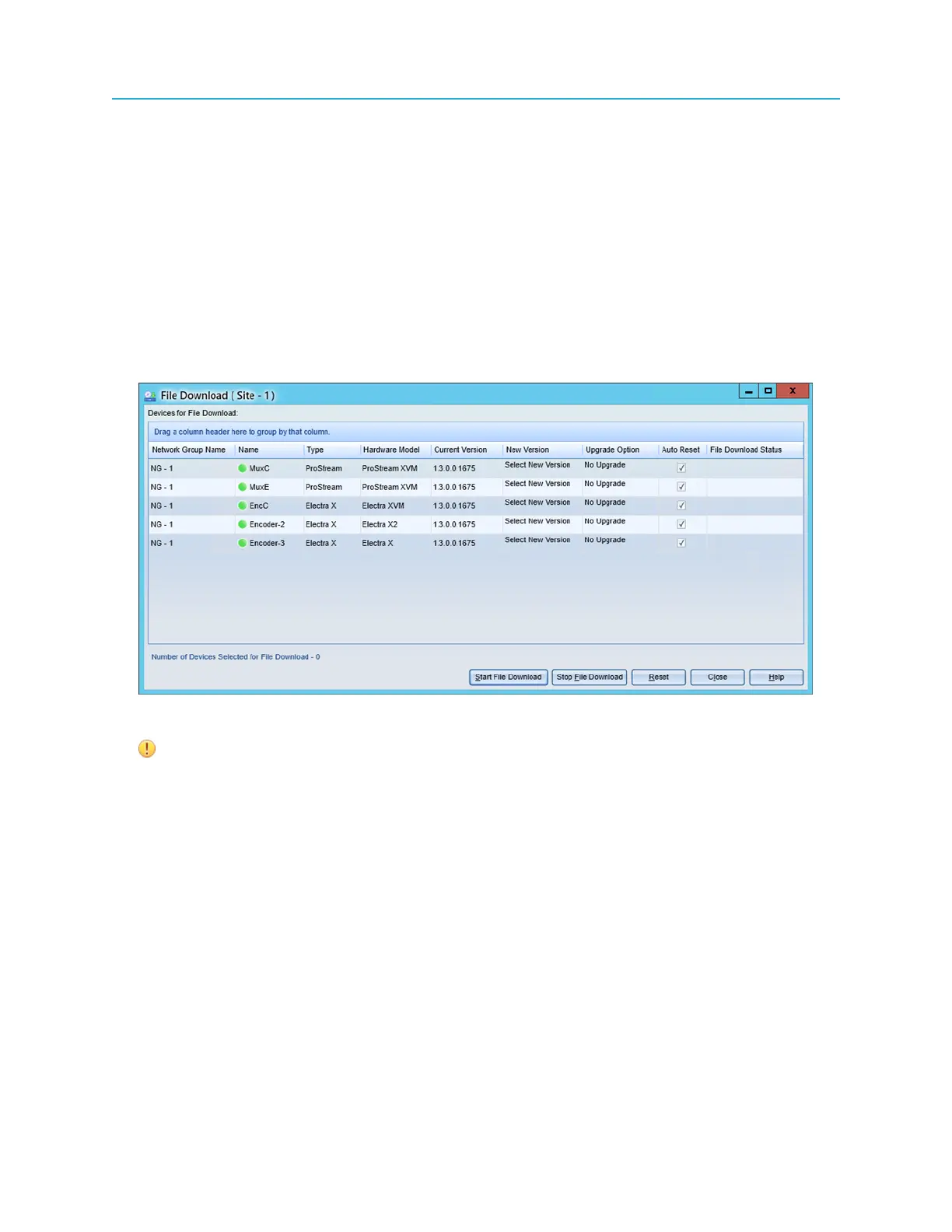
3. In the NMX Operator, click Firmware Upgrade, and select the row that contains the machine you are
going to upgrade.
4. Select the target New Version, Upgrade Option, and also enable the Auto Reset check box.
IMPORTANT: The Upgrade Option should be Background. If Auto Reset selection
is disabled, manual reset of the device is required.
5. Start the upgrade by clicking Start File Download.
Result: An alarm appears while the upgrade is in progress. After the upgrade, the device is rebooted
and the alarm is remitted.
35 ProStream X 2.4.x Installation Guide


 To Next Page