Chapter 2: Installing ProStream X
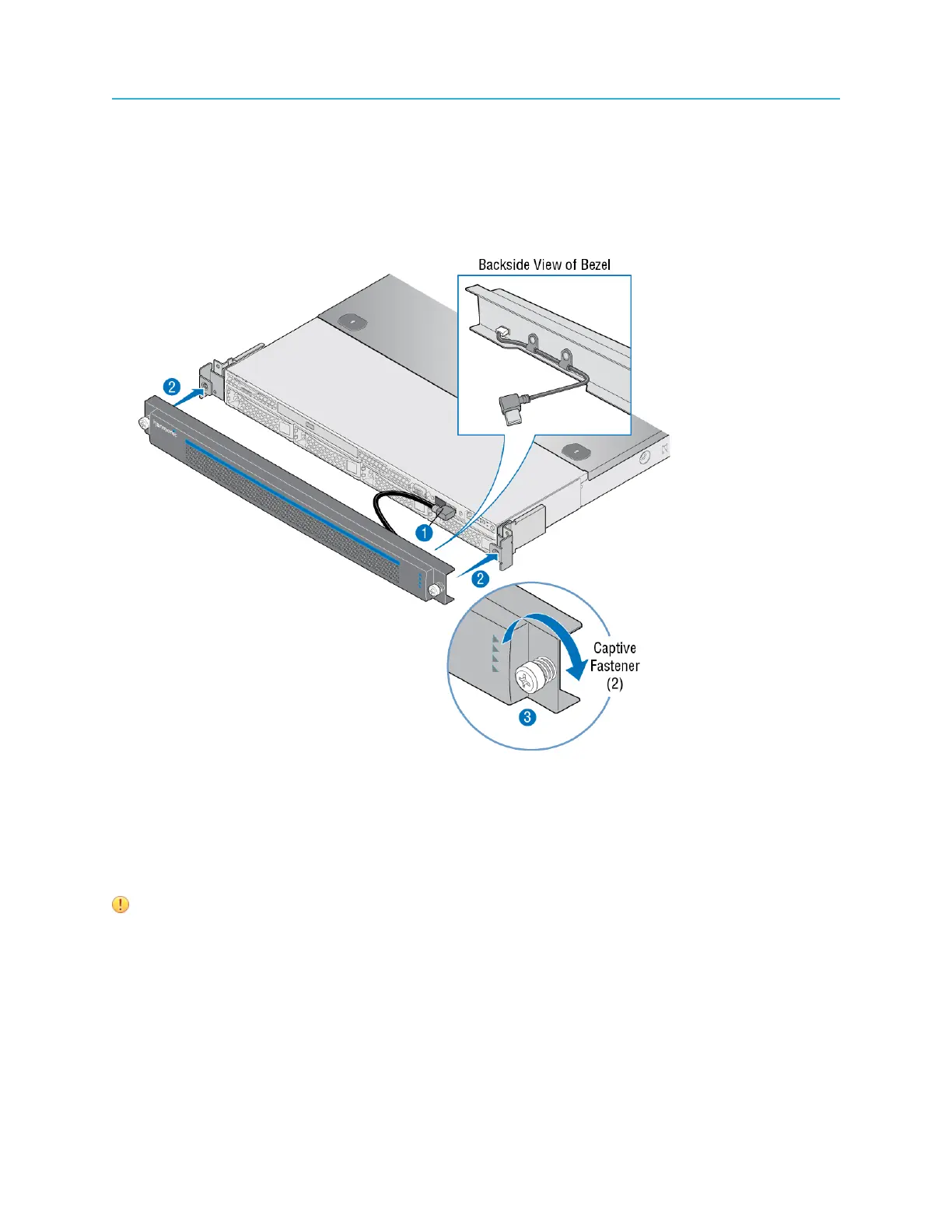
1. Connect the USB cable inside the bezel to the right-hand USB port on the front panel. (The other USB
port is covered.)
2. Keeping the corners aligned, press the bezel straight onto the chassis.
Result: The USB cable will form a loop that fits inside the metal panel of the bezel.
3. Hand-tighten the two captive thumb screws to secure the bezel in place.
Figure 2-5: Bezel installation
Cabling the device
Connect the Gigabit Ethernet ports on the device.
IMPORTANT:
• Harmonic recommends that shielded and grounded Ethernet cables be used on all
Ethernet ports.
• Failure to properly configure the Ethernet switches could result in a mismatch between
the IP input or IP output and the switch.
18


 To Next Page