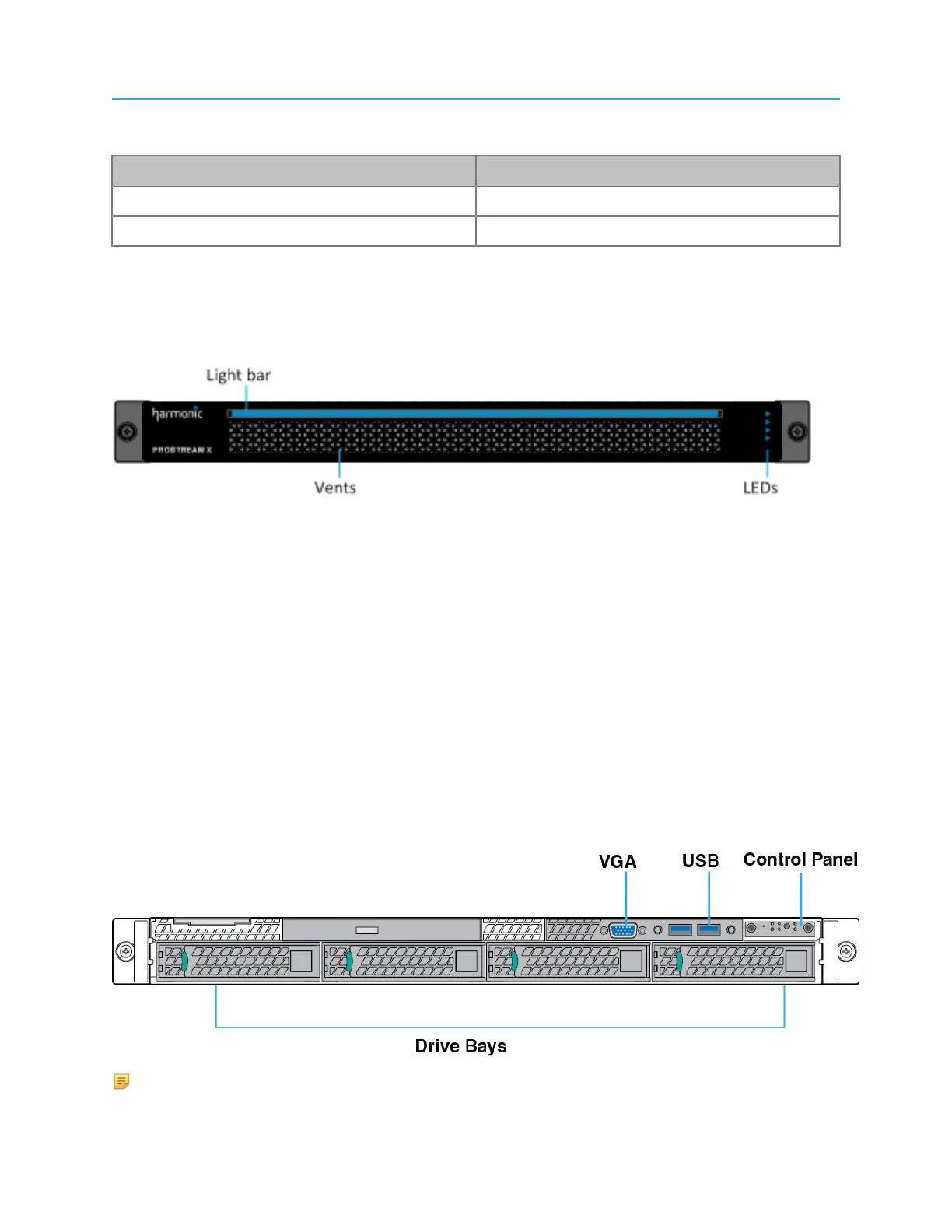
ProStream X bezel and status LEDs
Table 1-2: Power Consumption Limits for ProStream X
Parameter ProStream X
Typical (20 °C) @100% CPU 430 W
Max. (40 °C) @100% CPU 560 W
ProStream X bezel and status LEDs
A diagram of the ProStream X bezel.
The Light bar has a double function:
• On - the device is switched on.
• Flashing - the Identify Unit function is activated on the SAG.
The following LED is located on the right side of the device:
Power appears green when the unit has two power supply units (PSU) reporting good health. It appears
red if a PSU is detected to be inactive or in a problem state.
ProStream X panel diagrams
Front and back panel diagrams specific to ProStream X.
ProStream X front panel
A diagram of the ProStream X front panel without the bezel.
NOTE: This device does not support RAID configurations.
9 ProStream X 2.4.x Installation Guide


 To Next Page