Physical Connection
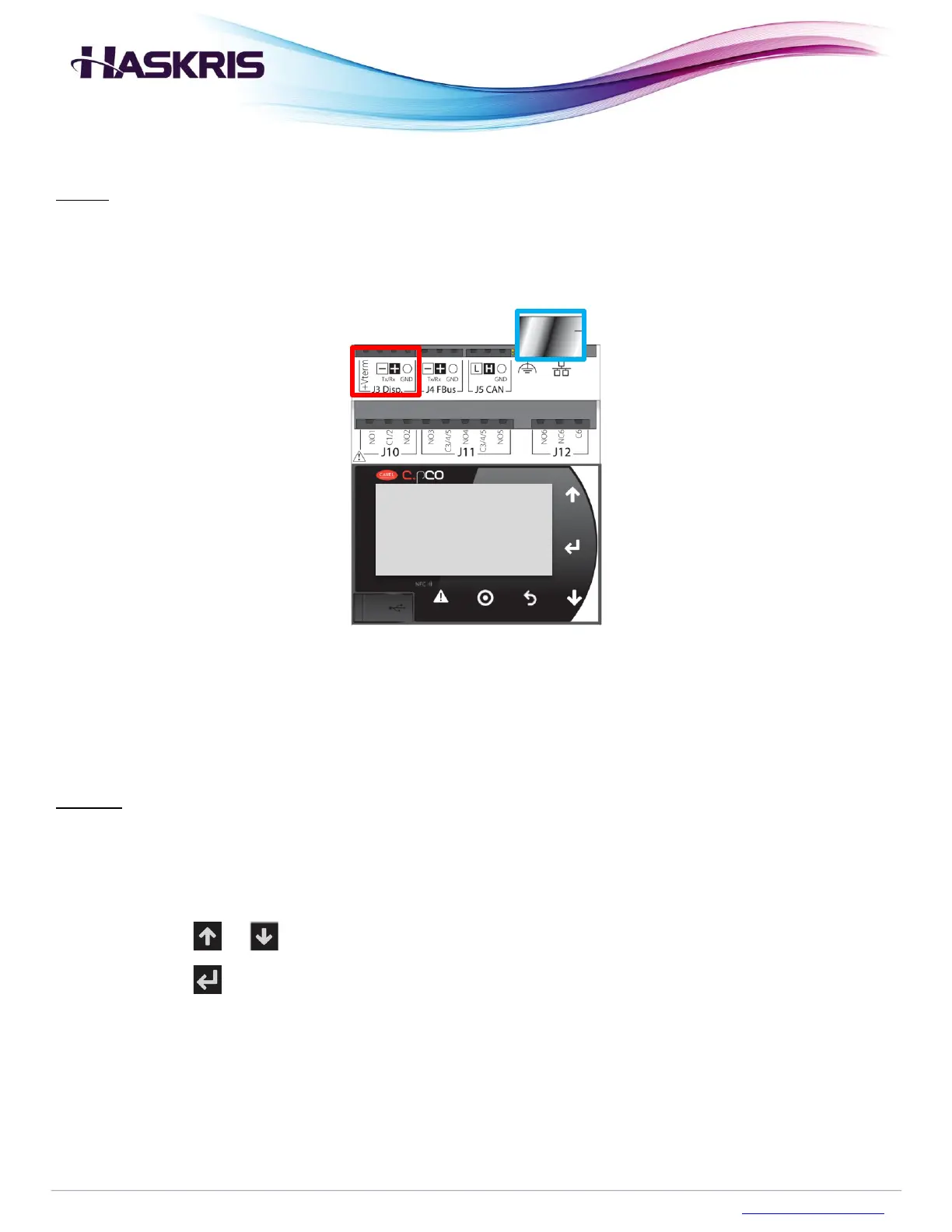
Wiring: There are 2 options, 3-wire RS-485 (MSTP) or ethernet TCP/IP. If 3-wire RS-485 is used,
connect wires to TX-, RX+, and GND terminals on the J3 Disp. port (red below). If ethernet TCP/IP is
used, connect an ethernet cable to the RJ45 port (blue below).
Figure 1: Connection Points for BMS
Settings Configuration
Purpose: The communication settings in the controller must be aligned with the details of the BMS at
the site.
To configure the communication settings, follow the procedure below.
1. Access the Service menu
2. Press the or buttons to highlight Communication
3. Press the button


 To Next Page