Remote ON/OFF Contacts
Purpose: The chiller has an available input to turn the unit ON/OFF.
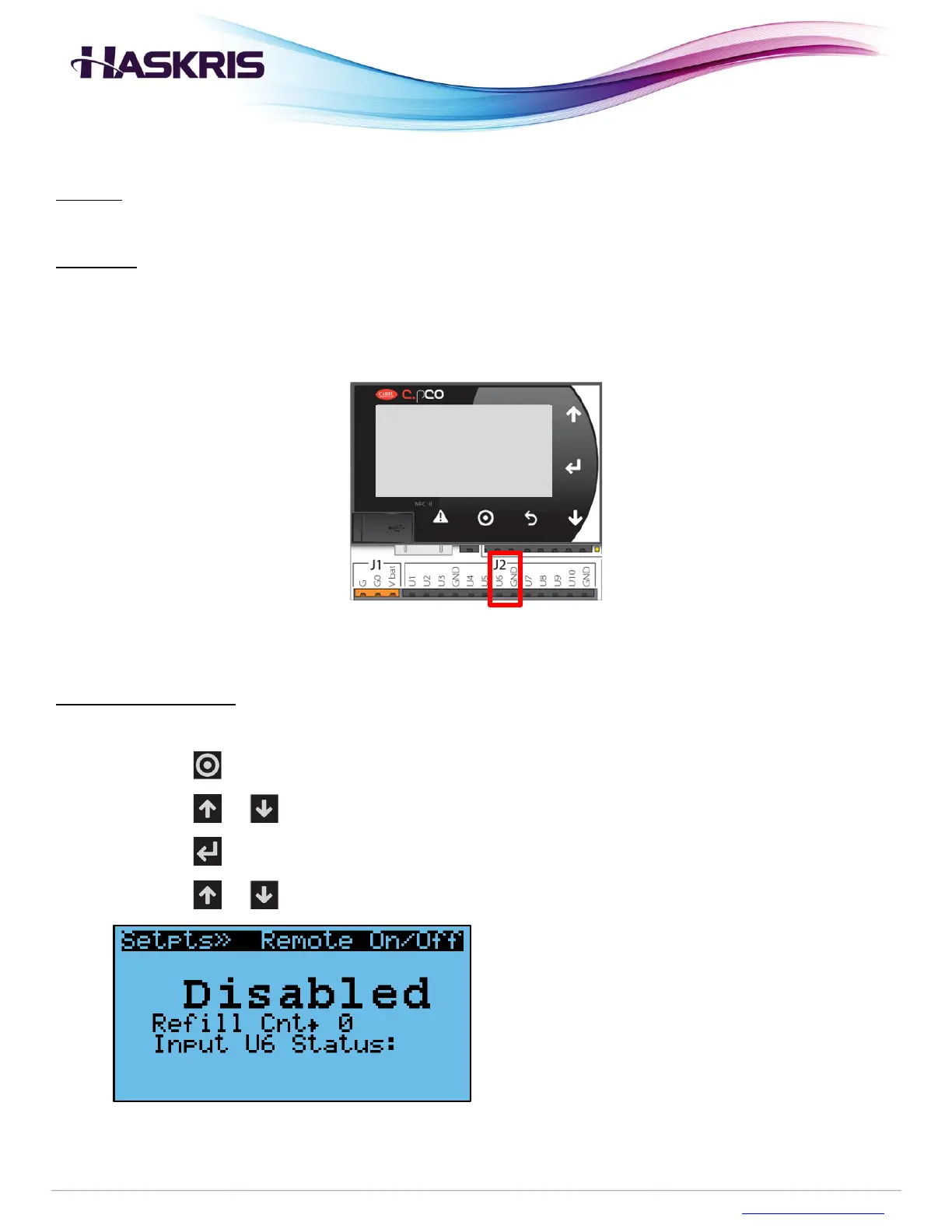
Operation: The remote input contact is located on the J2 terminal on the controller. Pins U6 and GND
can be connected to an external potential free switch. Connecting U6 and GND to turn the chiller ON.
Disconnect U6 and GND to turn the chiller OFF.
Settings configuration
To configure this feature, follow the procedure below.
1. Press the button on the controller
2. Press the or buttons to highlight Set Points
3. Press the button to go into that menu section
4. Press the or buttons until you see Remote On/Off
Remote On/Off screen


 To Next Page