1. Press the button to move the blinking cursor to Disabled
2. Press the or button to change to Enabled
3. Press the button several times to return to the main display
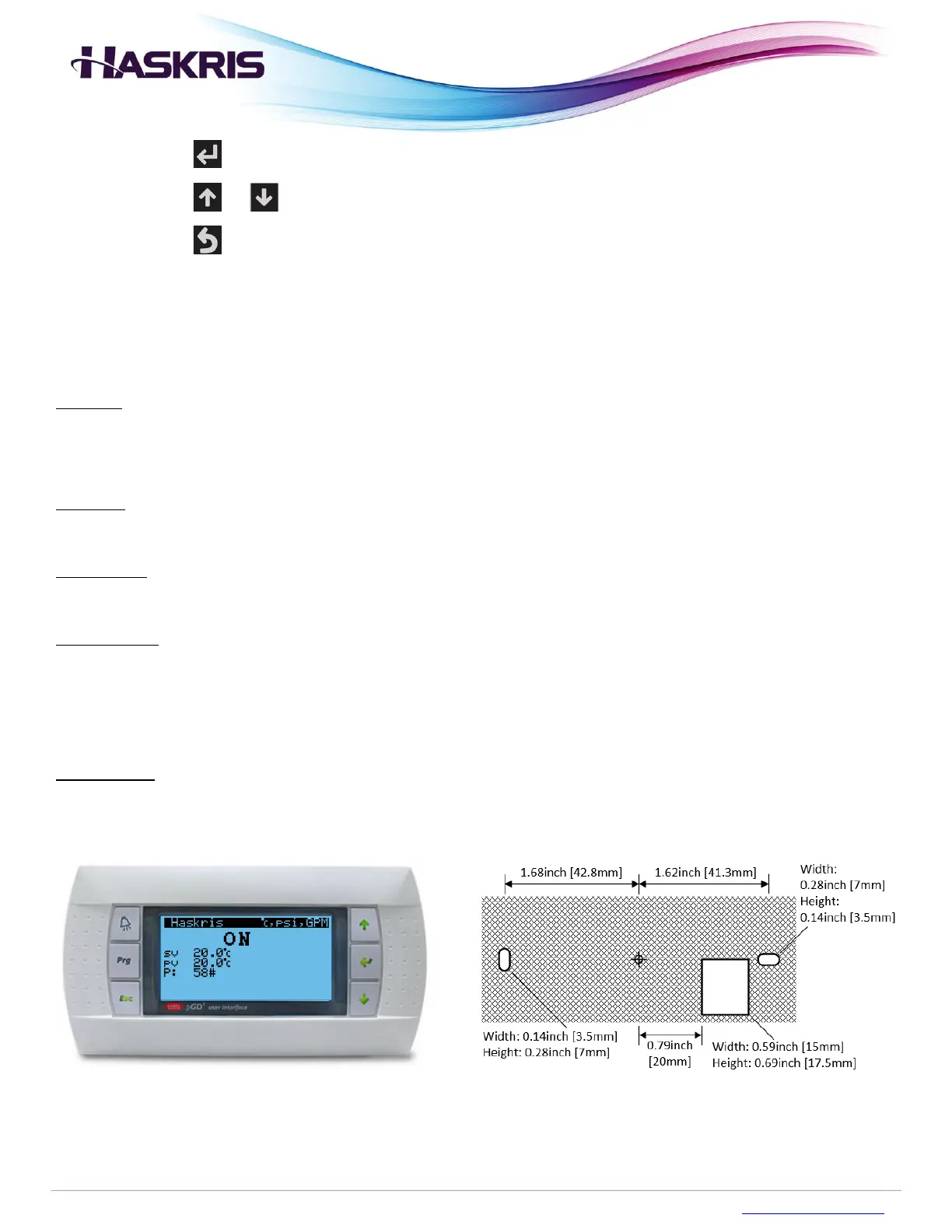
Optional Feature – Remote Control Panel
Purpose: The remote control panel is an identical mirror of what is displayed on the chiller’s built-in
controller. This allows the user to see the status and details of the chiller without going outdoors.
Location: The control panel is shipped inside the chiller. The provided cable is also inside the chiller.
Installation: Mount the remote control panel on a wall indoors. See the template below.
Cable length: When this feature is ordered a 150 ft (45.7 m) cable is provided to connect this remote
control panel with the outdoor chiller. Use the RJ12 plug provided on the cable to connect the remote
control panel to the outdoor chiller.
Cable rating: The cable provided by Haskris is CMX rated.
Remote control panel Template for mounting


 To Next Page