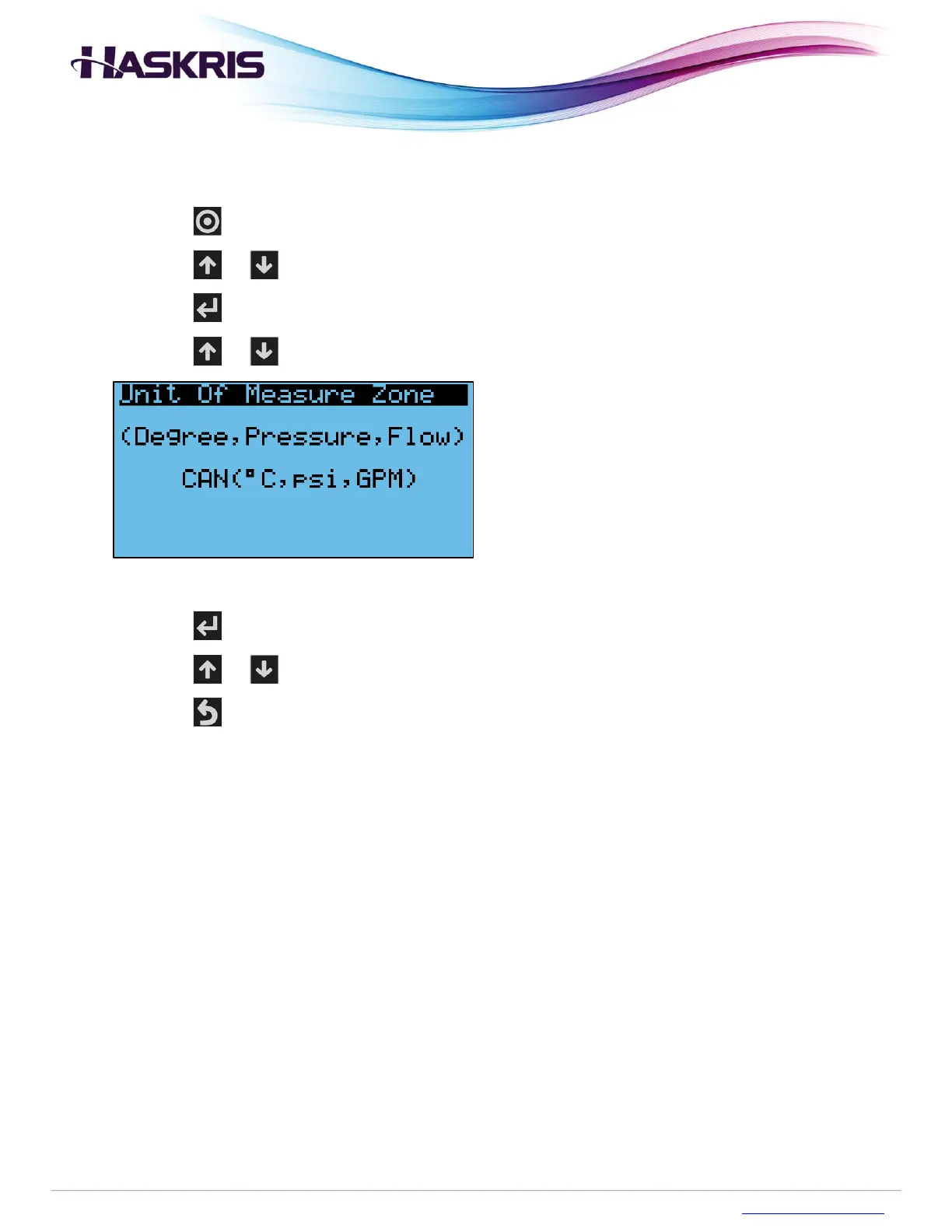
To change the units of measure, follow procedure below.
1. Begin on the main display
2. Press the button on the controller
3. Press the or buttons to highlight Settings
4. Press the button to go into that menu section
5. Press the or buttons until you see Unit of Measure Zone
Units of measure screen
6. Press the button to move the blinking cursor around the screen
7. Press the or buttons to select different units of measure
8. Press the button several times to return to the main display


 To Next Page