Email: service@haskris.com
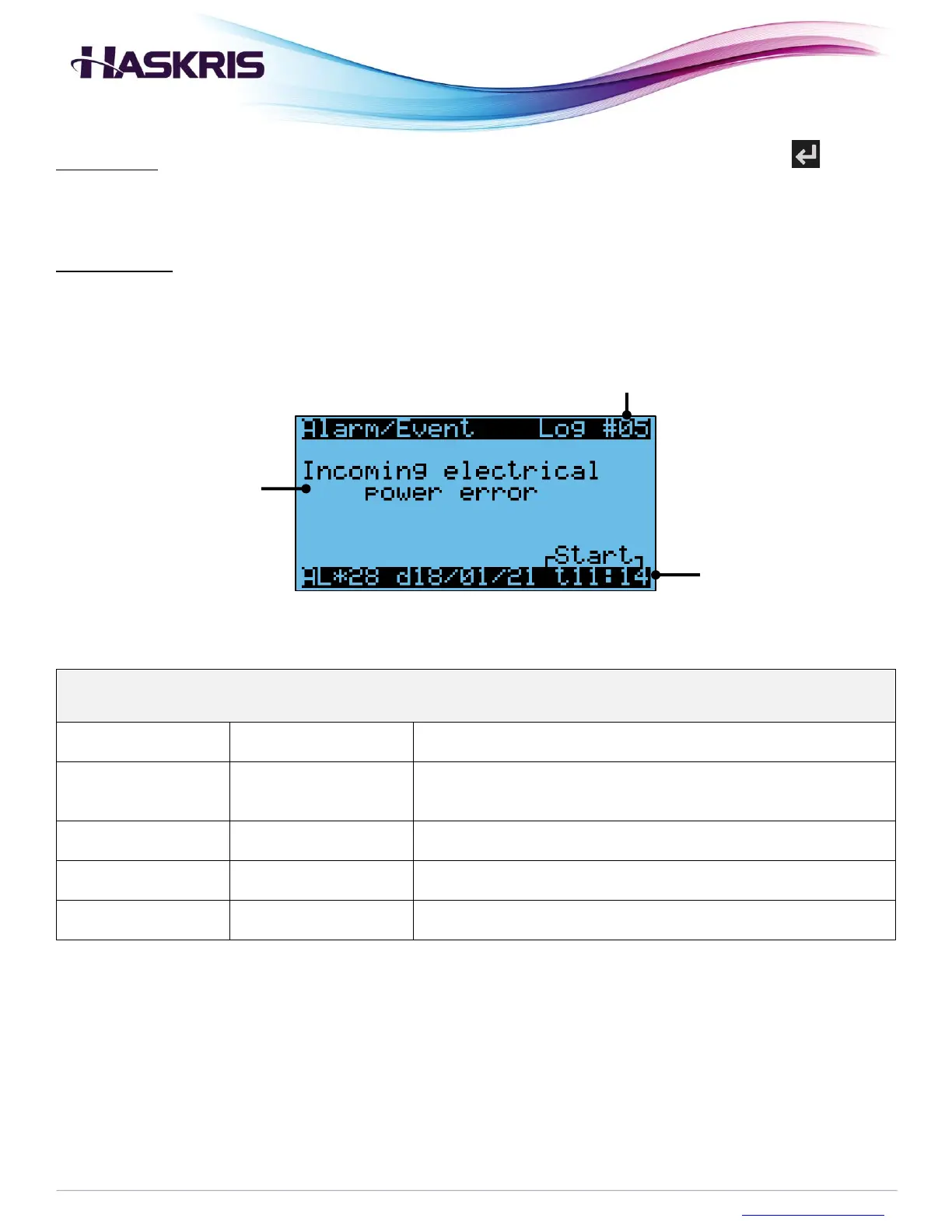
Fault history: When the screen says NO ALARMS, there are no faults currently. Press the button
to see the fault history if needed.
Start and stop: In the bottom right-hand corner, certain faults will display “Start” or “Stop”. Start
indicates when the fault occurred. Stop indicates when the fault was cleared.
Phase monitor detected
improper power
Check the phase monitor in the electrical box, see the LED status light and
error codes
Liquid Level in tank has
fallen
Liquid level switch opened
Check for a leak
Note that when city water backup activates the tank is filled by city water,
the tank water level will be higher than when the alarm condition occurred
Overload to fluid pump
motor
Pump overload contact
opened
Reset alarm, check overload, measure pump amp draw
Low flow rate on
compressor circuit
Verify pump runs, verify there is no obstruction in the compressor circuit
piping
Supply Fluid temp is
above alarm setpoint
Supply water temperature
rose too high
Confirm primary source of cooling water (central chilled loop, outdoor
chiller) is operating normally
Description of common faults
Log #, higher number is more recent
Example fault history screen



 To Next Page