- 21 -
5.3 HelixTest
TheHelixtestisusedtoverifythesteampenetrationandsaturationforAtypehollowinstruments,suchas
dentalhandpieces.SelecttheHelixtestinthetestprograminterface(Figure5.1).
Testmethodsandtestresultsarejudgedinaccordancewiththe
information and requirements provided by the test package
manufacturer.
5.4 Drainageprogram
Thisproductallowsuserstoperformdrainageprocedureswhenneeded.Thisprocedureisusedtodrainwater
remaininginasmallsteamsterilizer.
Whenthewaterinthechamberisobviousafteropeningthedoor,
itisrecommendedtousethedrainageprogrambeforeloadingthe
itemforsterilization.Especiallywhentheprogramisabnormally
stopped,thissituationiseasytooccur.Pleaseopenthedoorfor
inspection.
Please carry out the drainage program before handling this
product.
6 Systemsetting
Enter the system settings interface (Figure 6.1) for time, date, language, warm‐up, automatic printing,
additionaldryingsettings,andsystemreset.
Fig6.1Systemsetting
6.1 Timesetting
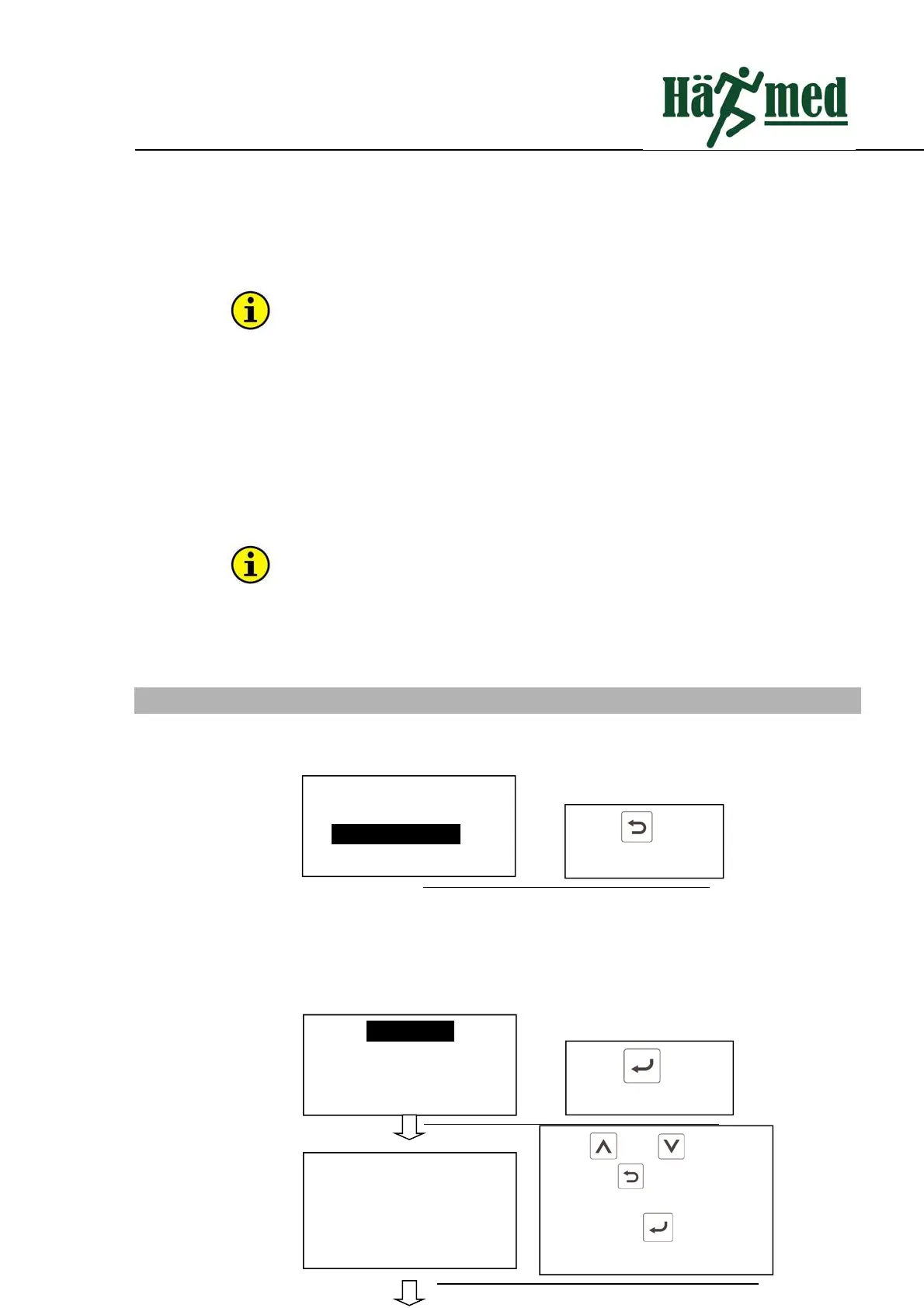
Thetimesettingoperationisasfollows:
1–Sterilizationprogram
2–Testprogram
3–Systemsetting
4–Filerecord
Press to enter
systemsetting
Timesetting
Datesetting
Languagesetting
Warm‐upsetting
Press to enter
timesetting
press and tosetup
time.Press toswitchbetween
time,minute and second.After
setting press to exit time
setting.
Timesetting
10:27:39



 To Next Page