USE ONLY HAYWARD GENUINE REPLACEMENT PARTS
38
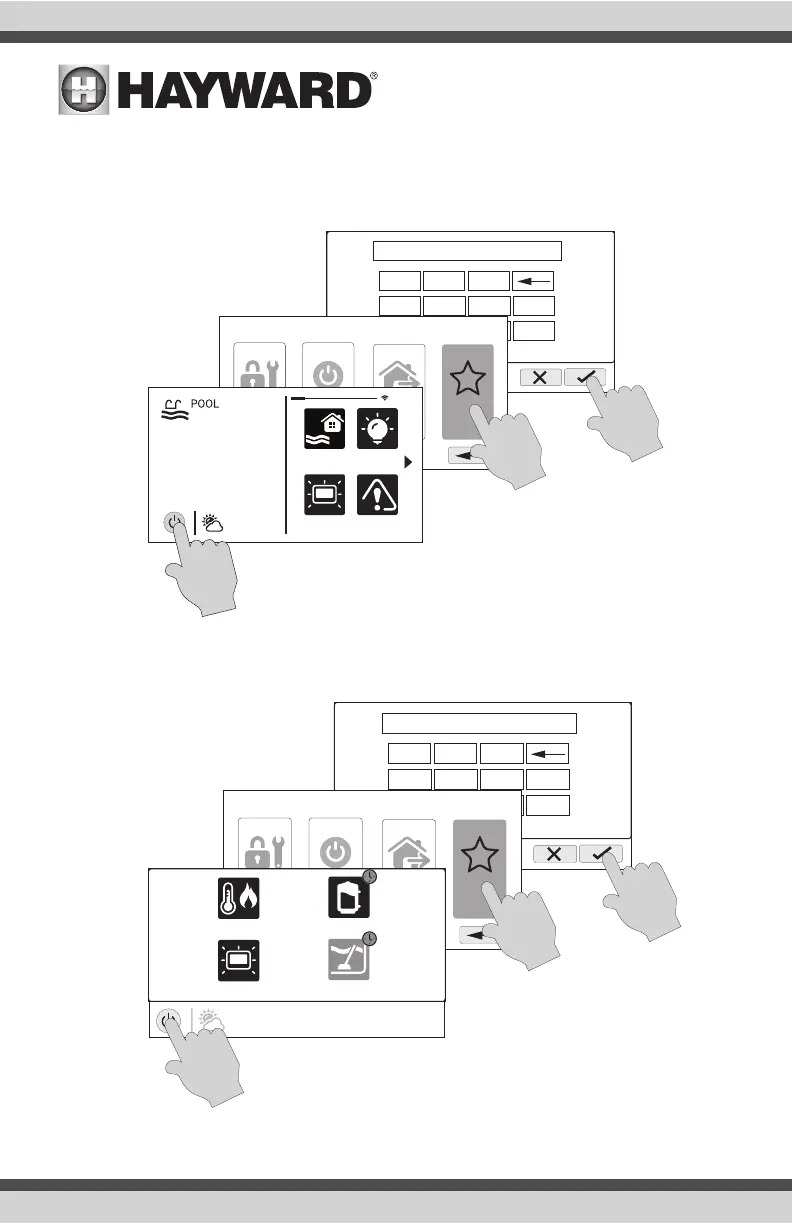
Enter Simple Mode
To enter Simple Mode, go to the Home Screen and follow the procedure below. Entering and exit-
ing Simple Mode will require your OmniHub’s MSP ID number. This number is used as a password.
To find your unit’s MSP ID, refer to page 39.
Exit Simple Mode
To exit Simple Mode, follow the procedure below.
ENTER
password
1 2 3
4 5 6
7 8 9
0
.
****
shut down
service
mode
features
o
simple
mode
daylight
features
lights
º
F
air
71º F
82
alarm
ENTER
password
1 2 3
4 5 6
7 8 9
0
.
****
shut down
service
mode
features
o
standard
mode
vsp
heat/cool
cleanerdaylight
air
71º F















 To Next Page