USE ONLY HAYWARD GENUINE REPLACEMENT PARTS
29
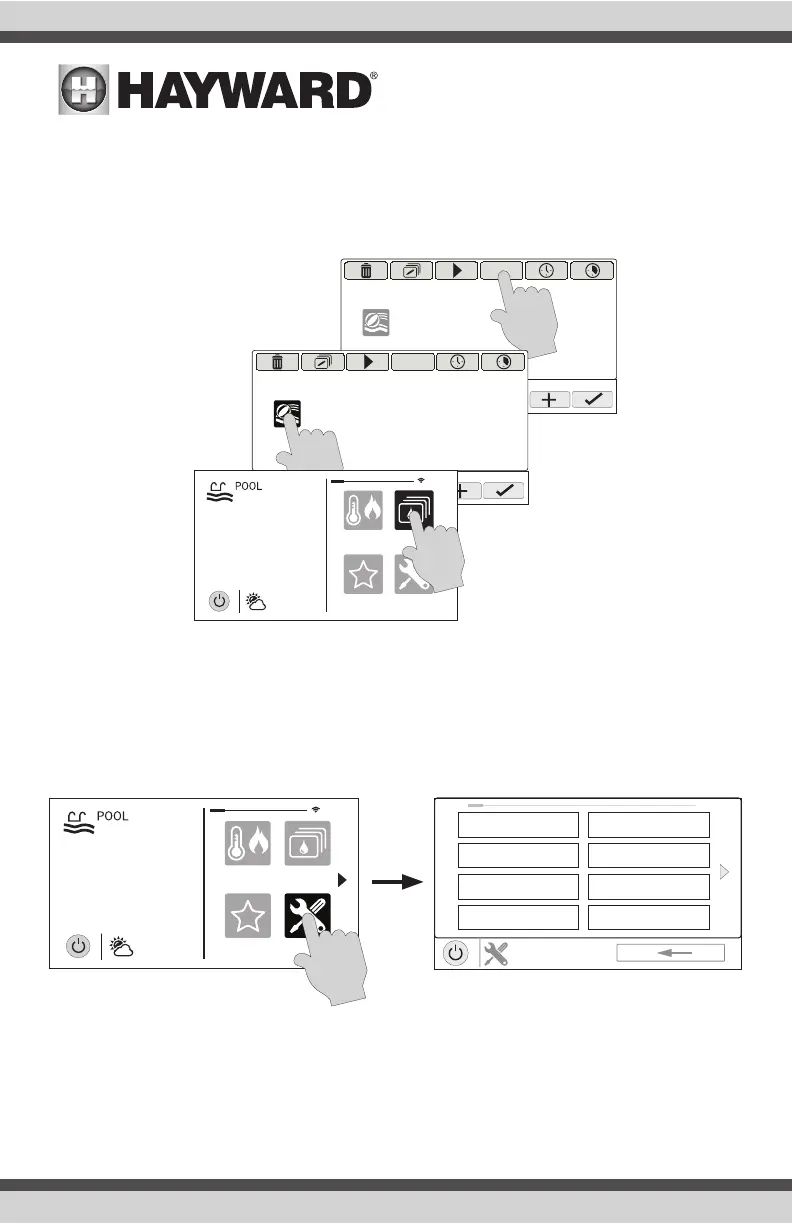
Stopping a Theme
If a Favorite was created for the Theme, stop the Theme just as you would any other Favorite. To
stop a Theme within the “Manage Themes” screen, follow the procedure below. Note that when
stopping a Theme, all functions will turn off and the filter pump will return to any schedules that
have been previously set.
Config
The Config button offers many options related to the configuration and operation of the OmniHub.
You can view log files, backup configuration settings, restore configuration settings, modify display
settings and more.
Using a USB Thumb Drive
Some options require the use of a USB thumb drive (removable media) that will be inserted in the
OmniHub. If logging is desired (page 31), the thumb drive should be left in the OmniHub during
normal operation. This connection is not waterproof so care must be taken to protect the Control
Pad while logging. The location of the USB port is shown in the Installation Manual.
MANAGE
themes
OFF
pool party
MANAGE
themes
OFF
pool party
favorites
heat/cool
themes
º
F
air
71º F
82
cong
favorites
heat/cool
themes
º
F
air
71º F
82
cong
SYSTEM
conguration
1 / 2
cong wizard
system info
backup cong
restore cong
display
network
date/time
language















 To Next Page