USE ONLY HAYWARD GENUINE REPLACEMENT PARTS
37
Installing a New Language
Installing a new language is the same procedure as upgrading firmware from USB. You can find
OmniHub language files at www.hayward.com. To install a new language, follow the steps under
“Upgrade from USB” on page 35. At step 10 select a language file instead of a firmware file. Proceed
with the remaining steps.
Simple Mode
Up to this point, you’ve been shown how to view the Home Screen and access all of the pool’s
functions by using the features screens (left side of Home Screen) and favorites (right side of
Home Screen). This method of access is called “Standard Mode” and offers the most informa-
tion and control. An alternative to Standard Mode is “Simple Mode”. Simple Mode eliminates
the Home Screen and allows you to view and control only the Favorites that you specify. Simple
Mode is customizable and may be preferred to Standard Mode depending on your needs. Simple
Mode can provide a convenient way to access the most common functions for owners as well as a
handy solution to limit access to other users. Up to 24 Favorites can be displayed in Simple Mode.
Depending on the pool equipment that has been configured, some default Favorites may appear in
Simple Mode. These default Favorites cannot be removed from Simple Mode. For information on
how to add and delete Simple Mode Favorites, refer to page 25.
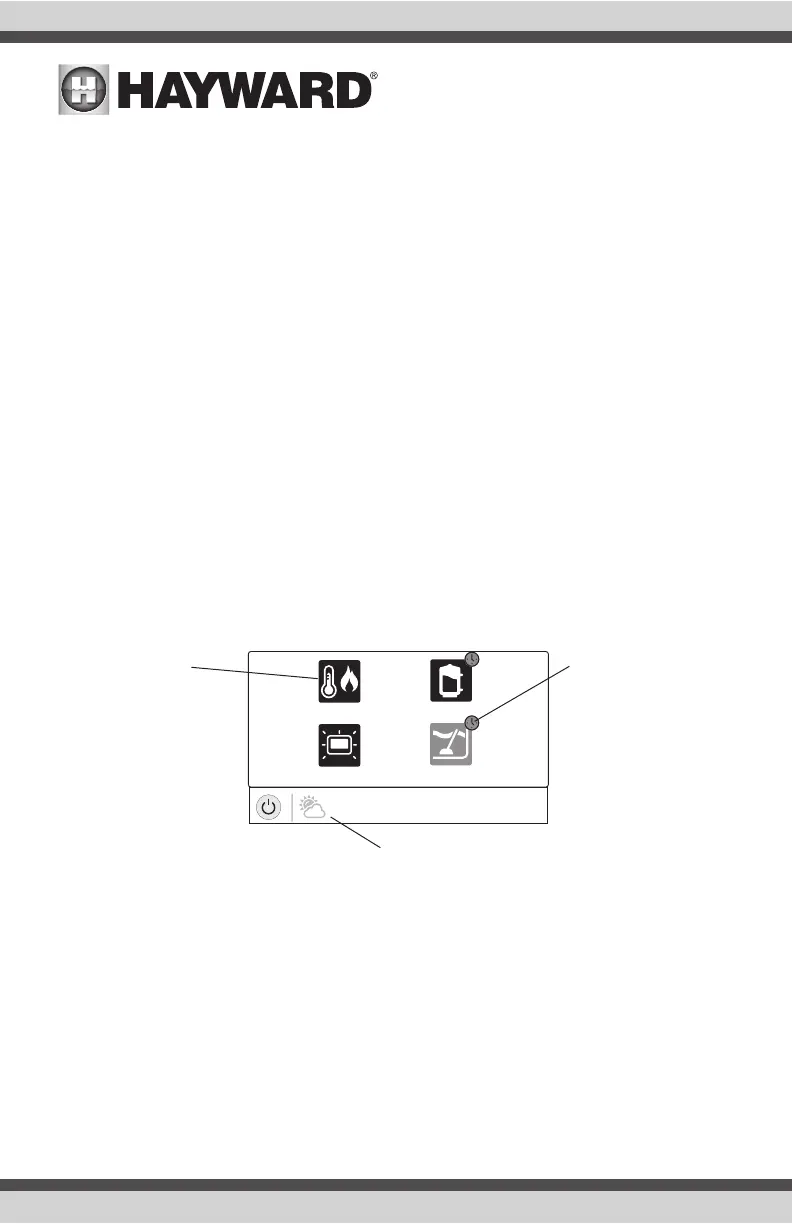
Simple Mode Screen
vsp
heat/cool
cleanerdaylight
air
71º F
Schedule Indicator -
Favorites that have been
configured to operate on
a schedule will display
this indicator.
Home Screen Information - The
same information that is displayed
on the Home Screen is also dis-
played on the Simple Mode screen.
Status - Items that
are highlighted are
active or “On”. In this
example, the VSP pump
and heater are both
On. Touching buttons
in Simple Mode will turn
the items On or Off.















 To Next Page