USE ONLY HAYWARD GENUINE REPLACEMENT PARTS
21
Favorites
Favorites can be found on the right side of the Home Screen and offer control for equipment. Fa-
vorites are also used to control equipment that has been configured for the “Backyard”. Favorites
offer quick easy access to frequently used functions and most Favorites can be added to Simple
Mode (page 37).
The OmniHub will automatically create some Favorites based on your system’s configuration. You
can also create your own Favorites. Once Favorites have been created, you can change the loca-
tion in which they appear on the Home Screen. In addition, if you no longer require a Favorite, it
can be deleted. The OmniHub supports up to a total of 50 Favorites.
In most cases, touching a Favorite button on the Home Screen will bring you to the same screens
that have been covered in the Control Screens section of this manual. Refer to these screens if
necessary.
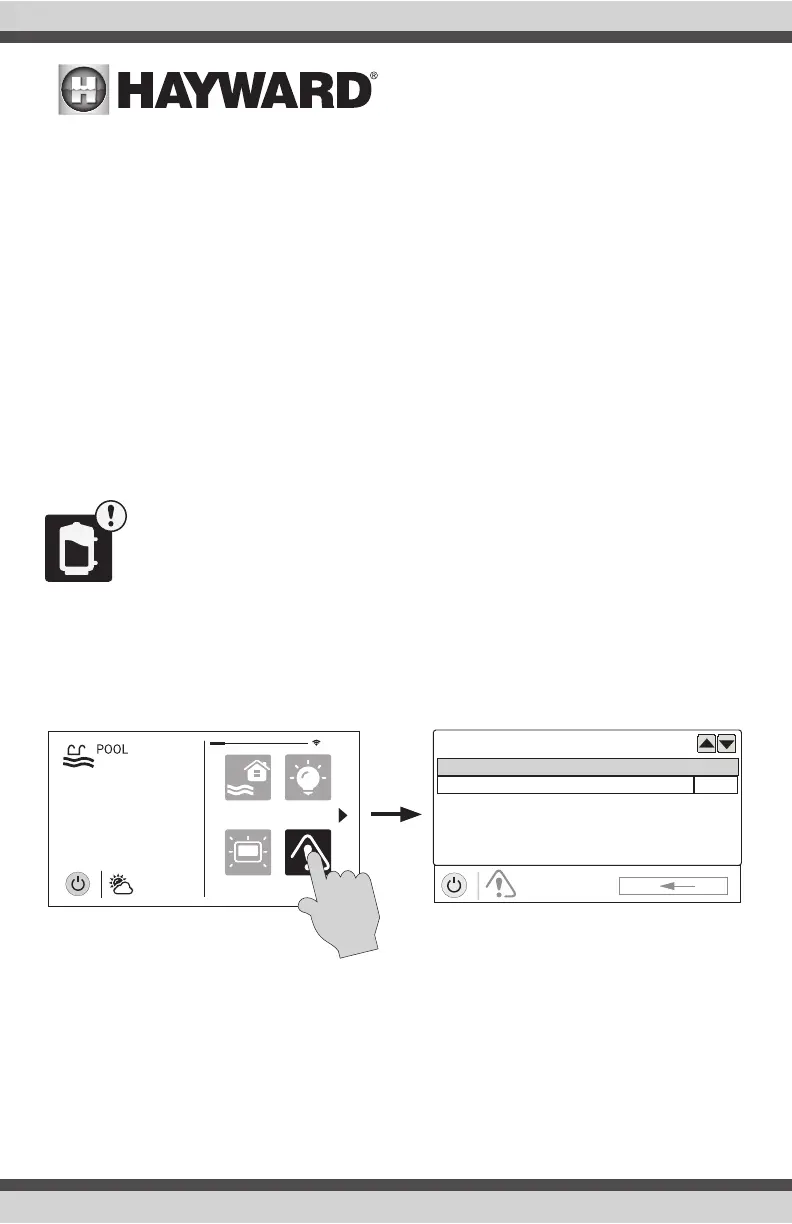
Alarms
An alarm condition will change the mood color of the entire touchscreen (if enabled)
and display an “!” symbol in the upper right side of the associated button as shown
below.
For more detail, use the Alarm button found in Favorites. Alarms are automatically generated when
the OmniHub detects a condition outside of the normal operating parameters. The Alarm button
found in Favorites will bring you to a screen that displays any active alarms (shown below). Some
alarms can be manually deleted; others will remain until the alarm condition is corrected.
ALARM
alarm list
Alarm
No Water Flow FlowSensor
AUTO
daylight
features
lights
º
F
air
71º F
82
alarm















 To Next Page