USE ONLY HAYWARD GENUINE REPLACEMENT PARTS
5
Features (left side of the Home Screen)
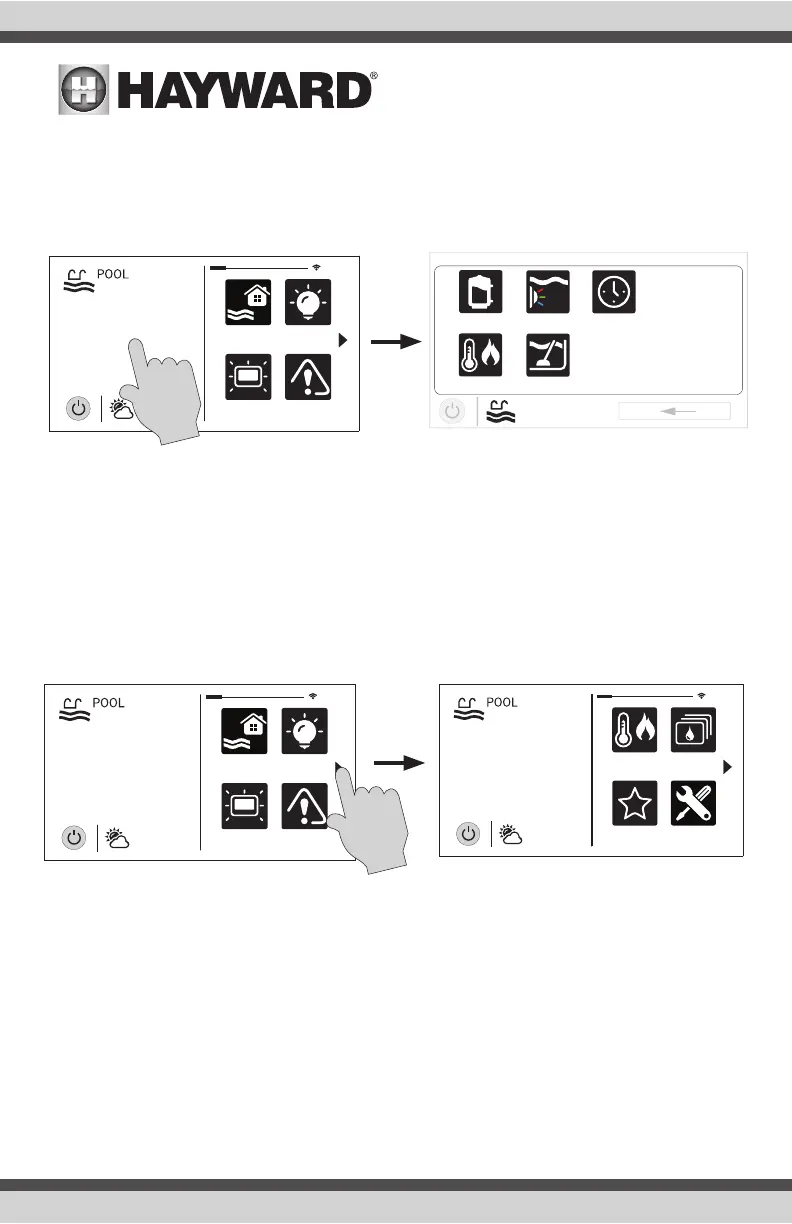
After selecting the desired Body of Water (if applicable), touch the left side of the screen to advance
to the Features Screen. The various buttons shown in the Features Screen are related to initial
configuration. For example, if you configured a heat pump to heat the pool, then the heater set-
tings for the heat pump will be displayed.
Favorites - Right Side of Home Screen
The right side of the Home Screen is Favorites. These buttons offer universal control for all Bodies
of Water and Backyard equipment. Up to four Favorite buttons will be shown on the Home screen.
To access more Favorites, touch the arrows on the left or right of the Favorite buttons.
Note that some default buttons will appear on the Favorites Screen. These buttons are related
to your initial configuration settings and are automatically created. In addition, custom “Favorite”
buttons can also be added. The OmniHub supports up to 50 Favorites for quick, easy access to
commonly used functions.
Navigation
The OmniHub has been designed to be intuitive, allowing most users the ability to navigate with
little instruction. Following is a list of commonly used buttons. As you navigate through the various
screens, these buttons will likely be displayed. Some sections of this manual may refer to buttons
that are specific to certain types of pool equipment. You’ll find more information about those but-
tons under their corresponding section. If your installation does not include that particular equip-
ment, those sections can be skipped.
daylight
features
lights
º
F
air
71º F
82
alarm
uclights
vsp
heat/cool cleaner
POOL
features
schedule
daylight
features
lights
º
F
air
71º F
82
alarm
favorites
heat/cool
themes
º
F
air
71º F
82
cong















 To Next Page