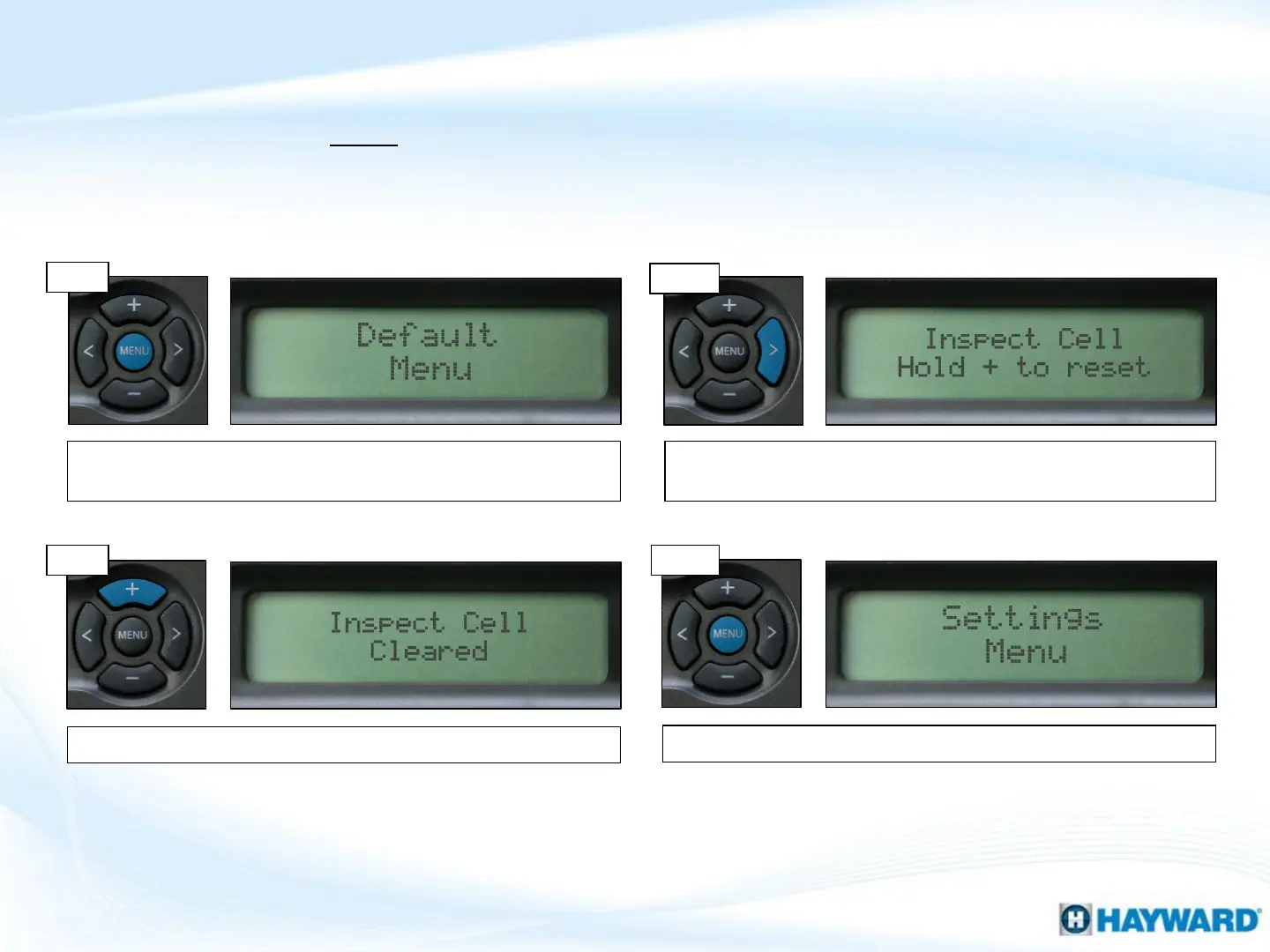
Follow these steps ONLY if Salt Chlorination is Enabled AND the system shows a Check
System LED, with an ‘Inspect Cell’ message. Every 500 operational hours this message
will appear. Before resetting, inspect and/or clean the cell if necessary.
Once complete, press the ‘Menu’ button to exit.
How To: Reset Inspect Cell Message
12
Step 3
Step 4
Step 1
Press the ‘Menu’ until, ‘Default Menu’ appears on the display.
This menu is where the ‘Inspect Cell’ message is stored.
Press the (>) key, repeatedly, until ‘Inspect Cell, Hold + to reset’
appears on the display.
Step 2
To clear, press & hold the (+) key while message is displayed.











 To Next Page