HD 7.1 USB AUDIO V3.0
Mic,
Line-in
Device
function
introduction
Volume
control
Page
3
1
2
4
Function
Introduction
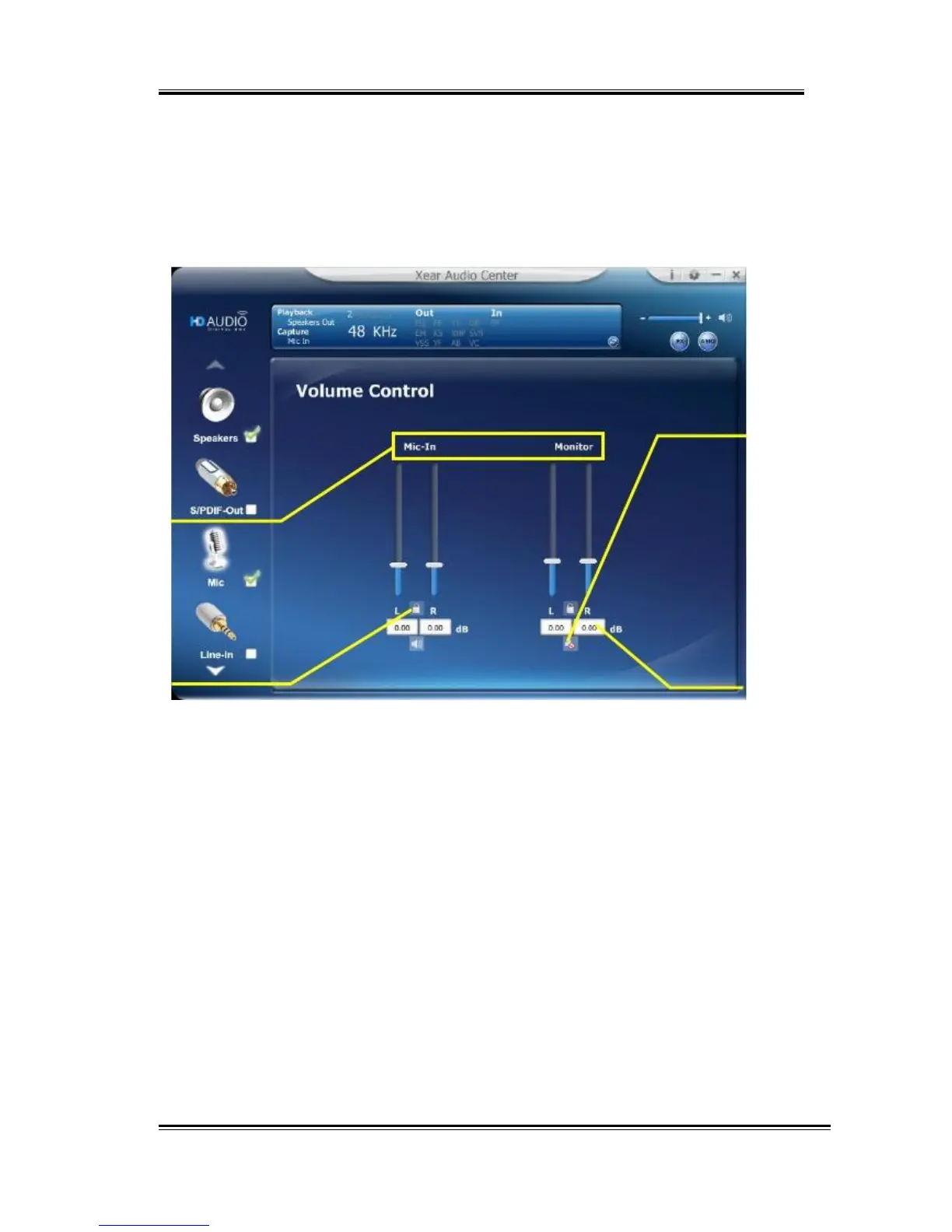
This function page provides the recording volume and monitor the
volume control of Microphone device. (Same as Line-in device.)
1.
Volume
control
bar:
Mic-In
– It can adjust the volume level of recording.
Monitor
- It can adjust the volume level of Mic-in monitor.
2.
Left/
Right
Channel
Lock:
Clicking on the Lock/ Un-Lock button can sync the left-channel
and right-channel volume.
3.
Mute
/
Un-mute:
Clicking on the Mute/ Un-Mute button can mute all channels.
4.
dB
Input
Area
You can directly fill-in a dB value into this text box to set the
volume level.
44



 To Next Page