HD 7.1 USB AUDIO V3.0
Un-Installation
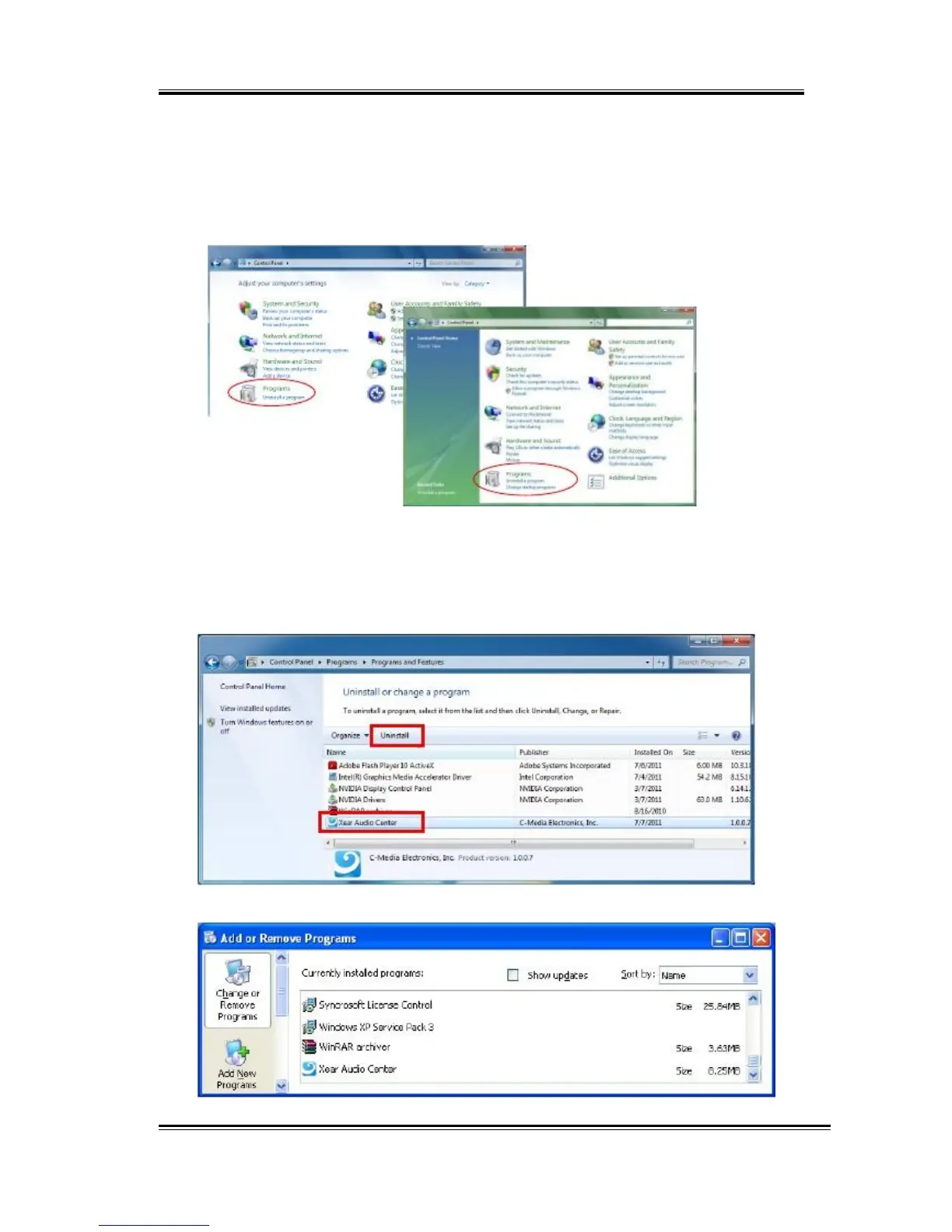
Close all audio programs. Double click the “Programs/Uninstall a program”
item from Windows Control Panel.
Win7 or above
Vista
Select “Xear Audio Center” item, then click the “Uninstall” button.
For
Win10/
Win8/Win7/Vista.
Follow the instructions of the popped windows until
the uninstallation finishes. Restart your computer to completely remove
driver.
For
Windows
XP
9



 To Next Page