HD 7.1 USB AUDIO V3.0
5.
Multimedia
Properties:
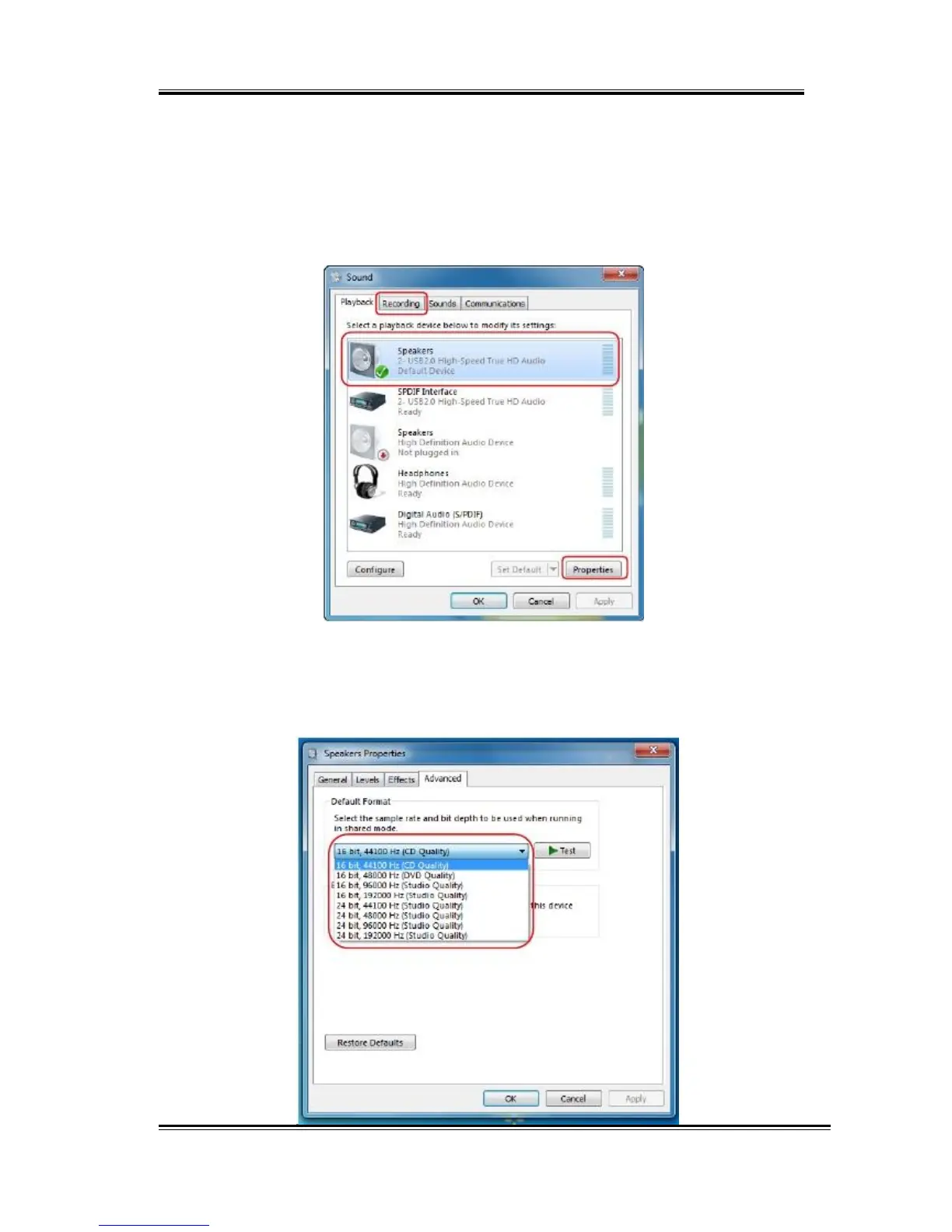
Open the Multimedia Properties page of Windows OS, you can select
the working sample rate & bit rate.
I. Select the “Speakers” device and then click the “properties”
button.
II. Click the “Advanced” tag, enter the advanced page, and pull the
dropdown list to open default format support list as shown in
the below diagram.
55



 To Next Page