HD 7.1 USB AUDIO V3.0
6.
Setting
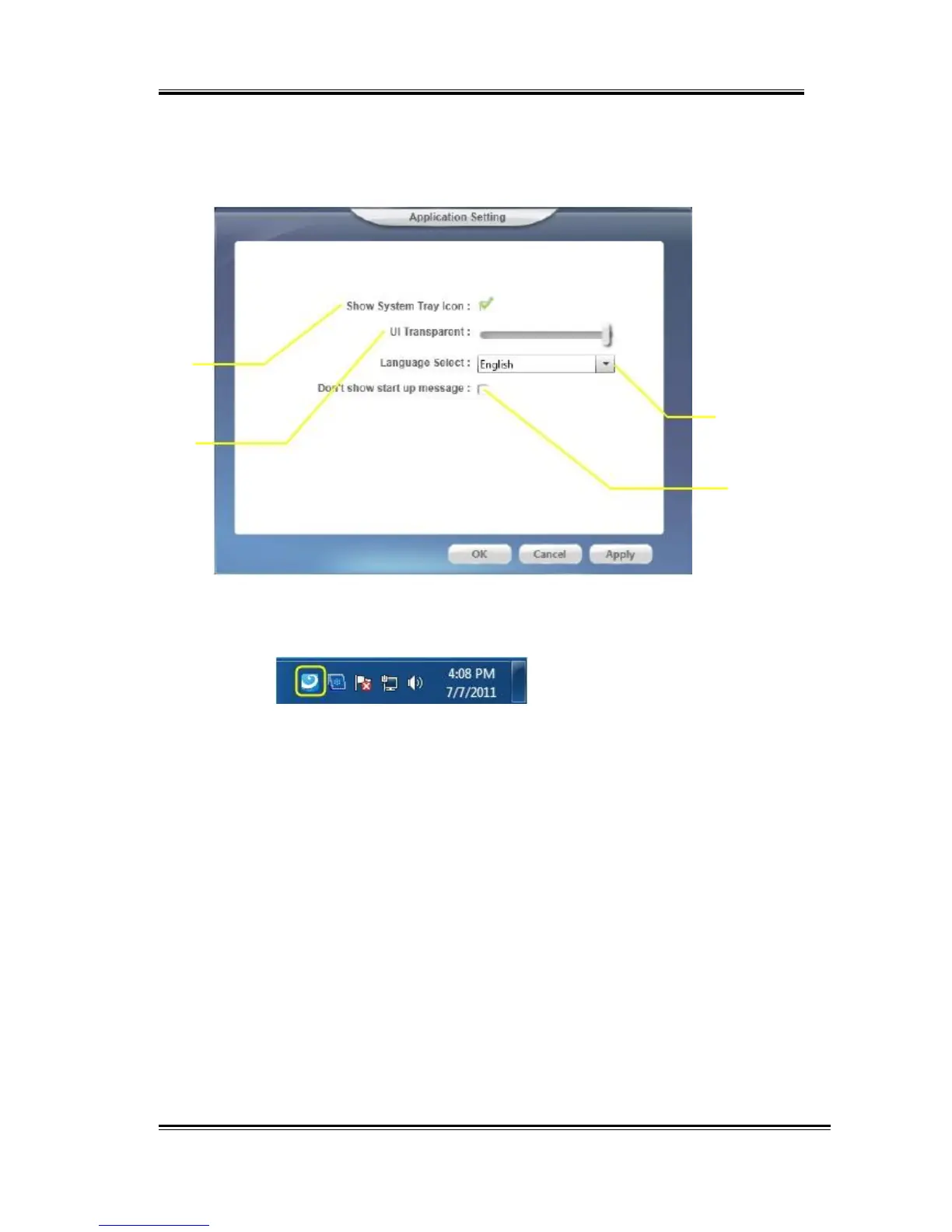
Click setting item to open the “Xear Audio Center” setting page as
below.
I
II
II
I
IV
I. Show System Tray Icon – Check “Show System Tray Icon” box,
the Xear Audio center icon will be shown in the system tray.
II. UI Transparent – It can adjust transparent of the UI vision.
III. Language Select – it can change the UI language. (Refer to
Appendix A )
IV. Don’t show start up message – it can enable/disable the UI
start-up message.
7.
Exit:
Clicking the “Exit” item will exit the tray Icon from system tray.
57



 To Next Page