7 Cleaning and servicing the heating system – Procedure
67
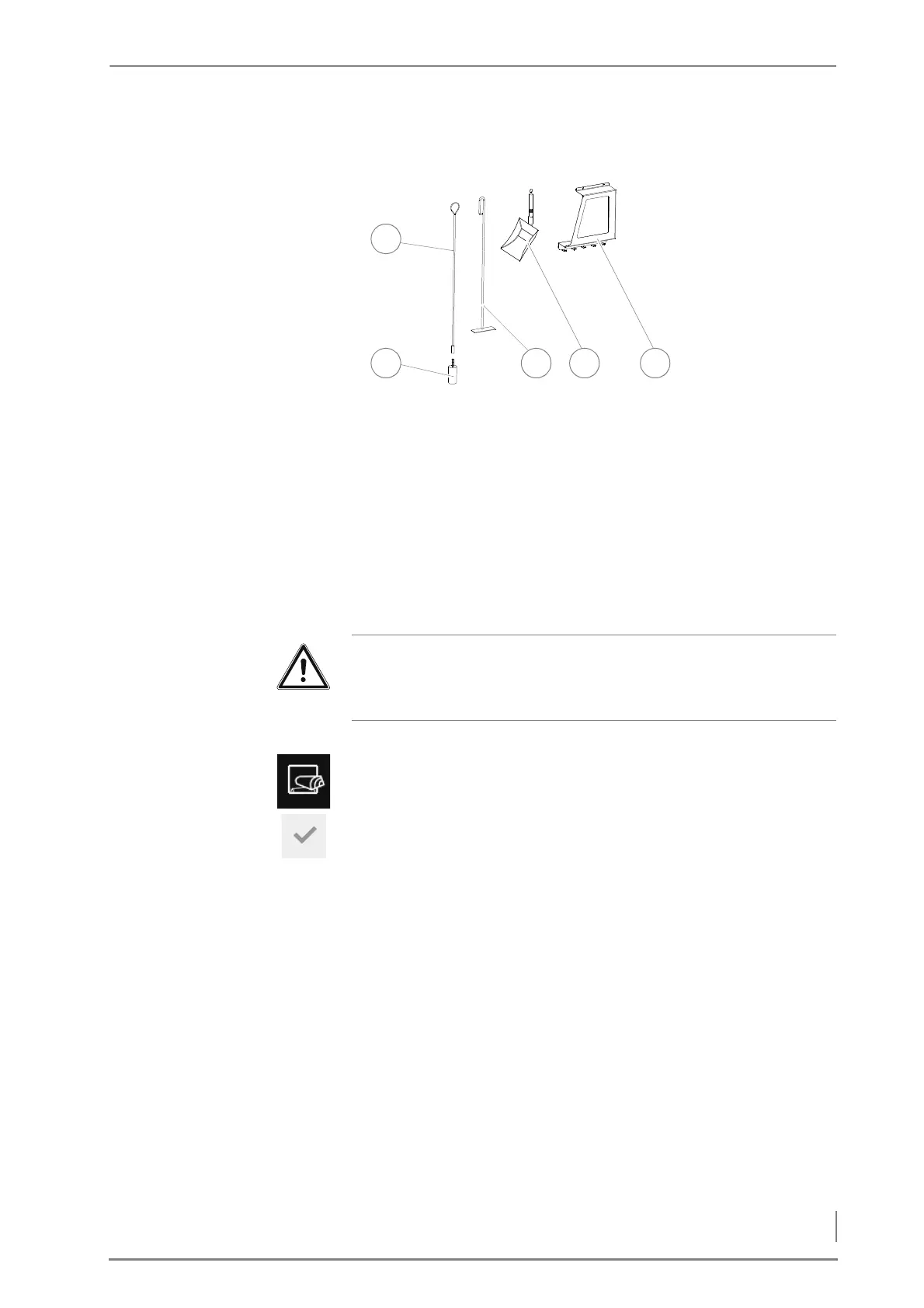
CLEANING TOOLS
1 Brush handle
2Cleaning brush
3Scraper
4 Ash shovel
5 Wall holder
CLEANING THE FUEL CHAMBER AND SECONDARY AIR OPENINGS
1. Allow the fire in the boiler to burn out and cool off.
1. Press the Reload button on the HDG Control Touch control unit.
2. The Fill up / Reload window appears in the display.
3. Confirm your entry by pressing the Confirm button.
✓ The Do not open fuel chamber door message appears in the display.
✓ The flue gas fan is running.
4. Wait until the progress bar is full.
✓ The Open fuel chamber door to safety position message appears in
the display.
5. Open the fuel chamber door to the safety position.
6. Wait until the progress bar is full.
✓ The Open fuel chamber door slowly message appears in the display.
Figure 7/1 - Cleaning tools
Important!
✎ Observe the “Generally applicable safety instructions” in this
section.



 To Next Page