6 Using the heating system – Heating up the system
52
REQUIREMENTS
When the Reload indicator lights up, there are no more embers in the
fuel chamber.
PROCEDURE
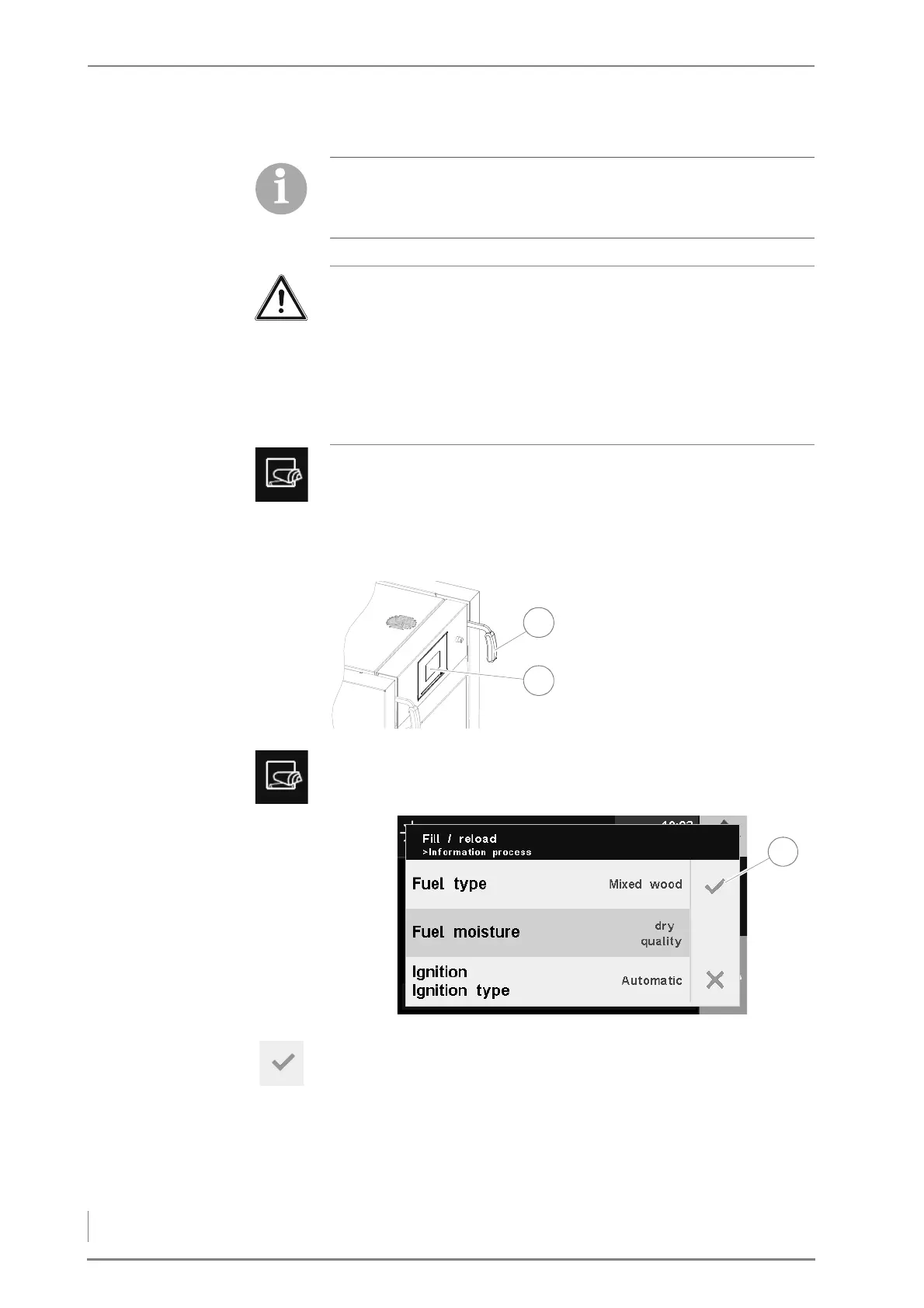
2. Press the Reload button on the HDG Control Touch control unit (2).
✓ The Fill up / Reload window appears in the display.
3. If you do not want to change any settings, confirm your input by
pressing the Confirm button (1).
✓ The Do not open fuel chamber door message appears in the display.
✓ The flue gas fan is running.
4. Continue without changing the settings with point 18.
We recommend wearing leather gloves when heating up the
system.
Caution!
Damage caused by unintended fuel fomentation
Residual embers in the fuel chamber can lead to unintended fuel
fomentation. This can cause the heating system to overheat and,
subsequently, for dangerous operating conditions to arise.
Ensure when filling that residual embers do not under any
circumstances remain in the fuel chamber.
1. Pull the actuating handle (1)
of the cleaning system 4-5
times to clean the upright
heat exchangers.
Figure 6/1 - Cleaning system actuation
Figure 6/2 - Ignition - changing settings



 To Next Page