Helpful Videos – www.hzsupport.com Helpful Answers – 1-800-858-8501
3
Continued
3. Sync the push button and chime.
Syncing Chime < A >
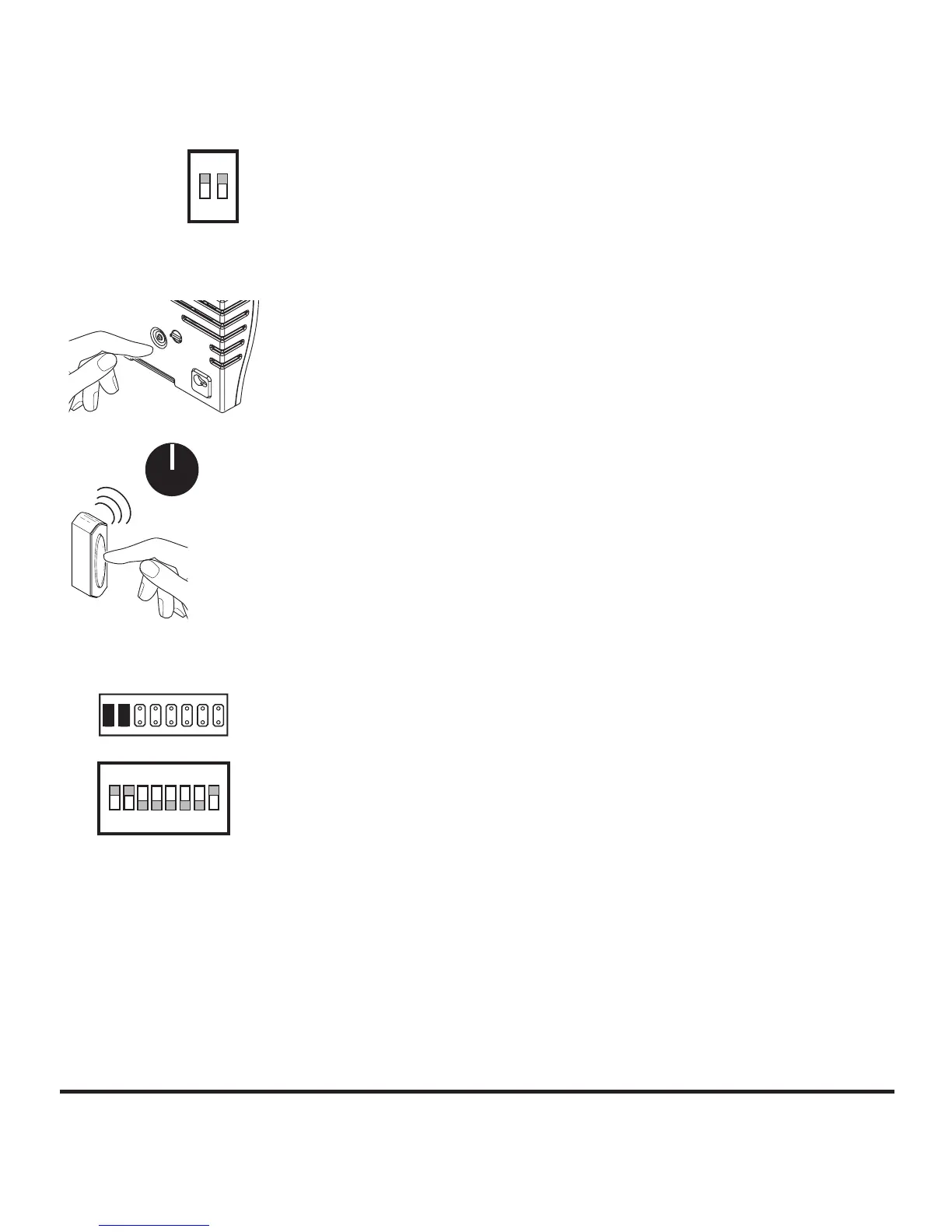
Step A1 (see Figure 3)
• If the chime is plugged in, unplug the chime.
• Set chime switch 1 to the ON position. If the chime was
unplugged, plug chime into wall outlet.
Step A2
• Remove battery from push button. Wait 30 seconds.
• Install battery in push button.
• Within 1 minute of installing battery, press and hold the
push button for 5 to 7 seconds.
• Press the push button to confirm sync. If chime sounds,
sync is complete.
• Go to step 4.
Syncing Chime < B >
Step B1 (see Figure 4)
• Press and hold the button on the chime until the chime
sounds a “Beep-Beep”.
• Press the push button within 60 seconds. The chime
will sound a “Beep-Beep” tone to indicate the push
button is synced.
• Press the push button to confirm sync. If chime sounds,
sync is complete.
• Go to step 4.
Syncing Chime < C >
Step C1 (see Figure 5)
• Remove all jumpers from positions 1 through 7 on the
chime and place jumpers only on positions 1 and 2, or
set switches 1 and 2 to the ON position and switches
3 through 7 to the OFF position.
Figure 3
Chime
Setting
ON
1 2
Figure 4
60 Sec.
Figure 5
Chime Setting
ON
1 2 3 4 5 6 7 8



 To Next Page