EasyManua.ls Logo

Heathkit SW-7800 - Operation; Control Functions

Heathkit SW-7800
47 pages
Print Icon
To Next Page IconTo Next Page
To Previous Page IconTo Previous Page
Loading...
OPERATION
If
you
are
not
familiar
with
electronics,
you
may
wish
to
refer
to
the
“Definitions”
on
Page
109
before
you
refer
to
the
other
information
in
this
section
of
the
Manual.
These
definitions
define
some
of
the
more
frequently
used
terms.
CONTROL
FUNCTIONS
Before
you
attempt
to use
your
Receiver,
carefully
read
the
explanation
of
each
control.
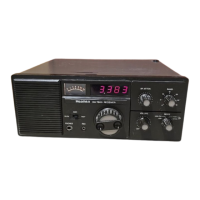
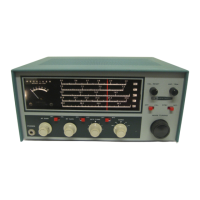
Pictorial
10-1
(Illustration
Booklet,
Page
38)
illustrates
the
front
panel
and
describes
the
control
functions.
AGC
Selects
fast
or
slow
AGC.
NOTE:
You
will
normally
use
SLOW
AGC
for
CW
and
SSB.
FAST
AGC
is
use-
ful
on
rapidly
fading
AM
signals.
RF
ATTEN
Adjusts
the
attenuation
of
the
RF
signals
at
the
input
of
the
Receiver.
The attenuation
increases
with
counterclockwise
rotation
of
this
control.
This
con-
trol
is
useful
under
very
noisy
band
conditions.
BAND
Selects
the
desired
1
MHz
frequency
segment
in
the
15
MHz
to
30
MHz
range.
The
number markings
on
the
front
panel
indicate
the
frequency
band
in
MHz
(Example:
5
=
5
MHz)
VOLUME
Applies
power
to
the
Receiver.
audio
level
of
the
received
signal.
The
volume
creases
with
clockwise
rotation
of
this
control
MODE
Selects
the
mode
of
operation
LSB:
Selects
lower
sideband.
Generally
used
frequencies
below
10
MHz.
USB/CW:
Selects
upper
sideband.
G
used
on
frequencies
above
10
MHz.
NO
may
wish
to
leave
the
MODE
switch
in
position
for
CW
operation,
regardless
of
the!
quency
you
are
listening
to
in
the
.15
ME
30
MHz
range.
‘AM
WIDE:
Selects
amplitude
modulati
wide
bandwidth.
Use
this
mode
when
you
listening
to
an
interference-free
AM
trans
sion.
AM
NAR:
Selects amplitude
modulation,
m
row
bandwidth.
Use
this
mode
when
you
listening
to
an
AM
transmission
being
ial
fered
with
by
strong,
adjacent
stations)
MAIN
TUNING
Manually
adjusts
the
Receiver frequency
up
or
d
within
the
1
MHz
segment
selected
by
the
Bal
switch.
Each
band
overlaps
the
adjacent
band

Related product manuals