Need help?
Do you have a question about the Heidelberg Engineering SPECTRALIS and is the answer not in the manual?
Explains formatting, symbols, and text conventions used in the manual.
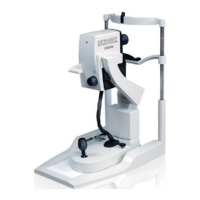
Details the SPECTRALIS device's purpose and applications in ophthalmic diagnostics.
Lists required software versions for the Ultra-Widefield Imaging Module.
Provides critical instructions for ensuring patient safety during examinations.
Outlines precautions to prevent data loss and ensure system integrity.
Details pre-acquisition steps and available modes for image capture.
Explains how to configure image acquisition settings like scan resolution and brightness.
Offers techniques for optimizing image quality with challenging patient anatomies.
Describes the workflow for initiating new patient examinations in HEYEX software.
Provides steps for achieving optimal focus and illumination of the cSLO image.
Details the procedure for capturing confocal Scanning Laser Ophthalmoscopy images.
Explains how to capture combined Infrared and Blue Peak Autofluorescence images.
Covers the process of acquiring Fluorescein and Indocyanine Green angiography images.
Guides the initial steps for initiating different angiography modes.
Discusses inhomogeneous illumination and reduced reflection in cross-polarized images.
 General
| Manufacturer | Heidelberg Engineering |
|---|---|
| Model | SPECTRALIS |
| Lateral Resolution | 14 μm (in tissue) |
| Field of View | Up to 55 degrees |
| Software | HEYEX |
| Image Formats | BMP, JPEG, TIFF, DICOM |
| Power Supply | 100-240 V AC |
| Operating System | Windows |
| Connectivity | USB, Ethernet |
| Operating Temperature | +10°C to +35°C |
| Humidity | 30% to 70% non-condensing |


 To Next Page