18
Alarm Settings
Motion detection, sound detection and human outlines detection are enabled by
default.
Adjust detection sensitivity
• This function aims to set the sensitivity for motion detection and human outlines
detection.
• Go to Settings > Detection sensitivity to set the sensitivity level.
• Medium is the default setting. Please set it to Low to reduce false alarms if you don’t
want to be disturbed frequently.
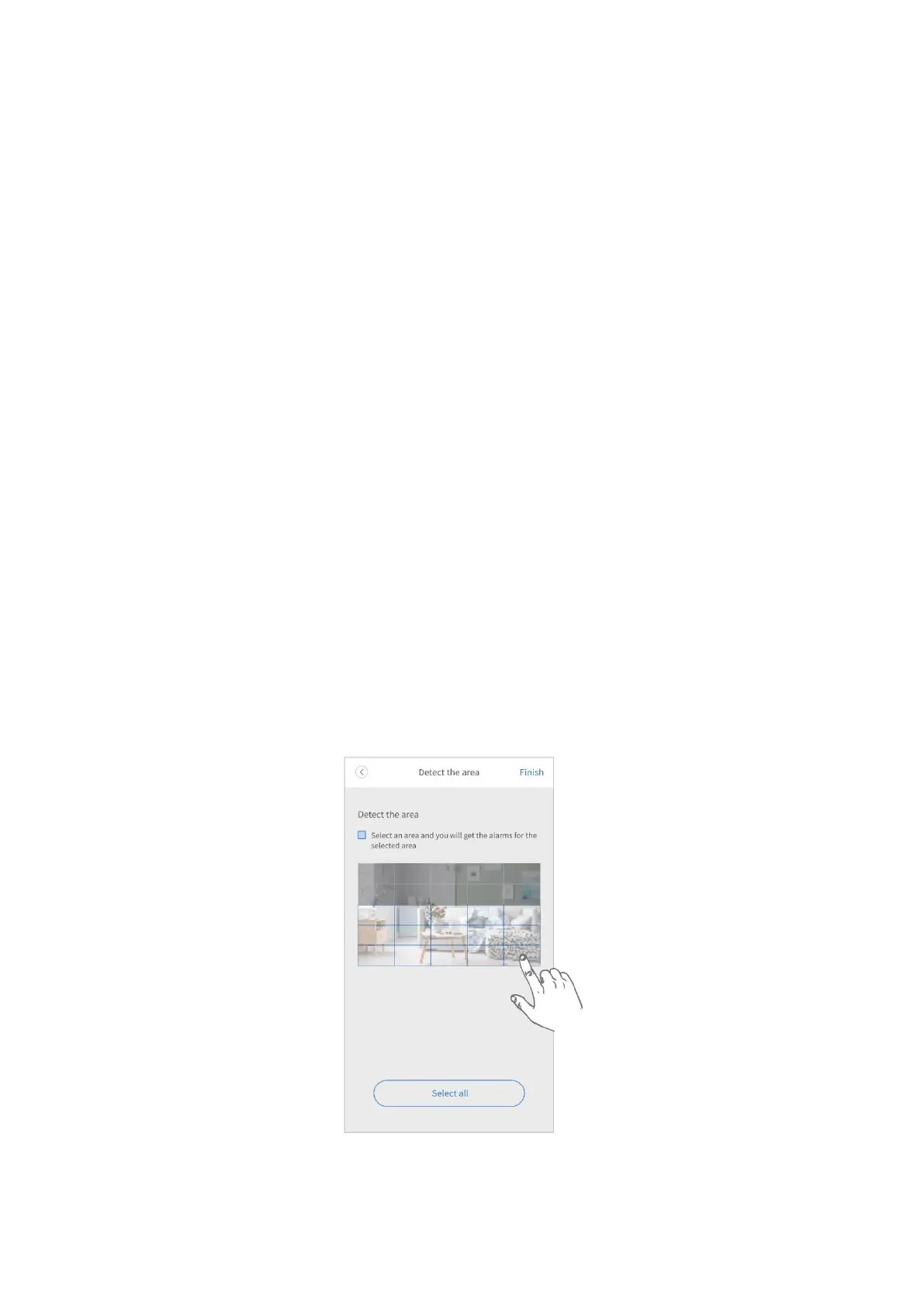
Select detection area
• This function aims to reduce false alarms and decrease the frequency of being
disturbed. You can set the detection area for motion detection and human outlines
detection. All areas are selected by default.
Step 1:
Go to Setting > Detection area to start setting.
Step 2:
Tap on the preview image to select the detection areas. Detection areas selected are
those parts with blue frames.
Tap Finish to complete settings.



 To Next Page