19
Set alarm tone
• This option aims to turn on/off the buzzer of the camera.
• Go to Settings and turn on Alarm Tone, then the camera will give out alarm tone
when motion/sound/human outlines are detected.
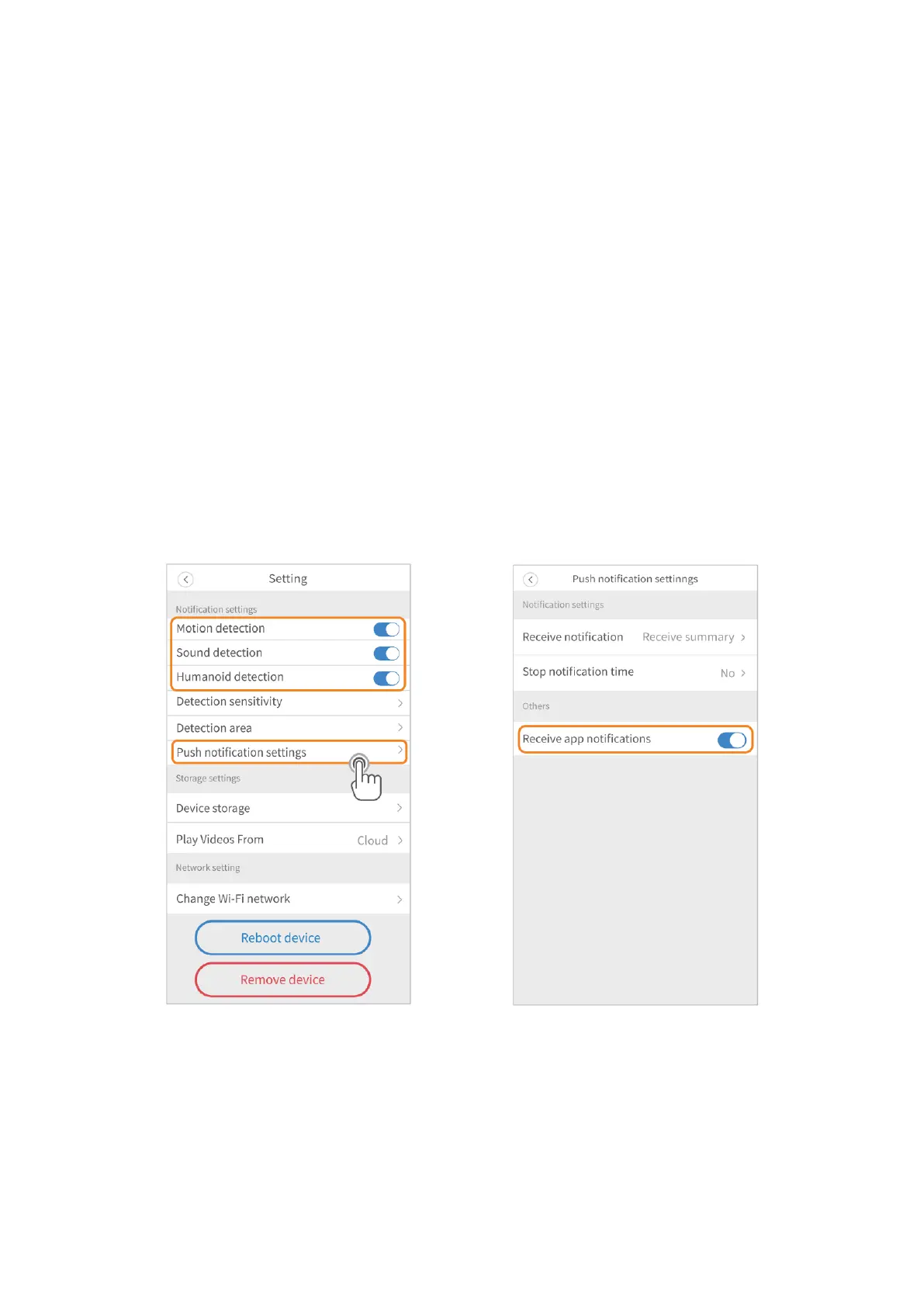
Notification Settings
Switch on the notifications
Step 1:
Go to Setting to enable Motion detection/Sound detection/Humanoid detection.
Step 2:
Go to Push notification settings to switch on the option of Receive app notification.
Step 3:
You will receive push notifications on your mobile device when motion/sound/human
outlines are detected.
Set notification frequency
• Select Receive all notifications and you will receive all the notifications.
• Select Receive a summary and set a time interval for receiving summarized
notifications.



 To Next Page