20
Stop notifications
Step 1:
Go to Settings > Push notification setting > Stop notification time.
Step 2:
Tap Add a schedule to start setting a schedule for not receiving notifications. Up to 3
schedules can be set.
Notes:
• To delete the schedule, slide leftward on the schedule and tap Delete.
• Please keep the App HeimLink running in the background.
• You won’t receive push notifications when watching live videos.
Device Sharing
IMPORTANT:
• Please make sure your family members have registered a HeimLink account before
sharing.
• You can share the camera with as many accounts as possible. However, we
recommend 3 accounts at most for a better experience.
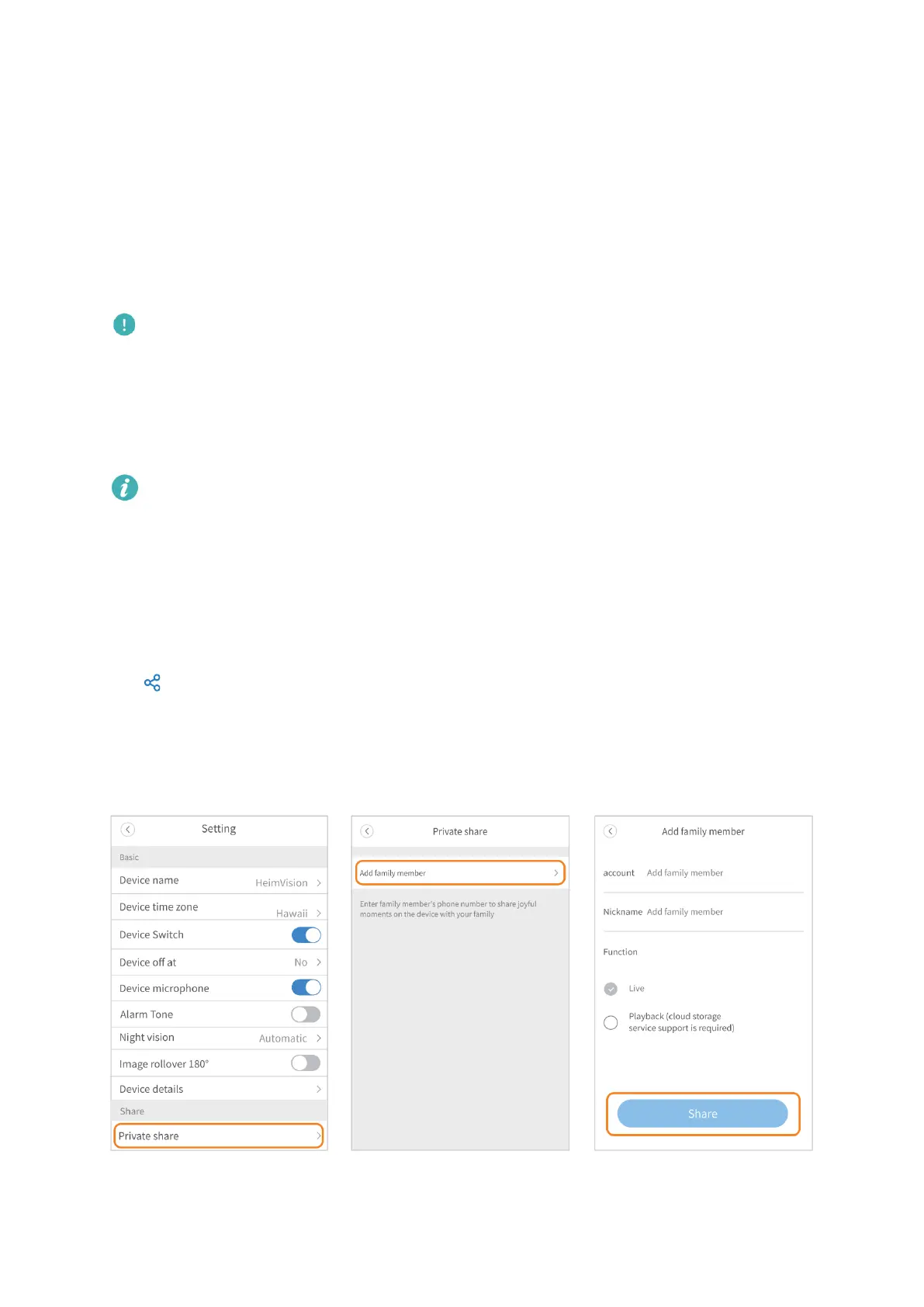
Step 1:
Tap on the main interface or go to Setting > Private share > Add family member, then
enter your family member’s account.
Step 2:
Select the function you’d like to share with your family member, then tap Share.



 To Next Page