21
7. Tips and tricks
7.1 Establishing of connection isn't working
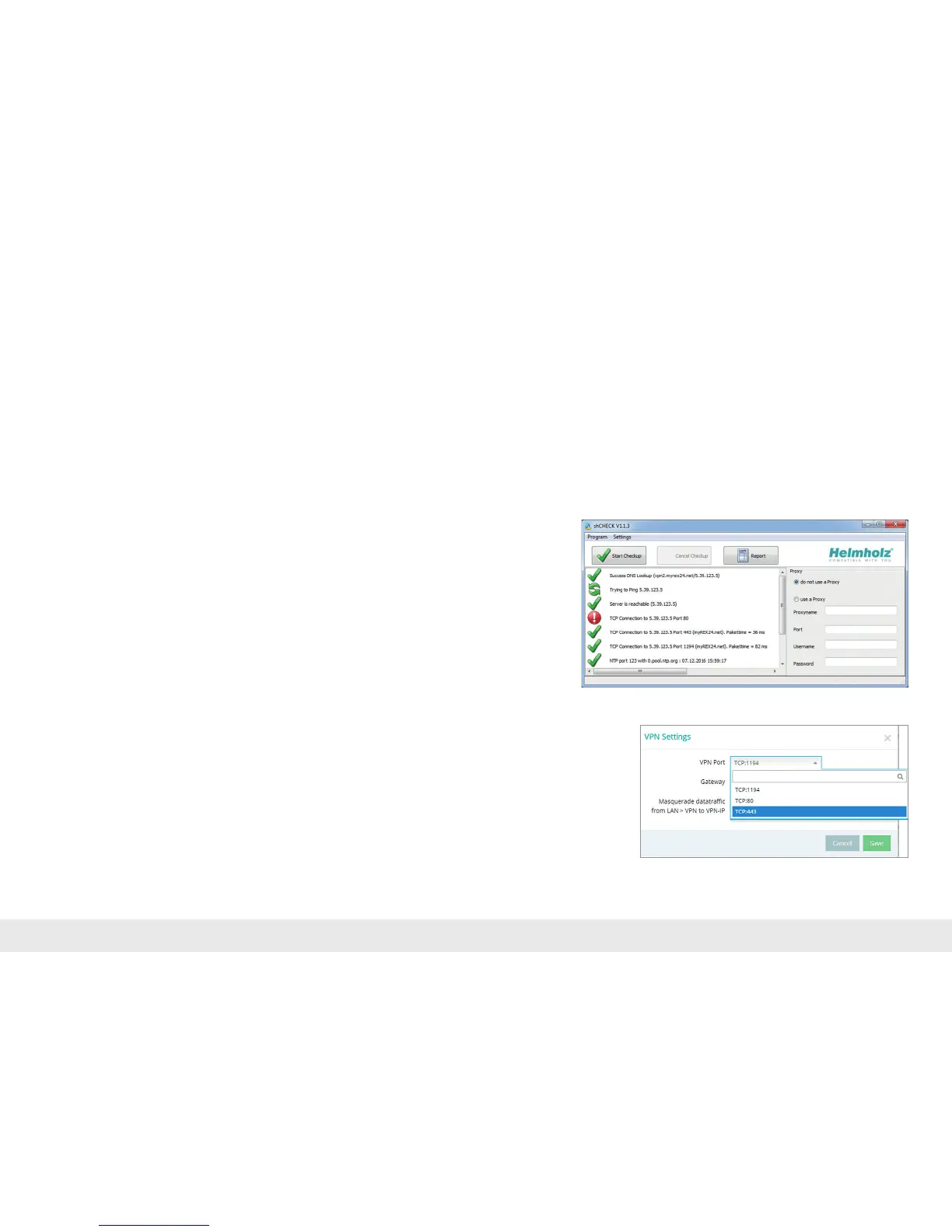
Iftheconnectiontotheportaldoesnotworkonthersttry,pleaseinstallour
"shCHECK"testingtoolonaPC.Thisfreelyavailableprogramcheckswhetherthe
portsneededtosuccessfullyestablishaconnectiontothemyREX24portalhavebeen
approved.Thismeansthatthenetworkatthesystem(fromwhichaREX300router
with WAN interface creates the connection with the Internet) can be checked, as can
thenetworkwiththePCsmeanttoconnectwiththeportalviathedial-insoftware
shDIALUP.
Background
- shDIALUP and the REX 300 establish an outbound TCP connection with the address
v2.myrex24.net(5.39.123.21).
- InordertobeabletoestablishasecureconnectiontothemyREX24serverwith
shDIALUP or REX 300, at least one of the following TCP ports (80, 1194, or 443) re-
quiredfortheVPNtunnelmustbeopen.Port80islockedintheexampleshownto
theright.However,theconnectionwiththemyREX24-V2servercanbeestablished
viaports443or1194.
PleaseclarifywhichsettingsarerequiredinadvancewiththeITdepartmentonsite.
You can adjust the port correspondingly in the VPN settings of the REX 300.
7.2 Deviceconguration:Services–HTTPS
Alternatively,youcanalsoviewthestatusofyourmachineswithadirectcall-upof
themyREX24serverfromyourbrowser:https://v2.myREX24.net.Theconnection
is HTTPS-secure. Please use your shDIALUP access data to log in. Most myREX24-V2
portalfunctionsarethenavailable.
Youcanonlycarryoutaremotemaintenanceconnection,theUSB/COM-over-IP
functionsandthe"SubmittoDevice",withtheshDIALUPclientsoftware.



 To Next Page