Quick Start Guide REX 30024
9. Remote maintenance of Ethernet CPUs
Notes:
- The LAN port is suitable for 100 Mbps and full duplex operation, and supports au-
to-crossover and auto-negotiation. No special PROFINET functions are supported.
- When connecting additional Ethernet participants (PLC/panel) with the REX 300, it
must be ensured that the IP addresses of the devices lie within the address range of the
LAN interface of the REX 300.
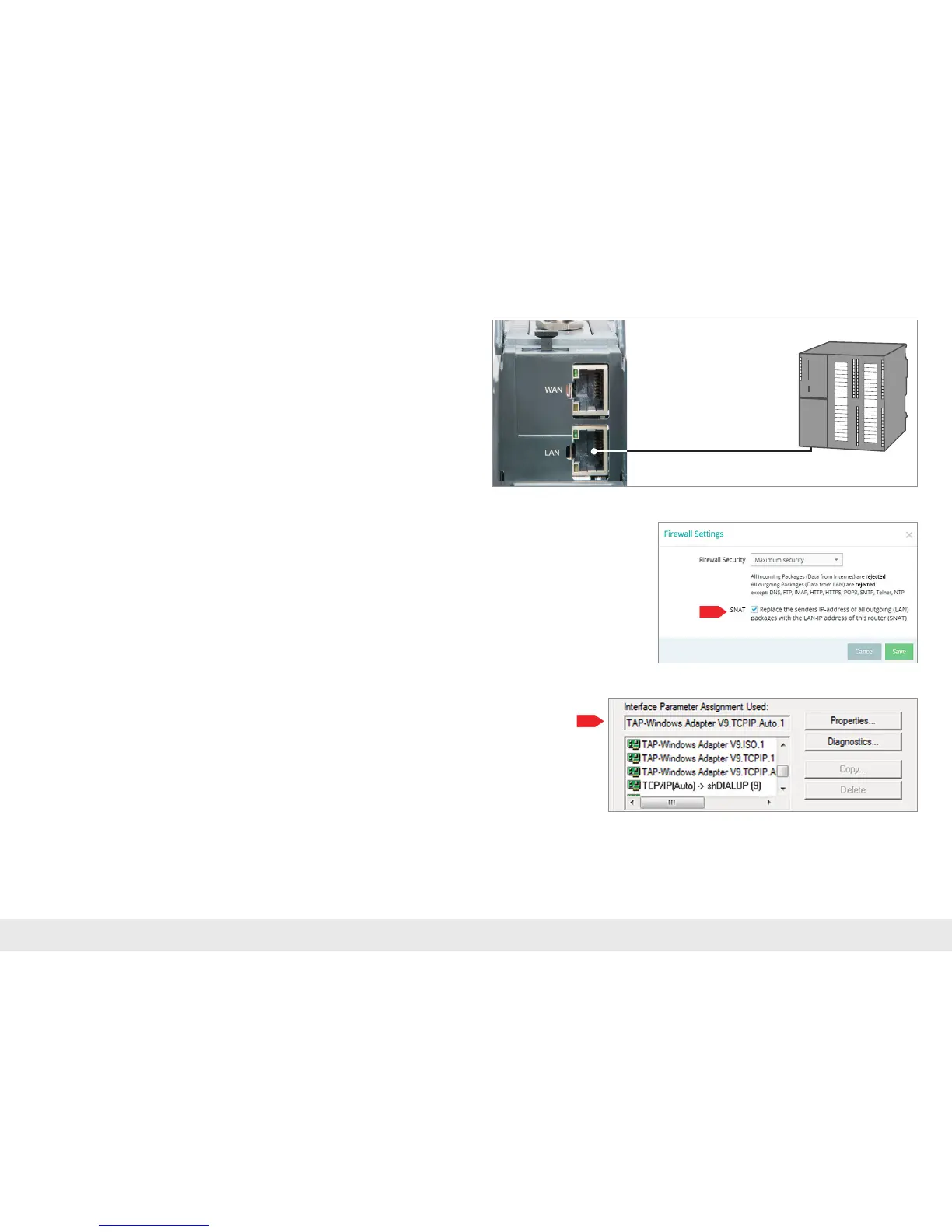
Device settings: Services – Firewall Settings - SNAT
WithaREX300,theSNATfunctionisactivatedasadefault.Withthissetting,par-
ticipantsforwhichnogateway*/routerhasbeenenteredarereachedviatheVPN
tunnel. For the CPUs and panels of some manufacturers, it can be the case that you
needtoexplicitlyenterthegateway*anddeactivatetheSNATfunctioninorderthat
aremoteconnectionwiththeenddeviceispossible.
*Gateway:ThisreferstotheLANIPaddressoftheREX300.
InordertoreachaPLCorapanelviatheVPNtunnel,theopenVPNadaptermustbe
selectedinthecorrespondingsoftwaremodulesastheinterface.Thevirtualnetwork
connection responsible for this is the TAP Windows
2
Adapter V9.
The setting to be selected in the PG/PC interface module from the SIMATIC STEP 7¹
software is emphasized in the detail to the right.
0
1
2
3
4
5
6
7
0
1
2
3
4
5
6
7
0
1
2
3
4
5
6
7
0
1
2
3
4
5
6
7
0
1
2
3
4
5
6
7
Ethernet PLC



 To Next Page