Quick Start Guide REX 3006
4. Initialroutercongurationviatheportal
Thefundamentalcongurationpointsaredescribedinthefollowing.Theyare
necessary to realize a VPN connection with the myREX24 portal. A description of
the expanded functions can be found with the online help or in the manuals/white
papers.
Assoonasyouhavesuccessfullyloggedintotheportalforthersttime,youwill
bepromptedtoindividualizeyouraccessdataonce(usernames/passwords).Only
subsequenttothiscananewprojectbecreated.
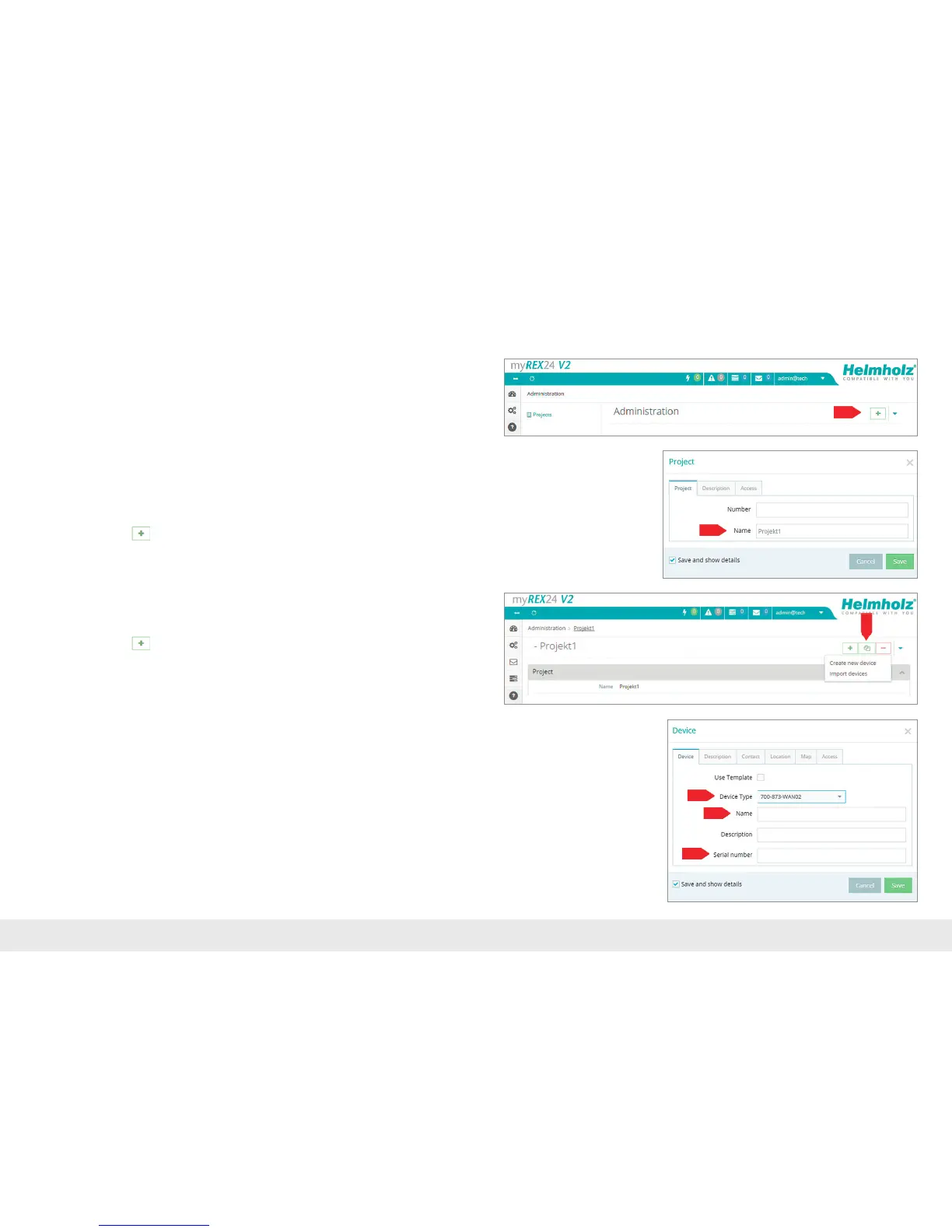
4.1 Create new project
Navigation: Administration > Project
Click on the plus
intheprojectoverviewandassignaprojectnameinthesubse-
quentwindow(allotherentries/informationcanbeprovidedlater).
4.2 Creatinganewdevice
Navigation: Administration > Project > Project (created project)
Click on the plus
intheselectedprojectandthenon"Createnewdevice".
Only the selection of the type, the assignment of a name and the entry of the serial
numbersarenecessaryfortheinitial/minimalcongurationinthemenu"Device"
underthetab"Device".Thenamecanbefreelyselected,butonlythefollowing
numbersandletterswithoutspacesareallowed:0to9,AtoZ,atoz.
Notes:
- The name must start with a letter. Umlauts, special characters and spaces are general-
ly not permitted. Double designations are also not possible in the "Name" eld.
- The serial number always starts with the letter "R", followed by eight numbers (0-9).
Aftersavingyourinformation,youwillbeautomaticallyforwardedtothedevice
settings.



 To Next Page