Quick Start Guide REX 300 7
4.3 CongureREX300(connectiondata)
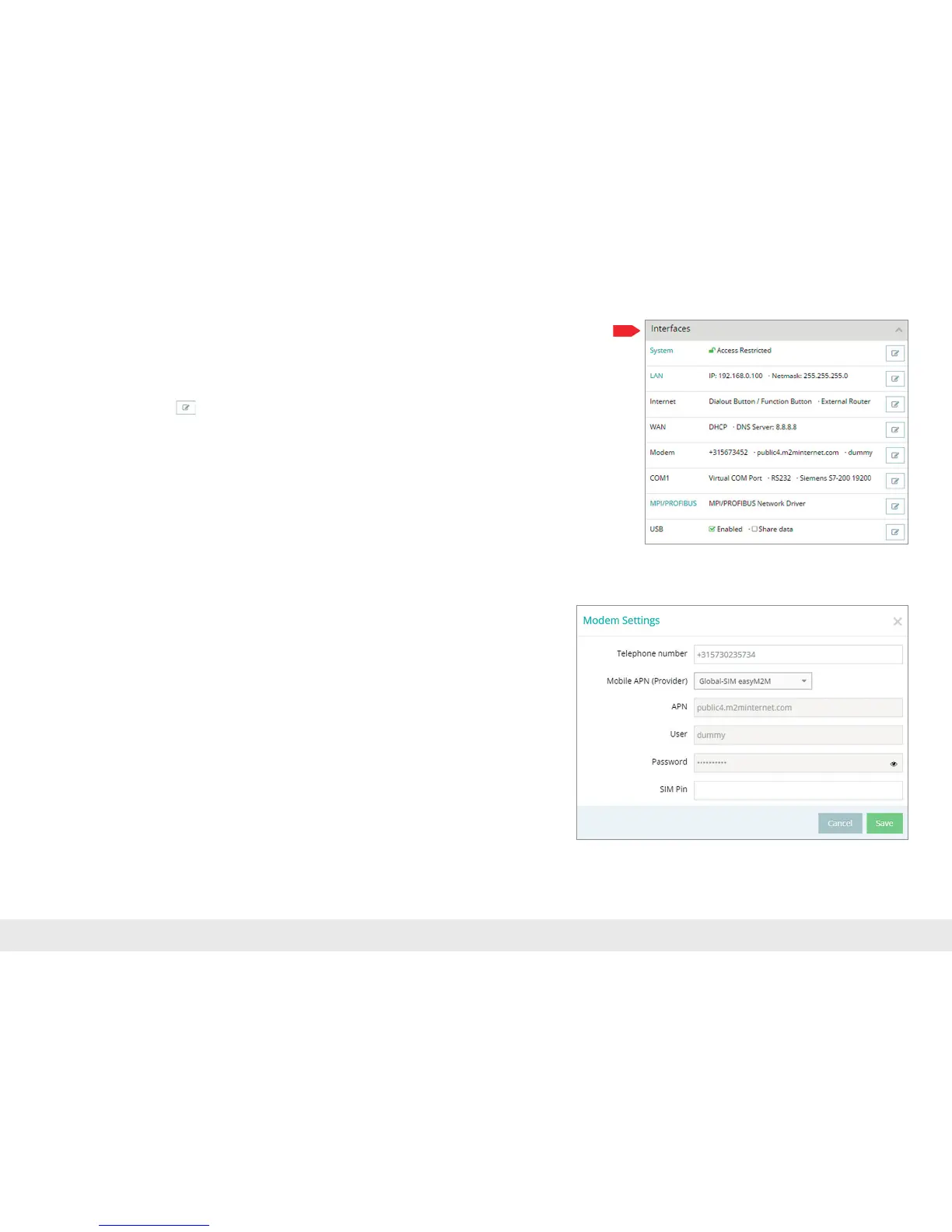
Onlythe"Interfaces"menuisrelevantfortheinitialconguration.
Navigation: Administration > Project > Project (selected project) > New Device (selected
device).
Click on the editing symbol
inordertoprocessthesettingsoftherelevantsub-
menu.
Thefollowingmenusaresignicantfortheinitialconguration:
- LAN All REX 300 routers come with a LAN-side IP address of
192.168.0.100/24 as a default. Modify the IP address and the subnet
maskinkeepingwiththespecicationsfromthemachinerynetwork.
Note: It can happen that this IP address must be used as a standard gateway for addi-
tional TCP/IP components that are connected to the REX 300 for remote maintenance
purposes (see chapter 9 on page 24).
- Internet Fortheinitialcongurationitisadvisabletochoosetheaction"Always"
fortheselectioneld"Connecttotheserver".Onlywiththissetting
does the REX 300 automatically attempt to establish a connection with
the portal as soon as it is supplied with power.
- WAN EnterthedatafortheWANconnectionhere:DHCPorstaticIP.The
correspondingdataprovidesyouwiththeresponsiblenetworkadmin-
istrator.
- Modem IfyouhavethetelephonenumberoftheSIMcardavailable,youcan
enterthisintheappropriateeldsothatthemyREX24portalcan
control the REX 300 with SMS messages. The parameters for the APN
(AccessPointName)ofthecardproviderandthecorrectSIMPINentry
mustbeavailabletoyouandbestoredhere.
Note: If you enable DHCP, make sure that the DHCP server does not assign the WAN port
to an IP address that is already in use on the LAN side. IP addresses from two different
subnets must be assigned to every router's LAN and WAN ports.
Savethesettings.Theinitialcongurationisherewithcomplete.



 To Next Page