Quick Start Guide REX 3008
PC
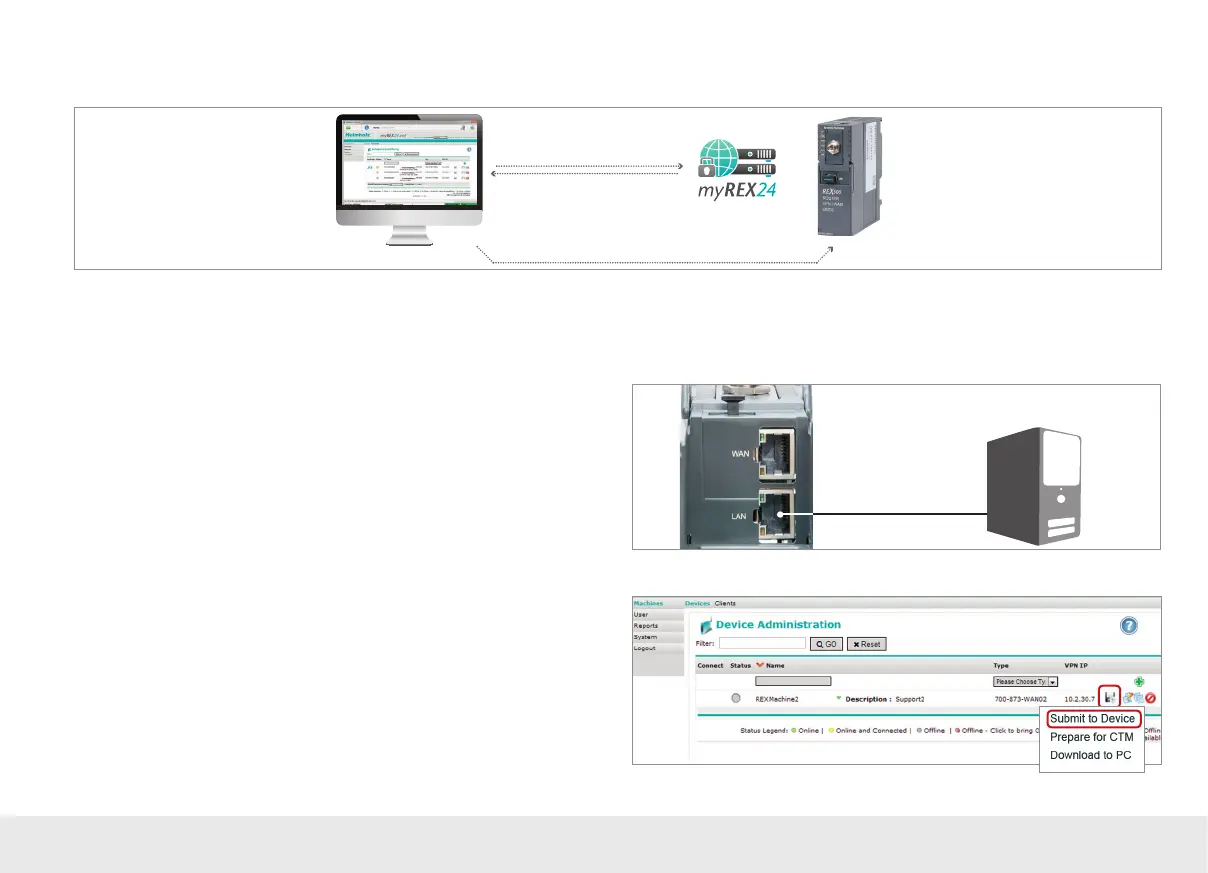
4.1 Transferring the conguration using a local LAN connection
1. Login via shDIALUP
3. Search for the device on the LAN network
4. Transfer the configuration
LAN
LAN
2. Create/edit and store
the REX 300 configuration
In order to transfer the conguration through the LAN network, it must be possible
to reach the REX 300 unit being congured on the same network on which the
computer with the shDIALUP software is active.
4.1.1
Connect your computer's LAN port (LAN adapter) to the REX 300 unit's LAN port.
Make sure to use the included standard Cat5 patch cable to establish this direct
connection between your computer and the router.
4.1.2
In the myREX24 portal (shDIALUP) under “Device Administration”, use the oppy
disk icon to select the “Submit to Device” option.



 To Next Page