Quick Start Guide REX 300 9
4.1.3
After you have selected the corresponding PC-LAN network card in the Device Search
menu, the search for locally connected REX routers will be carried out independently
in the following dialog.
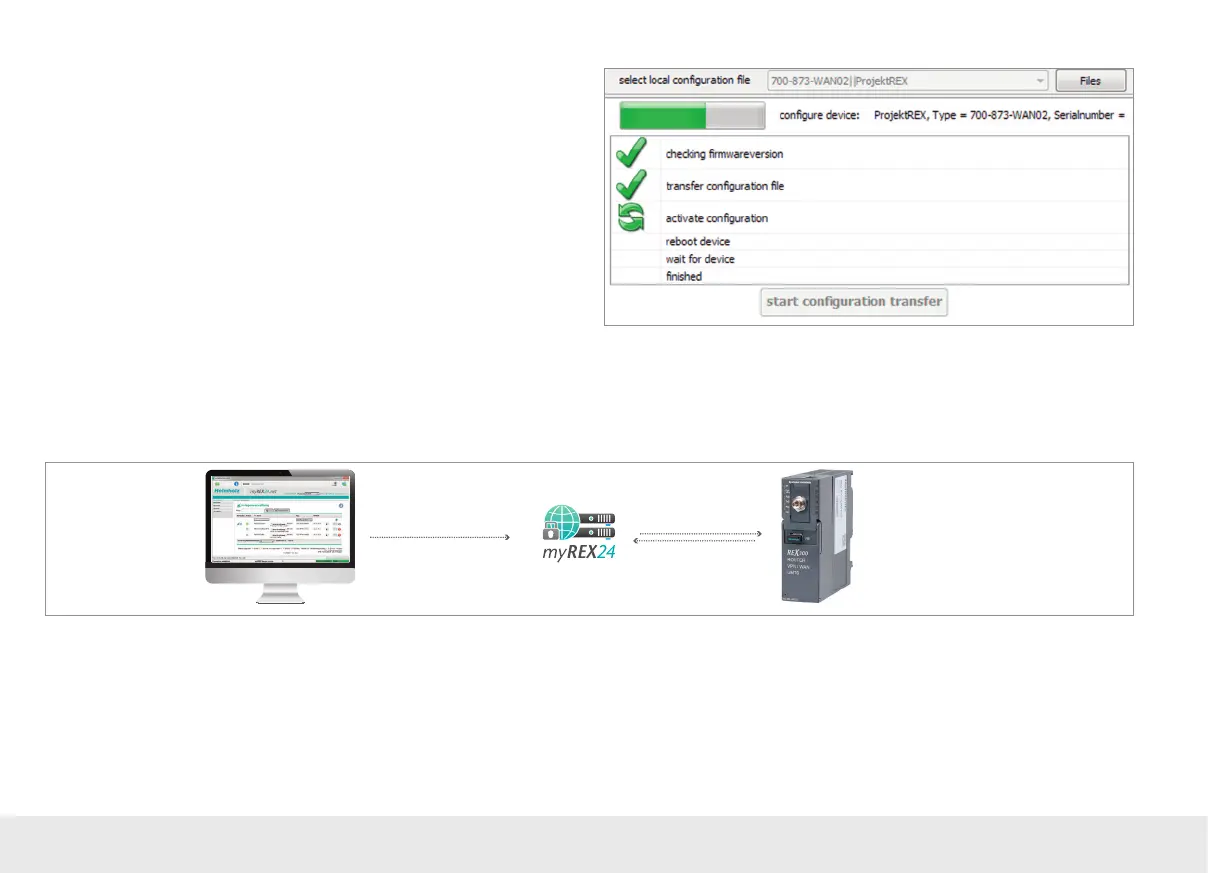
The transfer will start if a device with the right serial number is found. Once the
transfer is complete, the REX 300 router will start using the new conguration after
being restarted.
Note: In order to establish a VPN connection with the REX 300, please read Chapter 5 on
page 18.
4.2 Conguration Transfer Manager (CTM)
The Conguration Transfer Manager makes it possible to transfer the conguration
to the REX 300 router once the router has established an Internet connection to the
myREX24 portal.
If the REX 300 unit has a connection to the myREX24 portal, it will check whether
there is a new conguration available for its serial number. If there is one, it will load
it automatically.
This method is ideal for retroactive changes to the conguration.
Note: In order to be able to transfer the conguration, the Conguration Transfer Mana-
ger requires an Internet connection established using a WAN network or SIM card.
If you are using your REX 300 router for the rst time, you can set this connection directly
on the REX 300 via the "First Start" website.
1. Create/edit the REX 300
configuration and deposit it
in the CTM
Cyclic check whenever
there is an Internet
connection
2. The configuration
is downloaded
and activated



 To Next Page