eDriveTC User Guide
19
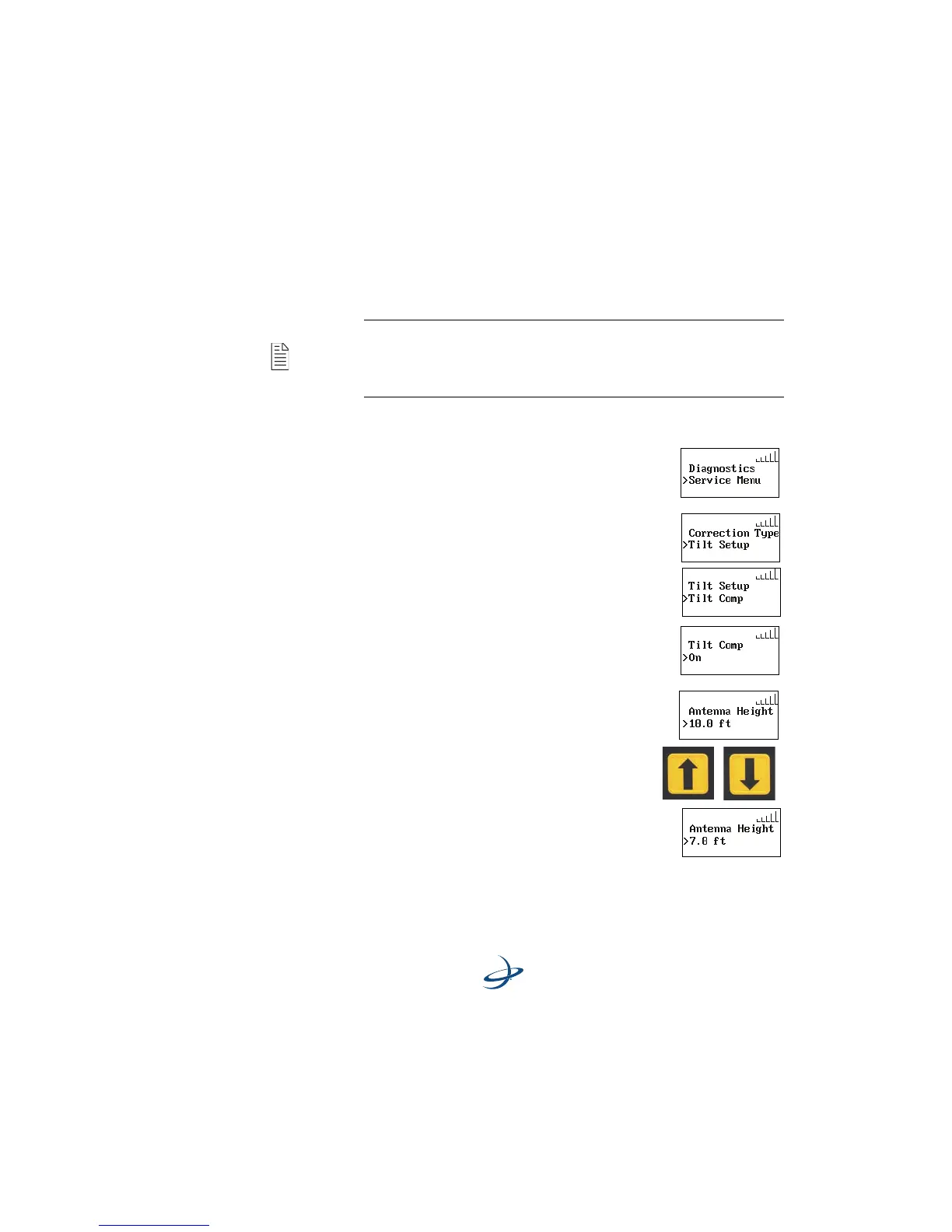
Tilt Compensation setup sequence: - After completing initial
system startup sequence, perform the following tilt setup sequences
prior to field operation.
1. Press the MENU button.
2. Scroll down to Service Menu.
3. Press the ENTER button.
4. Scroll down to Tilt Setup.
5. Press the ENTER button.
6. Select Tilt Comp.
7. Press the ENTER button to select On (or Off if
you want to turn tilt compensation off).
8. Press the ENTER button.
9. Scroll down to Antenna Height.
10. Press the ENTER button.
11. Use the UP and DOWN ARROW buttons to
select the antenna height.
12. Press the ENTER button.
Note: Be sure the vehicle is parked on a level surface before
calibrating the accelerometer value. It may be necessary to use a
long bubble level against a rigid vehicle surface to verify that it
is indeed level.



 To Next Page