MBX-4 User Guide
25
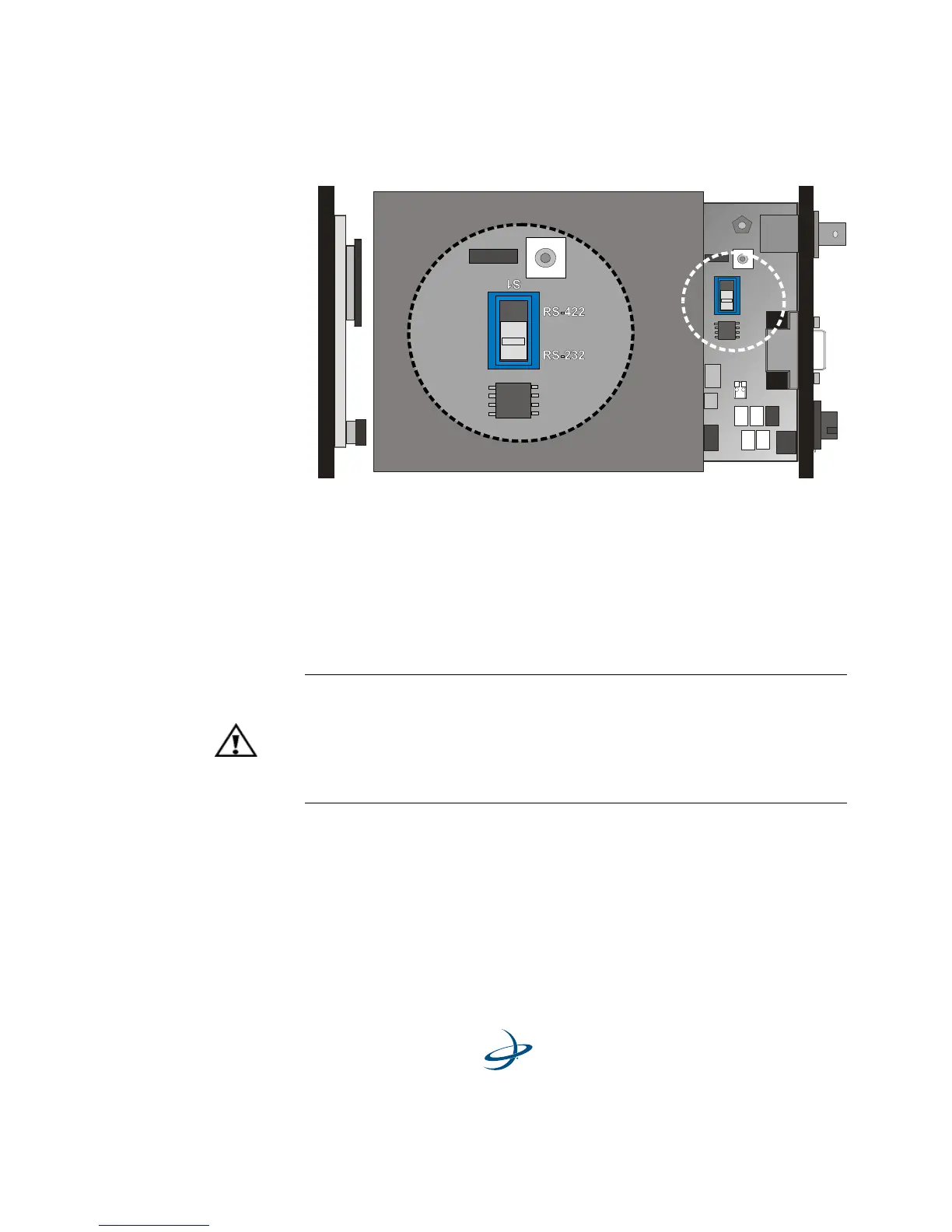
Figure 2-4. RS-232/RS-422 Configuration
With the switch set to the lower position (as viewed in Figure 2-4), the
receiver communicates at the RS-232 level. When set to the upper
position, the receiver communicates at the RS-422 level. The interface
level corresponding to the switch position is silk-screened onto the
circuit board for identification.
Once you have set the slide switch to the desired position, slide the
receiver board back into the enclosure. Reconnect the front panel
display and keypad ribbon cables. When replacing the front and back
plate screws ensure that no cables or components catch between the
panels and the housing.
Warning!
The MBX-4 is an electrostatic sensitive device. Observe proper
precautions when handling the receivers during this procedure.
Damage caused to the receiver by ESD is not covered under
warranty.



 To Next Page