V103/113 Vector User Guide Chapter 2-Installation Page 7 of 35
Mounting Orientation
The V103/113 outputs heading, pitch, and roll readings regardless of the orientation of the antennas. However,
the relation of the antennas to the boat’s axis determines whether you will need to enter a heading, pitch, or roll
bias. The primary antenna is used for positioning and the primary and secondary antennas, working in
conjunction, output heading, pitch, and roll values.
Note: Regardless of which mounting orientation you use, the V103/113 provides the ability to output the heave
of the vessel. This output is available via the $GPHEV message. For more information on this message refer to
the Hemisphere GNSS Technical Reference Guide.
Parallel Orientation: The most common installation is to orient the V103/113 parallel to, and along the
centerline of, the axis of the boat. This provides a true heading. In this orientation:
If you use a gyrocompass and there is a need to align the Vector compass, you can enter a
heading bias in the V103/113 to calibrate the physical heading to the true heading of the vessel.
You may need to adjust the pitch/roll output to calibrate the measurement if the Vector is not
installed in a horizontal plane.
Perpendicular Orientation: You can also install the antennas so they are oriented perpendicular to
the centerline of the boat’s axis. In this orientation:
You will need to enter a heading bias of +90° if the primary antenna is on the starboard side of
the boat and -90° if the primary antenna is on the port side of the boat.
You will need to configure the receiver to specify the GNSS antennas are measuring the roll axis
using $JATT,ROLL,YES.
You will need to enter a roll bias to properly output the pitch and roll values.
You may need to adjust the pitch/roll output to calibrate the measurement if the Vector is not
installed in a horizontal plane.
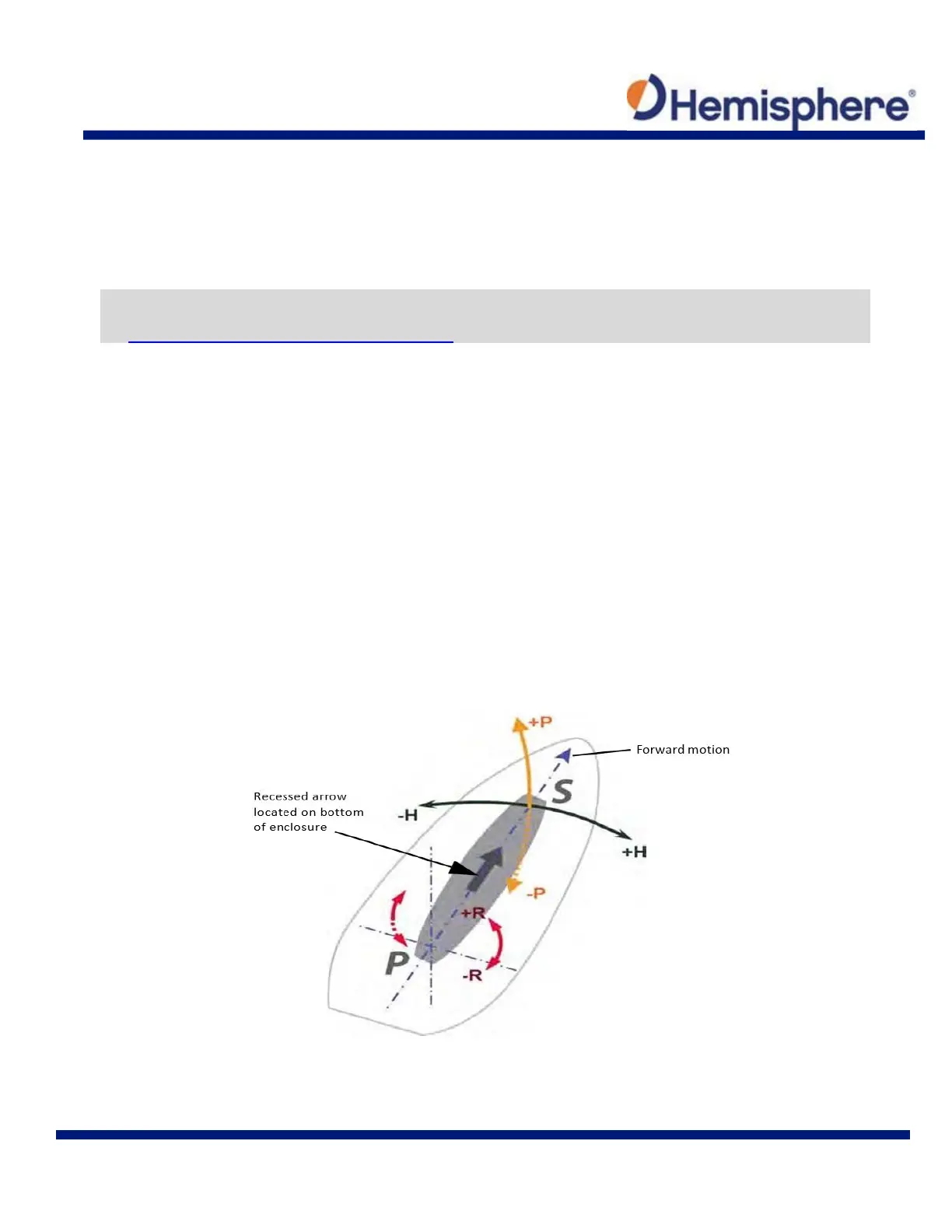
Figure 2-2 and Figure 2-3 provide mounting orientation examples.
Figure 2-2: Recommended Orientation and Resulting Signs of HPR Values



 To Next Page