V103/113 Vector User Guide Chapter 2-Installation Page 11 of 35
Power/Data Cable Considerations
Before mounting the V103/113 consider the power/data cable routing:
Cable must reach an appropriate power source
Cable may connect to a data storage device, computer, or other device that accepts GNSS data
Avoid running the cable in areas of excessive heat
Keep cable away from corrosive chemicals
Do not run the cable through door or window jams
Keep cable away from rotating machinery
Do not crimp or excessively bend the cable
Avoid placing tension on the cable
Remove unwanted slack from the cable at the V103/113 end
Secure along the cable route using plastic wraps
Improperly installed cable near machinery can be dangerous.
Mounting the V103/113
This section describes how to flush mount or pole mount the V103/113. Keep the following in mind when
planning your installation:
Hemisphere GNSS does not supply mounting surface hardware or a mounting pole. You must supply
the appropriate hardware or mounting pole required to complete V103/113 installation.
You do not necessarily need to orient the antenna precisely as you can enter a software offset to
accommodate for a heading measurement bias due to installation.
Flush Mounting the V103/113
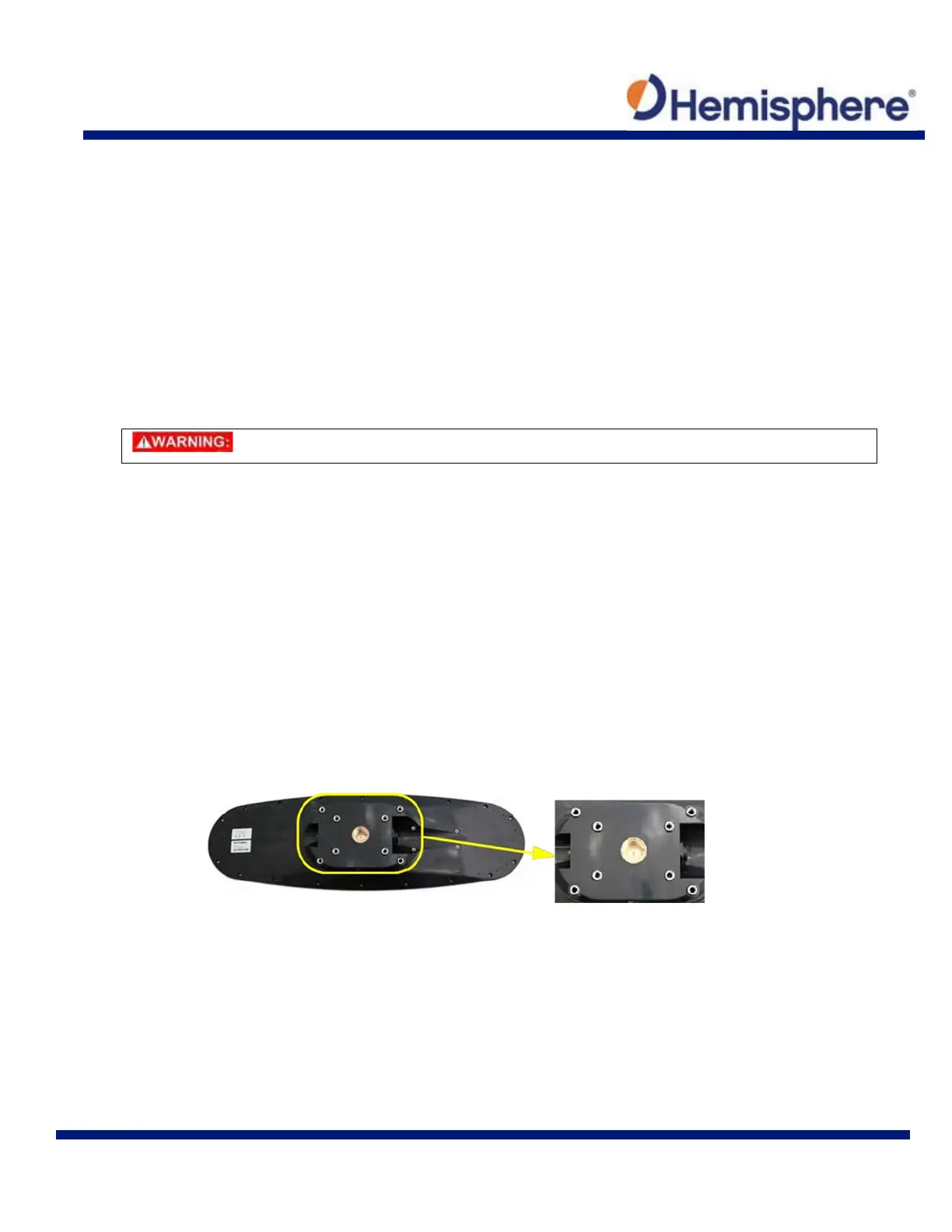
The bottom of the V103/113 contains eight holes (two sets of four holes) for flush mounting the unit to a flat
surface (Figure 2-7). The flat surface may be something you fabricate per your installation, an off-the-shelf item
(such as a radar mounting plate), or an existing surface on your vessel.
Figure 2-7: Flush Mounting Holes on bottom of V103/113



 To Next Page