V103/113 Vector User Guide Chapter 2-Installation Page 14 of 35
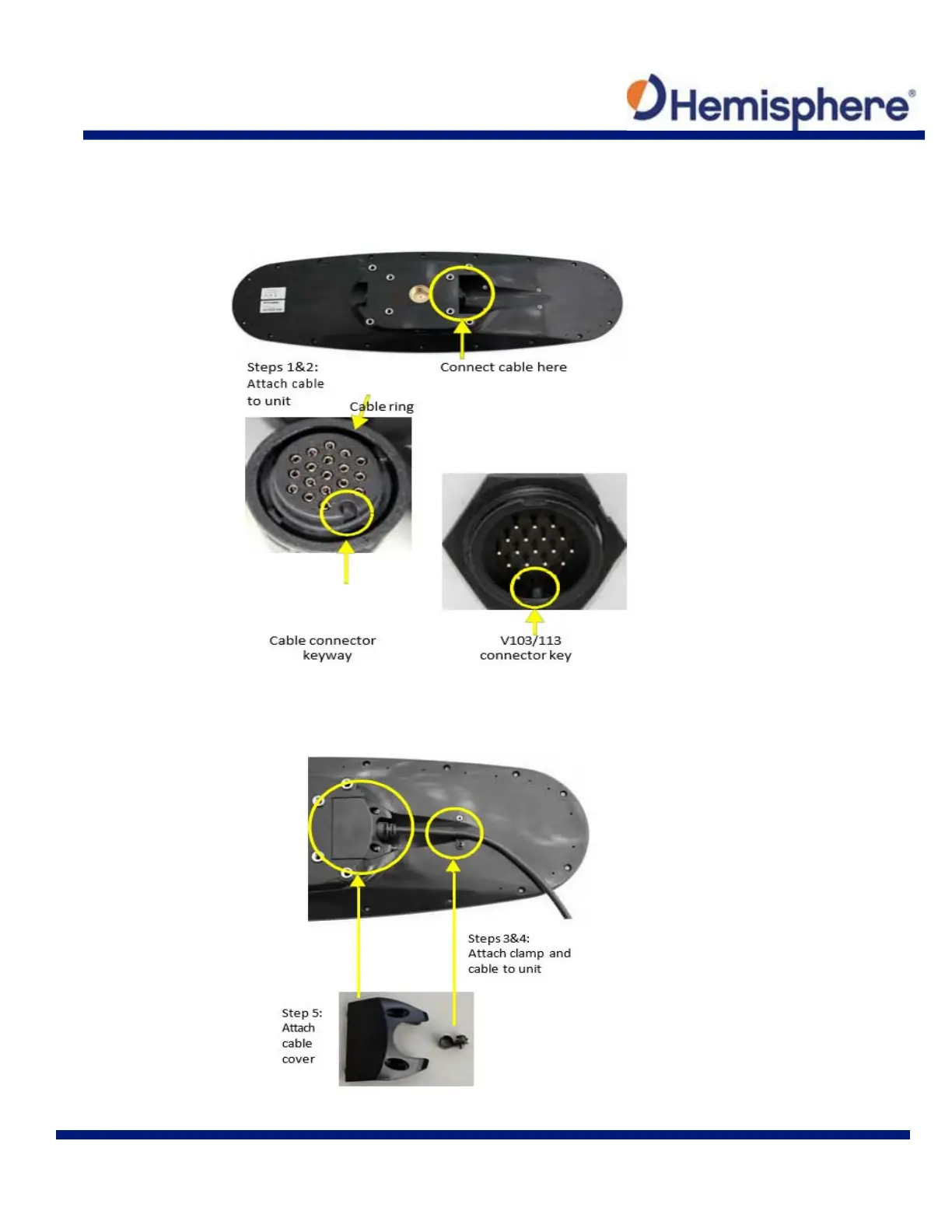
Connecting the Serial Power/Data Cable
1. Align the cable connector keyway with the V103/113 connector key.
2. Rotate the cable ring clockwise until it locks. The locking action is firm; you will feel a positive
“click” when it has locked.
3. Attach the power/data cable to the cable clamp.
4. Fasten the clamp to the bottom of the V103/113 using the screw and washer.
5. Attach the cable cover.



 To Next Page