V103/113 Vector User Guide Chapter 2-Installation Page 22 of 35
Connecting the V103/113 to External Devices
Note: This section refers to a serial connection. For connecting external NMEA 2000 devices, plug the serial-
to-NMEA 2000 adapter into the V103/113 and then attach a standard NMEA 2000 dropline cable to the
adapter.
Power/Data Cable Considerations
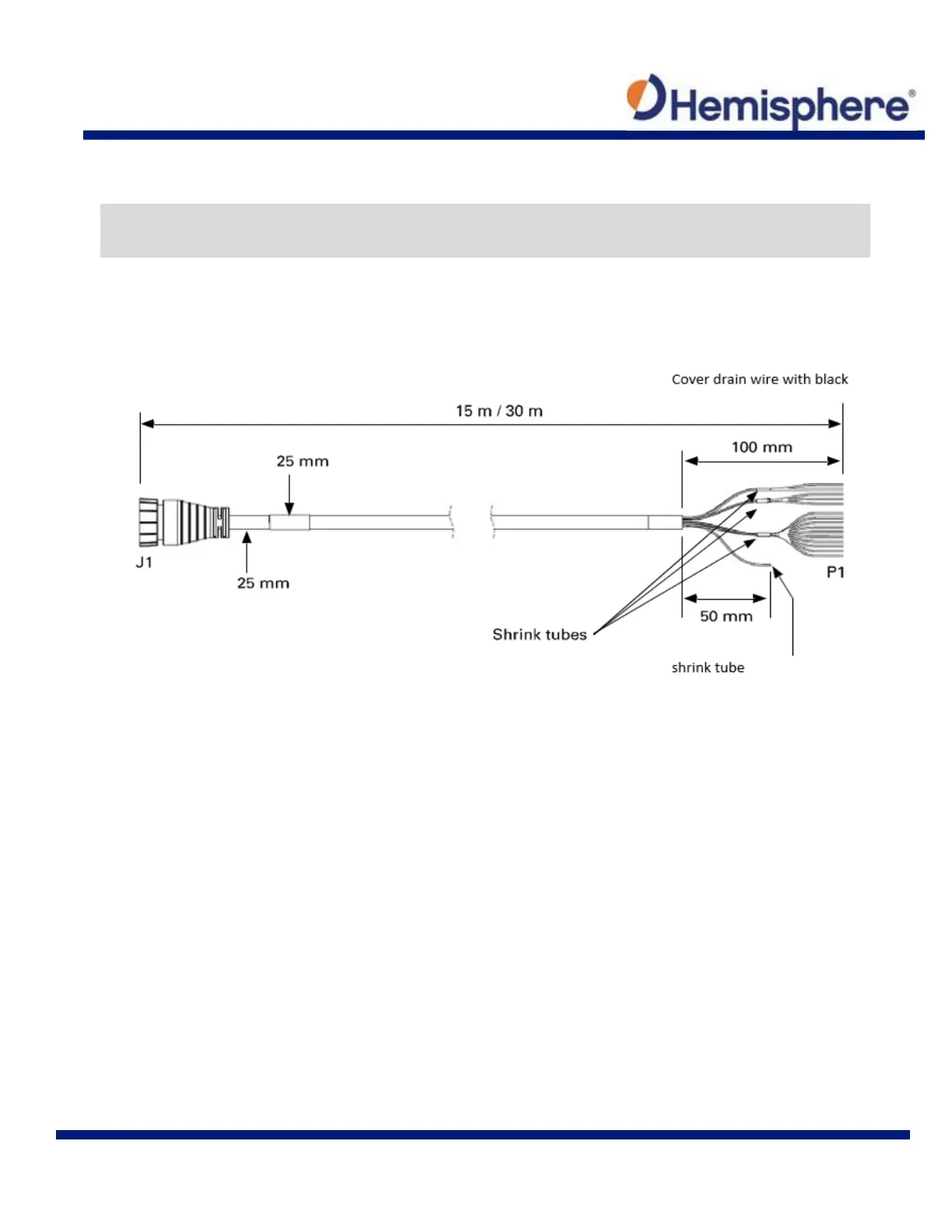
The V103/113 uses a single 15 m (49 ft) or 30 m (98 ft) cable for power and data input/ output.
Figure 2-10: Power/Data Cable, 15m or 30m
The receiver end of the cable is terminated with an environmentally sealed 18-pin connection while the
opposite end is unterminated and requires field stripping and tinning.
Depending on the application and installation needs, you may need to shorten this cable. However, if you
require a longer cable run than 30m, you can bring the cable into a break-out box that incorporates terminal
strips, within the vessel.
When lengthening the cable keep the following in mind:
To lengthen the serial lines inside the vessel, use 20-gauge twisted pairs and minimize the additional
wire length.
When lengthening the power input leads to the V103/113, ensure the additional voltage drop is small
enough that your power system can continue to power the system above the minimum voltage of the
system. Wire of 18-gauge or larger should also be used.
Minimize RS-232 cable length to ensure reliable communication



 To Next Page