Users Manual Henkovac 04-serie V2019
12.0 Malfunctions and Notifications
In case the machine has technical problems, please use the check list below to see if you can resolve
the malfunction yourself
If technical support is required, please contact your dealer
You may also contact us, so that we can assist you in locating your nearest dealer
+31 73 627 12 73 of 77 or by e-mail info@henkovac.com.
12.1 Service and Technical Support
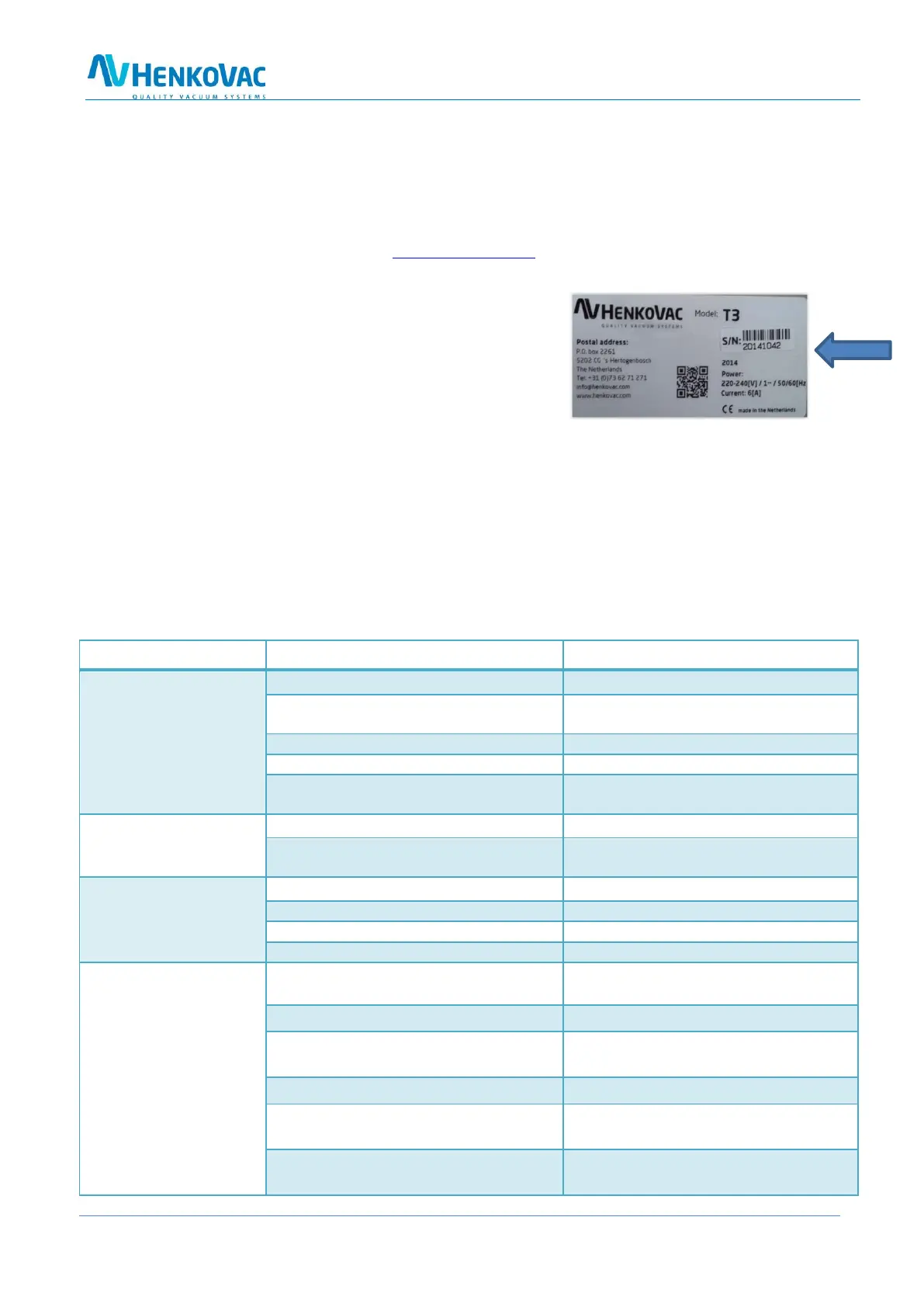
Please have the following information available:
Machine type
Serial number
You can locate this information on the identification plate
on the right-hand side or back-side of your machine.
12.2 YouTube Henkovac Channel - Instruction and Service Videos
Instructional videos are placed on YouTube for the operation and service of your machine. You may lo-
cate these videos on the YouTube website under “Henkovac Channel”.
12.3 Trouble Shooting Check List
The machine is not plugged in
Plug the machine into the electrical outlet
The ground fault safety in the electrical
panel has tripped
Check the electrical panel
A fuse in the electrical panel is faulty
Check the electrical panel
A fuse in the machine is faulty
The motor protection of the machine is
switched off
The vacuum pump does
not run at full speed
The oil is too thick or contaminated
Change the oil. Page20: 10.2
The pump motor runs on two phases
Check the voltage; if correct, consult your
dealer
The vacuum in the pack-
age is insufficient
The programmed vacuum value is too high
Lower the vacuum value in the program
The packaging material is of poor quality
Select a better-quality packaging material
The product damages the bag
Program a higher value for Soft-Air
The machine gases the package
Turn off the gassing function
The package seam is poorly formed
Increase the sealing time and/or reduce the
MAP gas pressure
The package seam is burnt
Decrease the sealing time
The opening of the vacuum bag is contami-
nated
Try again and make sure that the opening
of the bag stays clean
The sealing beam is dirty
The Teflon lining of the sealing beam is
damaged
Replace the Teflon lining
The silicon rubber seal in the counter beam
is damaged
Replace the silicon rubber seal



 To Next Page