5-12 System Operation
Secondly, when using DOS based programs, a printer driver other than the Windows printer
driver must be used. DOS printer drivers do not know to send the required EOF to the laser
system after file downloading. Again, the memory buffer will not recognize any file that exists if
it does not have an EOF. In this case, an EOF must be manually entered into the memory
buffer after each and every file download from a DOS based program. Since DOS printer
drivers also do not send the name of the file within the file data, every file will be called
“NONAME” once an EOF marker has been inserted. To distinguish one “NONAME” file from
the next, the display will number the files in the order from which they were downloaded.
To insert an EOF marker in either case, position the cursor on the first line of the display where
the filename is. Press and hold down the “NEXT FILE” button and then press the “SELECT”
button at the same time. The word “NONAME” will appear if there is a partial file in memory or
any DOS based file that does not have an EOF marker. What has happened is that the laser
system searched for any file information that had entered into the memory buffer since the last
completed file was downloaded. If it finds information, it scans to the end of the last bit of that
information and inserts an EOF. The file then shows up on the display as “NONAME” and will
allow either its solitary deletion without having to delete the other files in memory or it will allow
the file to be run just as if it was downloaded from the Windows printer driver.
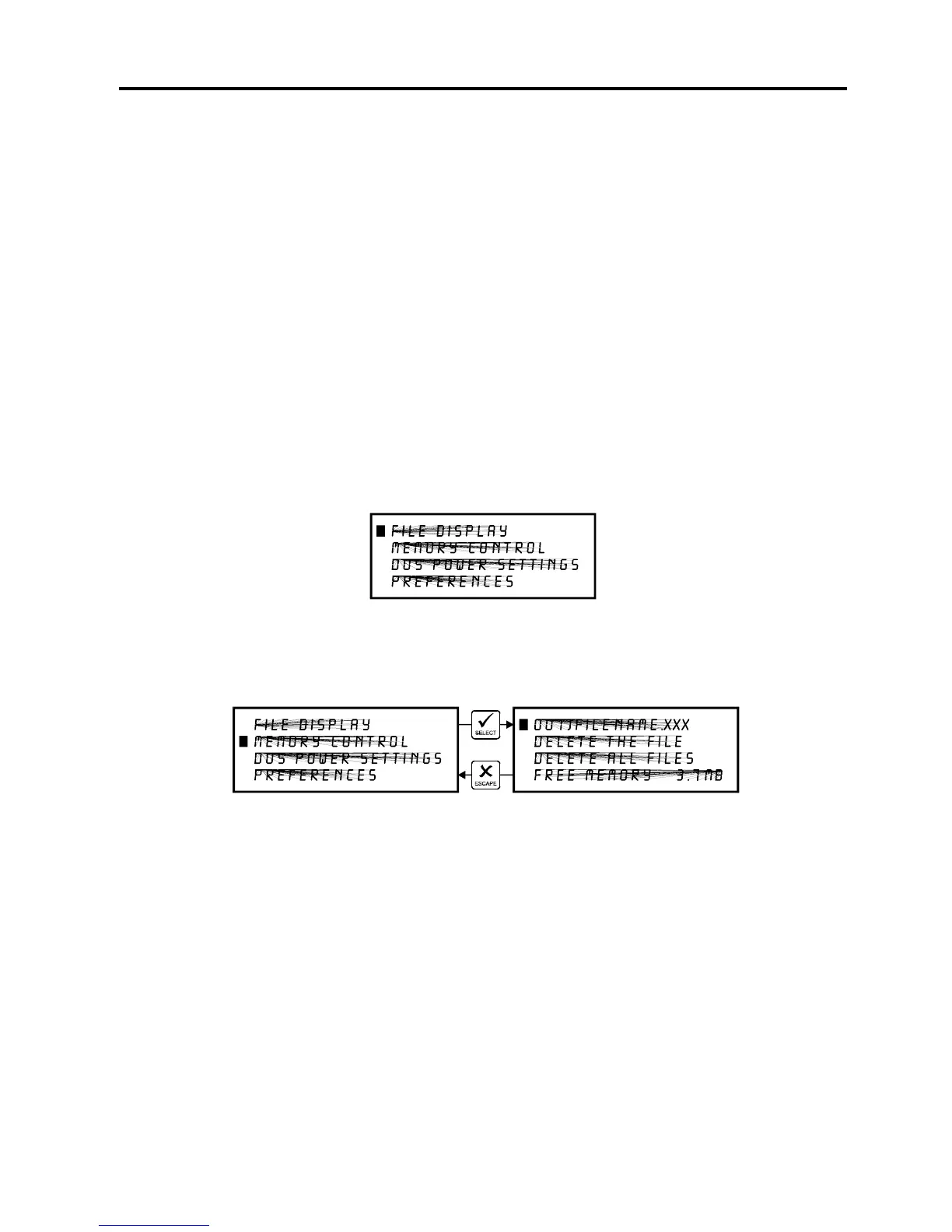
MAIN Menu
Allows access to all other menus.
MEMORY CONTROL Menu
The laser system is equipped with an intelligent memory buffer that has built-in file compression.
The driver actually compresses the file while it downloads to the laser system and the laser
system decompresses the file while it runs. The amount of compression can be as little as 4 to
1 or as great as 48 to 1. This means that with 4 MB of RAM in the laser system, the buffer
could hold the equivalent of 192MB worth of files provided they can be compressed 48 to 1.
This gives the laser system the ability to store either larger or more files in memory. It also
provides for quicker downloading because the files are much smaller than normal. The memory
buffer can hold up to 999 files providing that the memory space is not exceeded. The memory
also has built in file handling intelligence enabling each individual file in memory to be run in any
order. The files are stored sequentially based on the order in which they were sent from the
computer and each one is assigned a number to keep them in order. A running total of the free
memory space available is provided at the bottom of the display.



 To Next Page