5-4 System Operation
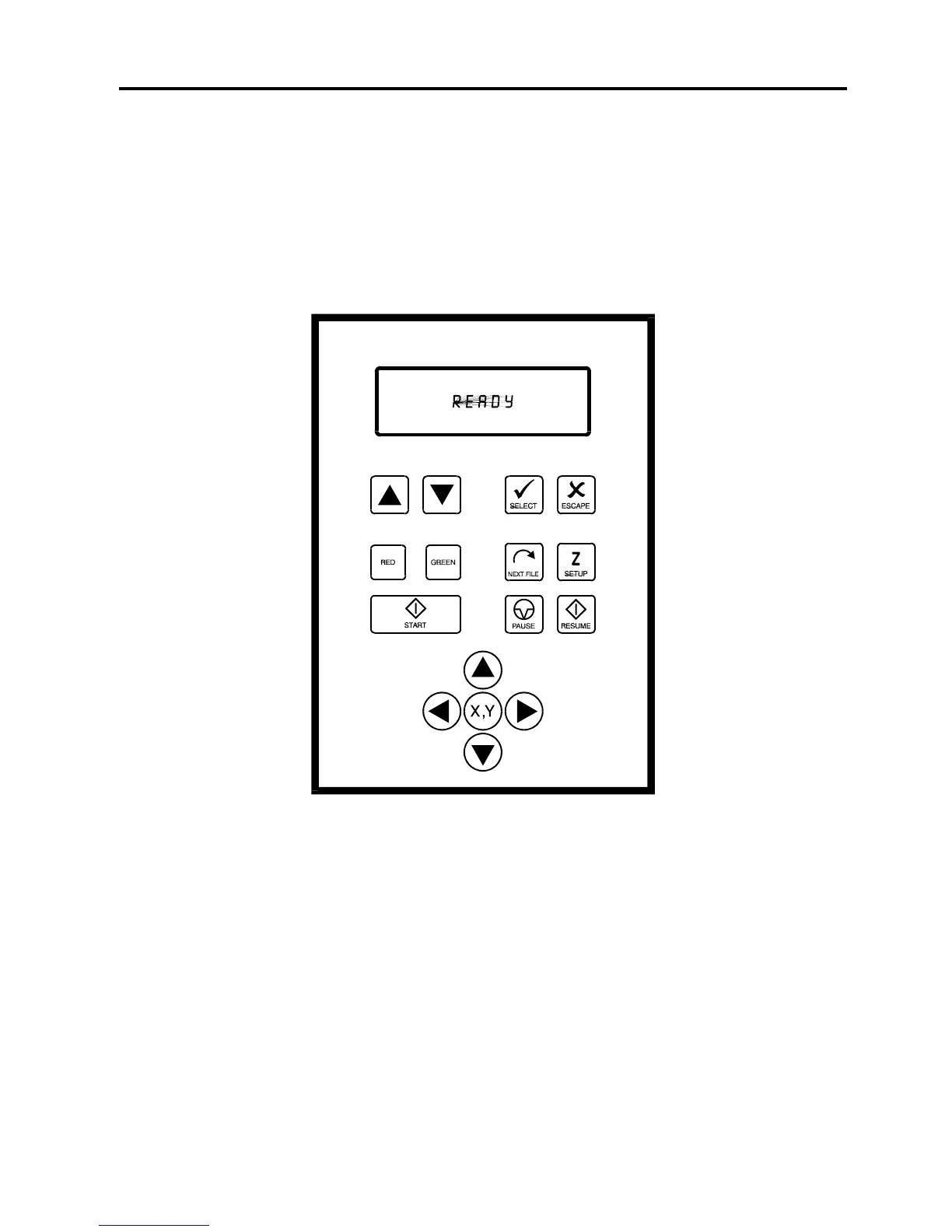
The Control Panel
The control panel on the laser system provides easy access to all of the controls necessary for
cutting and engraving operations. The control panel consists of a liquid crystal display (LCD),
indicator lights, and selection buttons. The following section will describe, in detail, how to
maneuver through the menu system and the significance of each item in the control panel.
The Liquid Crystal Display (LCD)
The LCD is a four line display that displays the menus that control the laser system. It is a
backlit type of display that enhances visibility even under low light environments.
When the laser system is powered on, the laser system will perform a series of routines.
“INITIALIZING” will display until the motion system and electronics have finished their routines.
When completed, the display will then read “READY”, signifying that the laser system is ready
to accept files.



 To Next Page