OPERATION
18 OLEUM_V1.19_eng © Hermle Labortechnik GmbH
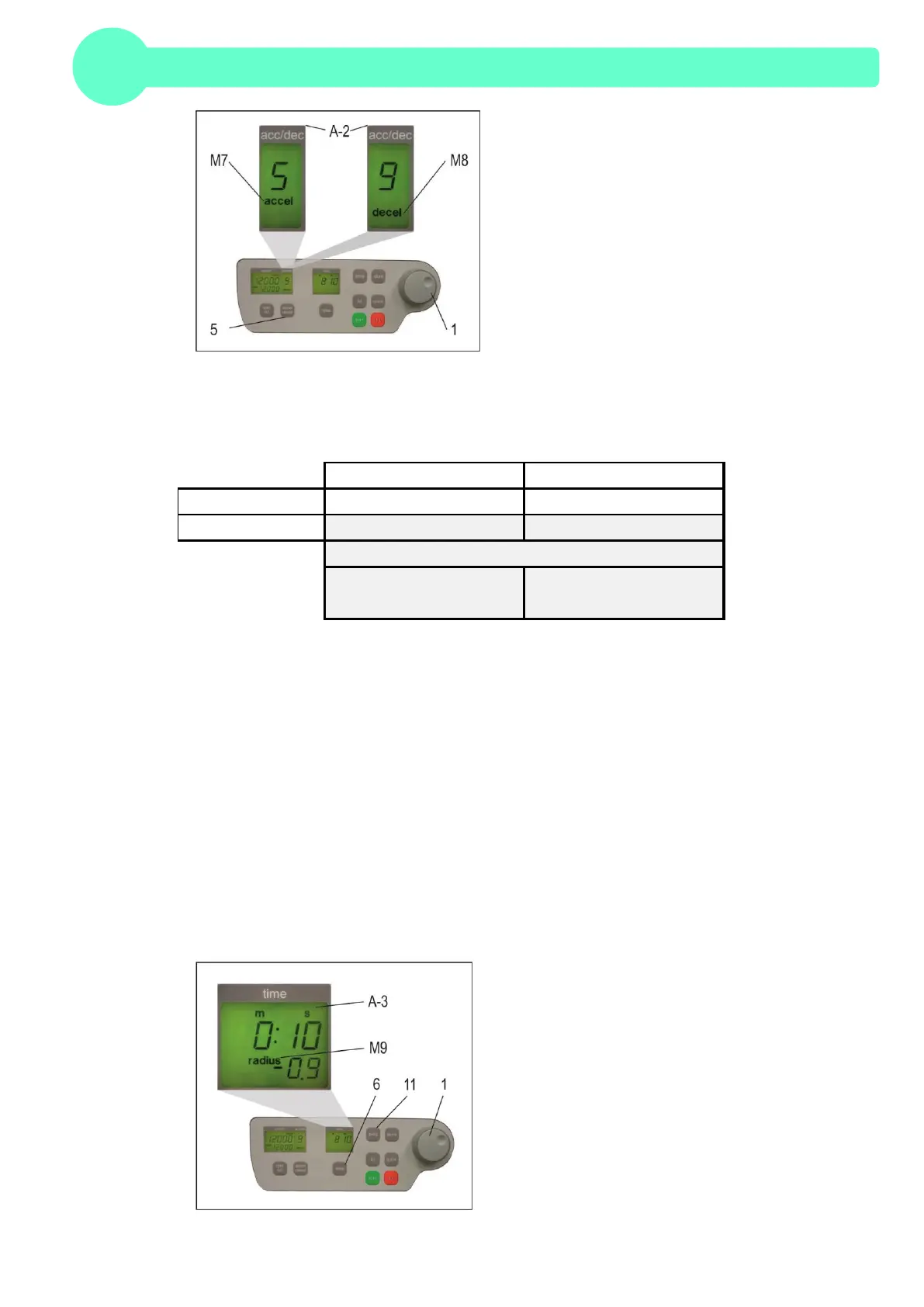
Figure19
The acceleration and deceleration time during level 0 and 9 of the permissible rotor are summarized
in the bellow table.
2.4 Radius Correction
If adapters or inserts are being used, it could change the centrifugal radius of the respective rotor. In
that case, the radius can be corrected manually.
Please proceed as follows:
First close the centrifuge lid and press afterwards the key "time" (6) and the key "prog" (11) at the
same time and hold down.
In the display, "time" (A-3), appears the word "radius" (M9). With the adjustable knob (1), pre-select
the respective radius correction, (see Table 3, APPENDIX P. V), in steps of 0.1cm.
As soon as the radius correction is set, the word "radius" (M9) appears. This text remains visible
until the radius correction is set back to 0.
For all number marked text, please refer to Figure20.
Figure20


 To Next Page