OPERATION
© Hermle Labortechnik GmbH OLEUM_V1.19_eng 19
2.5 Program
2.5.1 Storage of Programs
The program stores up to 99 runs, with all relevant parameters, including the used rotors. Any free
program number is available and can be retrieved.
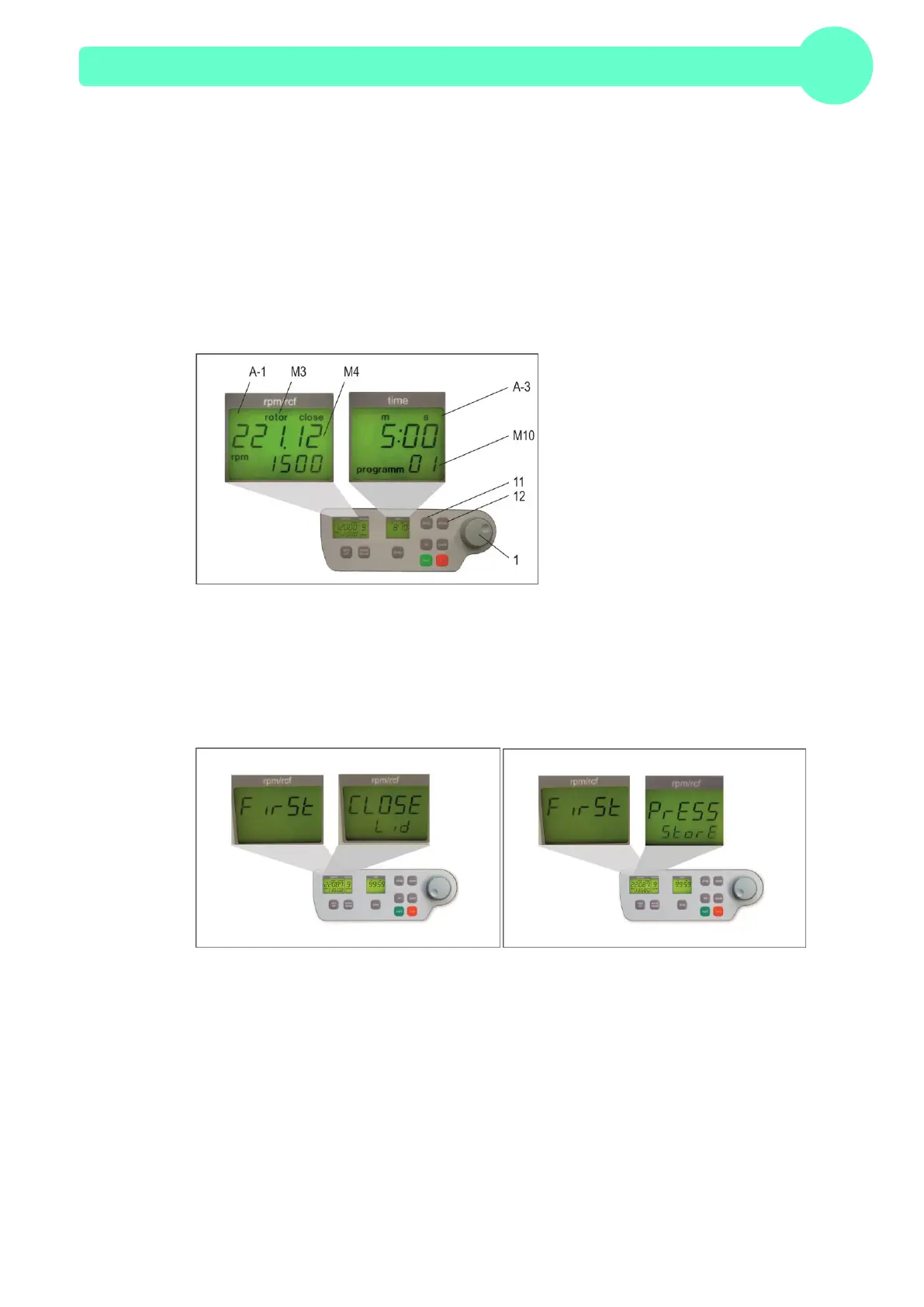
Put the desired rotor into the centrifuge. By pressing the key, "prog" (11), in the display "time" (A-3)
appears the word "program", (see Figure 21). With the adjustable knob (1), choose the desired
program number.
If a program number is already occupied, in the display "rpm/rcf" (A-1), the words "rotor" (M3) and
"22x.xx" (M4) will appear, (see Figure21). Free program numbers will appear as 0.
Figure21
Close the lid of the centrifuge, now proceed as described above, to set all important run parameters.
If the lid isn´t closed, when storing the program in the display "rpm/rcf" (A-1), flashes alternately the
word "FirSt" and "CLOSE Lid" (see Figure22). When starting the run without storing the program, in
the display "rpm/rcf" (A-1), flashes alternately the word ""First" and "PrESS StoreE", (see Figure 23).
Figure22
For alteration of data, press the key "store" (12), for approx. 1 second. If the program is stored
correctly, the word "StorE" appears in the display "rpm/rcf" (A-1). As a result, the word "program"
(M10) disappears. As soon as the key "store" (12) is no longer displayed, the word "programm xx"
(M10) reappears. ( the xx stands for the chosen program place.
If all program numbers are occupied, take an old number that is not needed any longer and replace
it with the new parameters.


 To Next Page