26
1
2
3
4
5
6
7
8
9
10
11
12
13
14
15
16
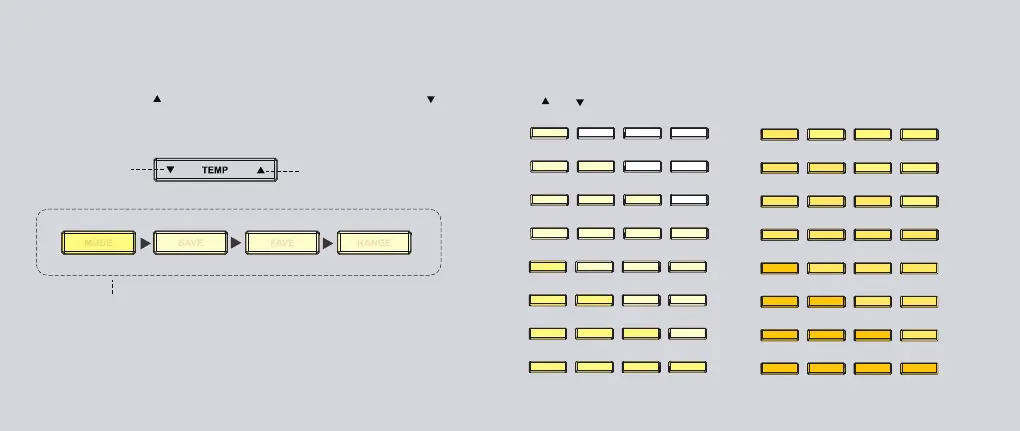
Press ( ) or ( ) to select one of 16 incremental configuration levels.
Adjust the Light Temperature
Increase
the temperature
Decrease
the temperature
Adjust the light temperature (warmness) of the Studio’s lighting system.
Press the right side ( ) to increase the temperature, press the left side ( )
to decrease the temperature.
Configuration Interface
INTST and TEMP button actions will temporarily enter the configuration
interface, and the four short buttons listed above will be temporarily disabled.
Wait 2 seconds without any button action or press any of these four buttons to
return to the general interface mode and interactive button functions.


 To Next Page